You have been kicked due to unexpected client behavior Roblox Disconnected Error Code 268
This guide helps to fix the error code 268 that says ''You have been kicked due to unexpected client behaviour Roblox Disconnected''. Go through the guide and follow the step-by-step instruction to fix the issue.
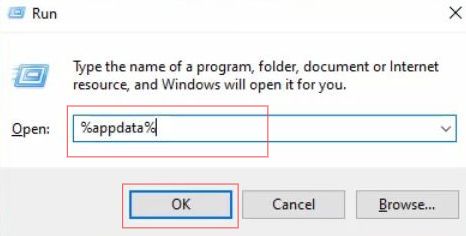
- First, you need to close your Roblox player window and then press the Windows + R keys simultaneously to open your Window's Run box.
- Once the Run application is opened, write the ''%appdata%'' in the text box and click the Ok button.
- Now go to the AppData folder and open up the Local folder.
- Upon reaching this folder, scroll down until you find the Roblox folder and double-click on it.
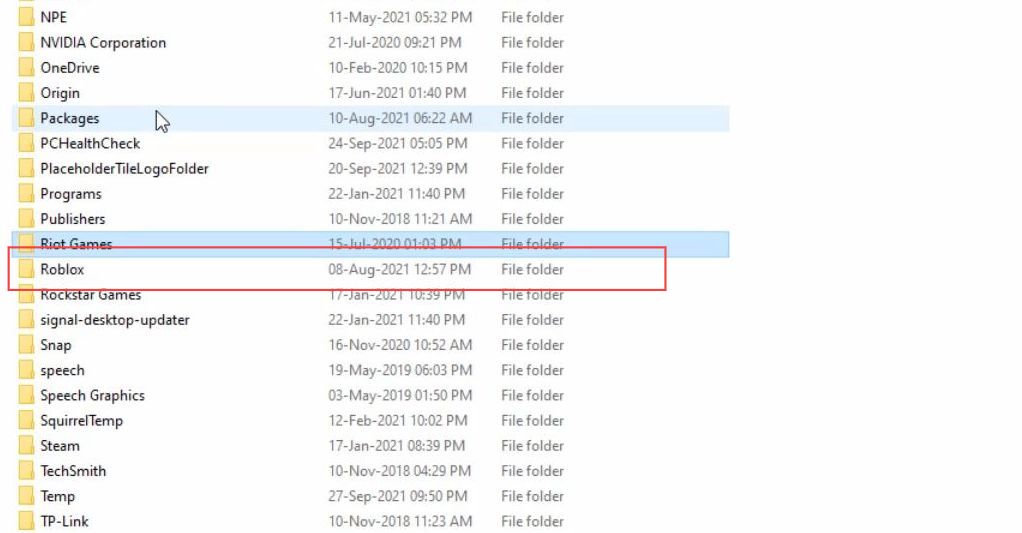
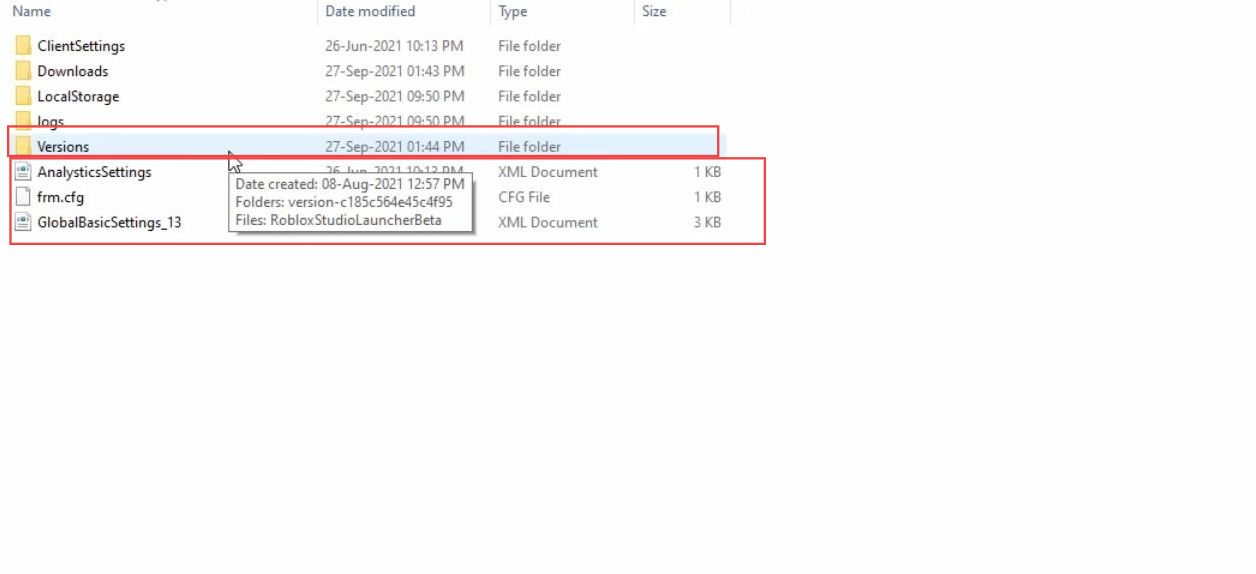
- Now you have to delete the last three files from this folder.
- Once you have deleted these files, double-click the versions folder to open it.
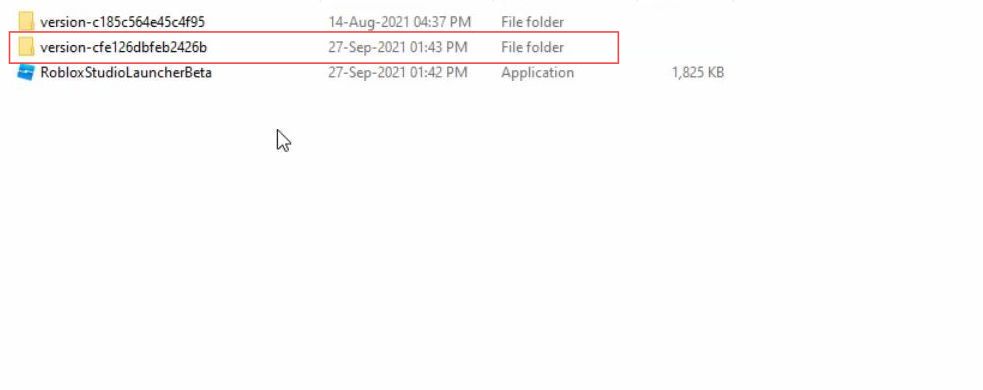
- Upon reaching this window, click the second folder to open it.
This is the recently updated folder.
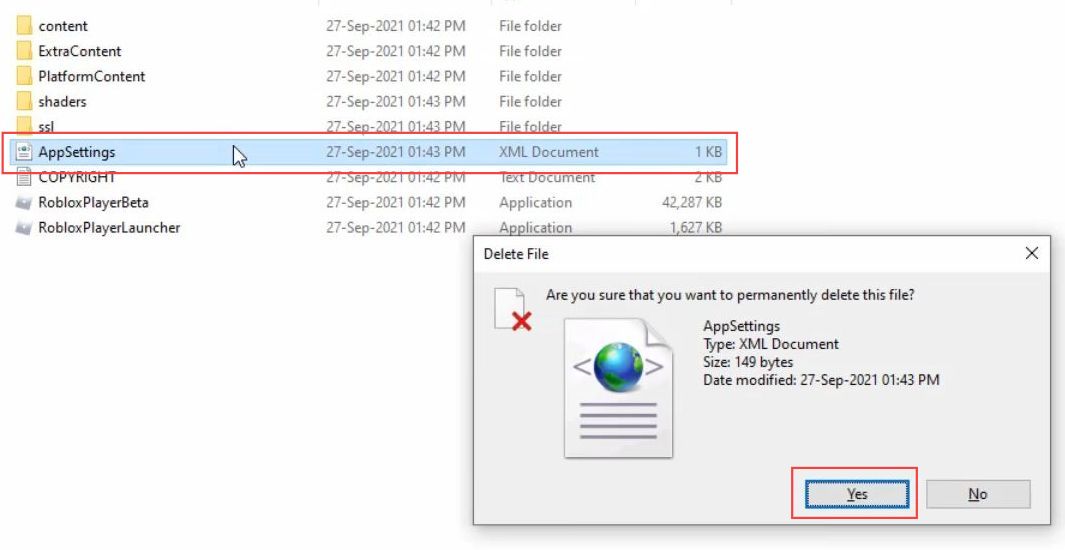
- Then you have to click the AppSettings file to delete it.
- After that, close all the windows.
- Now you need to click the network icon from the taskbar.
- Select the open network & internal settings option from the extended menu.
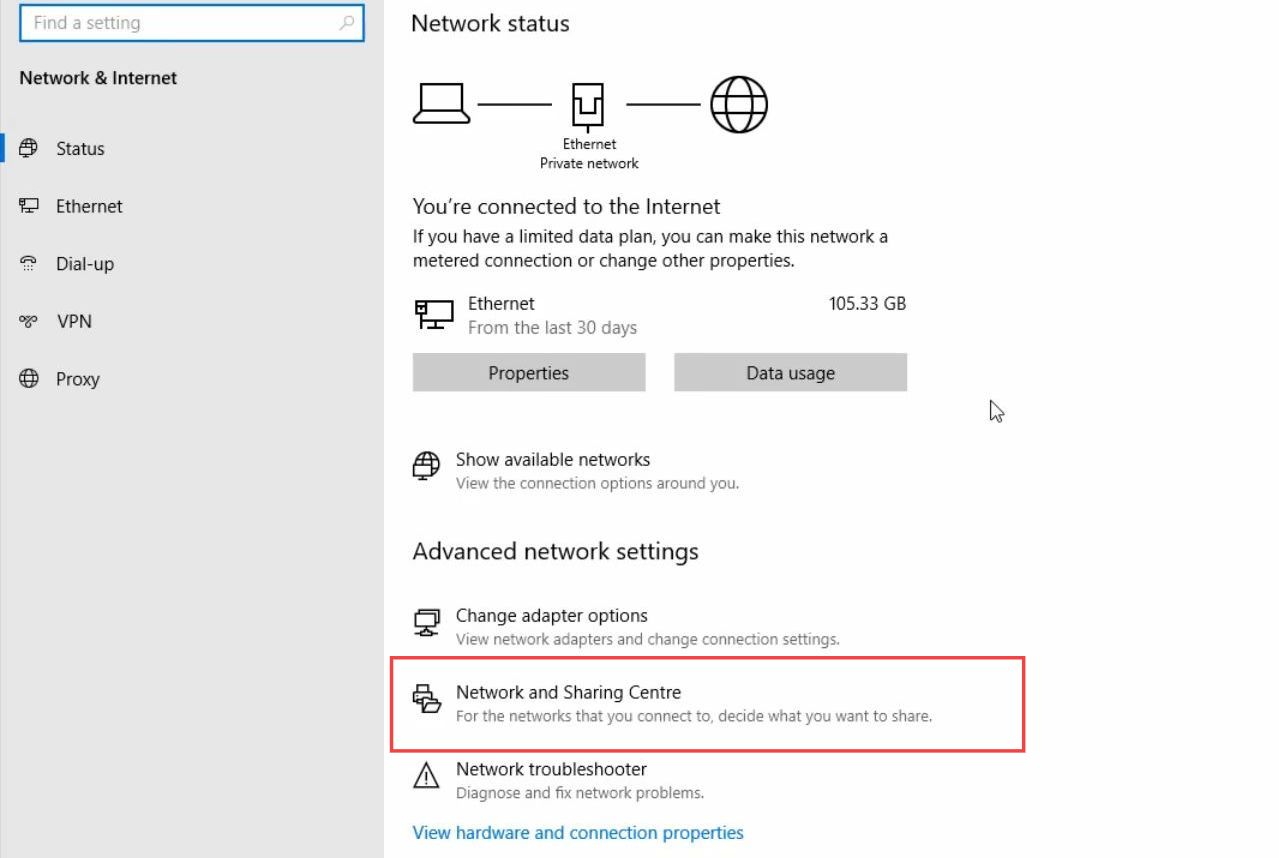
- Upon reaching the settings window, select the Network and sharing centre option from the section of Advanced Network settings.
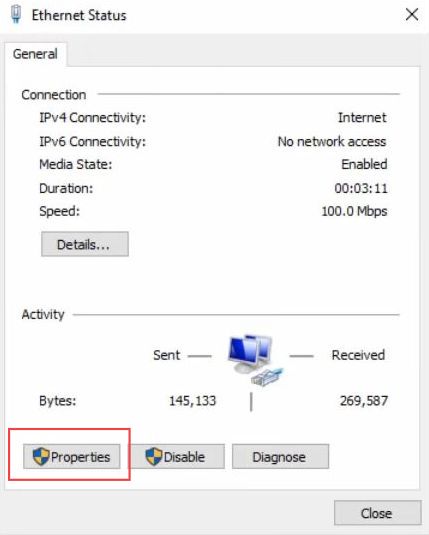
- Then click the internet connection that you are using from the connection section.
- Once this window pops up, select the properties button.
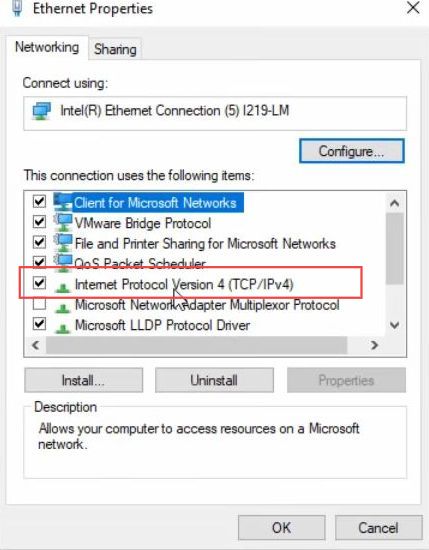
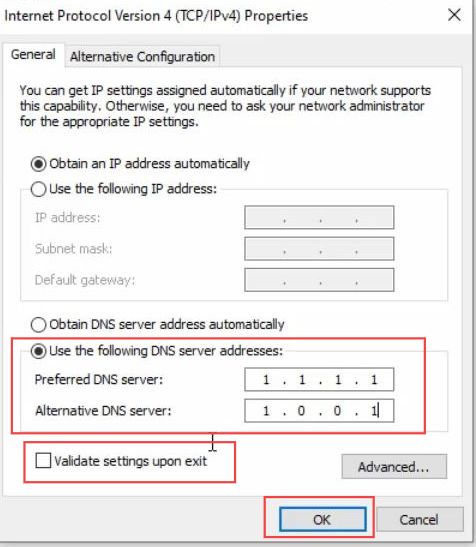
- Now you need to click the internet protocol version 4 option from the listings.
- Change the DNS server address manually, and set the preferred DNS server as 1.1.1.1. Set the alternate DNS server as 1.0.0.1.
- After that, checkmark the validate settings upon the exit option and click the Ok button.
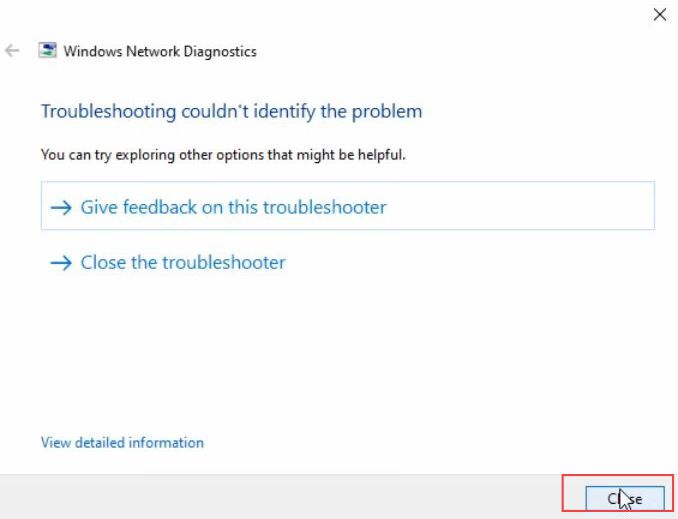
- Now you have to wait a few times as your network adapter is restarting.
- After that, close all the windows.
- Finally, you have to launch the Roblox server for another time to check whether it is working.
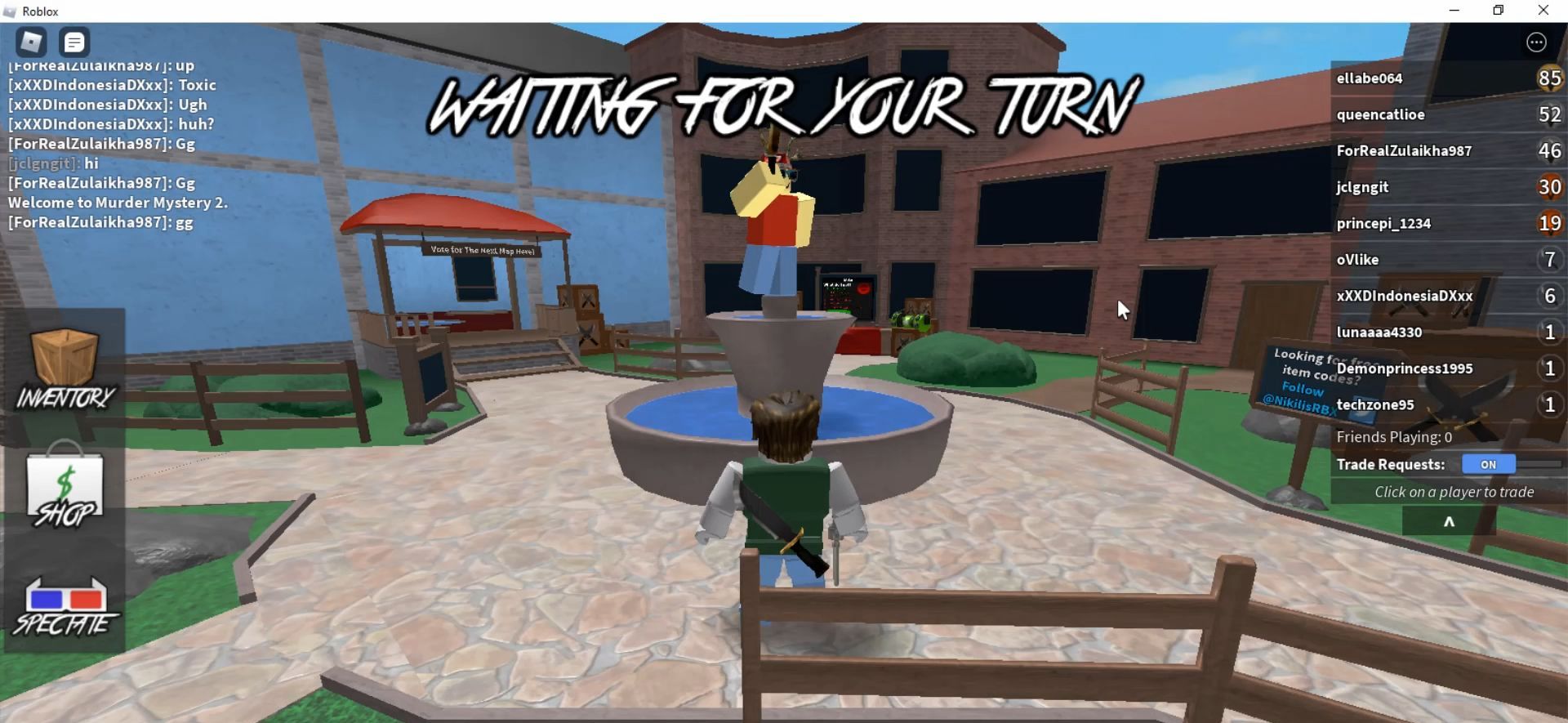
It will work perfectly and you will be able to join your games.