Vanguard Not Initialized 128 Error (Fixed)
The Vanguard Not Initialized error occurs when your Windows or a 3rd party program is interfering with Vanguard or its service.
You have to follow the simple steps to get rid of this error.
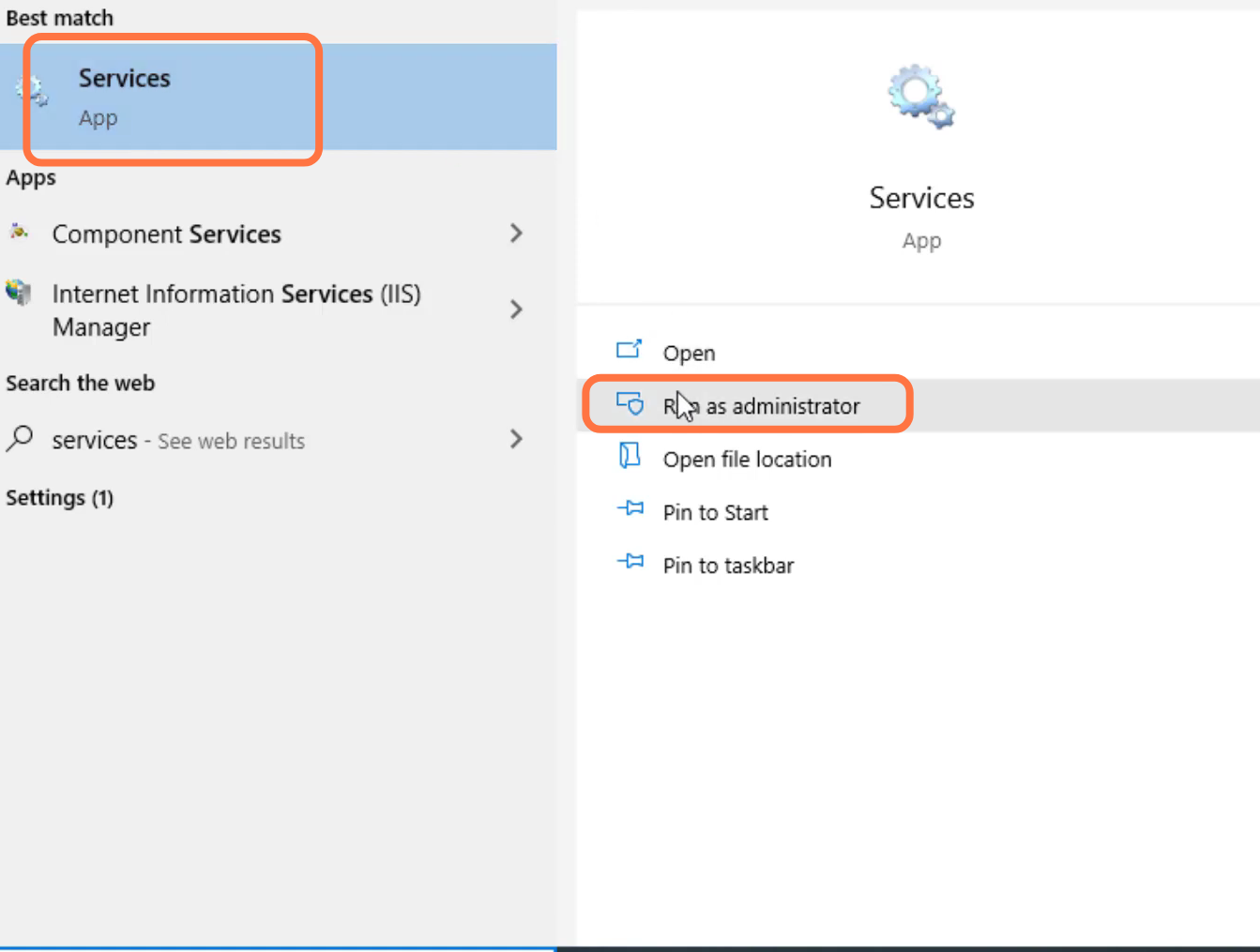
- First, you will need to search for services and click on "run as administrator".
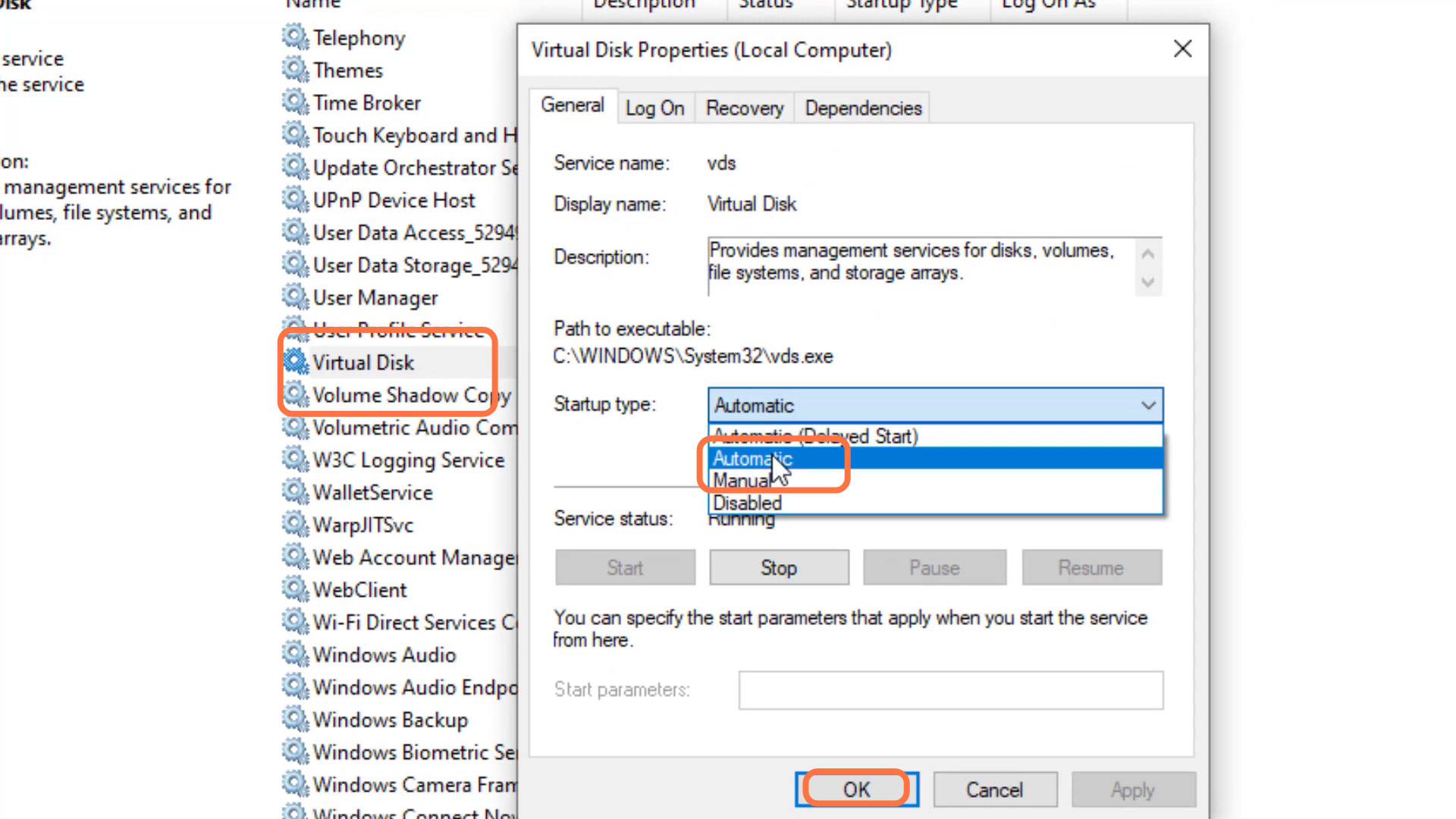
- After that, left click on the virtual disk and go to properties.

- You have to select Automatic and press the OK button.
- left click on Windows update and go to properties.
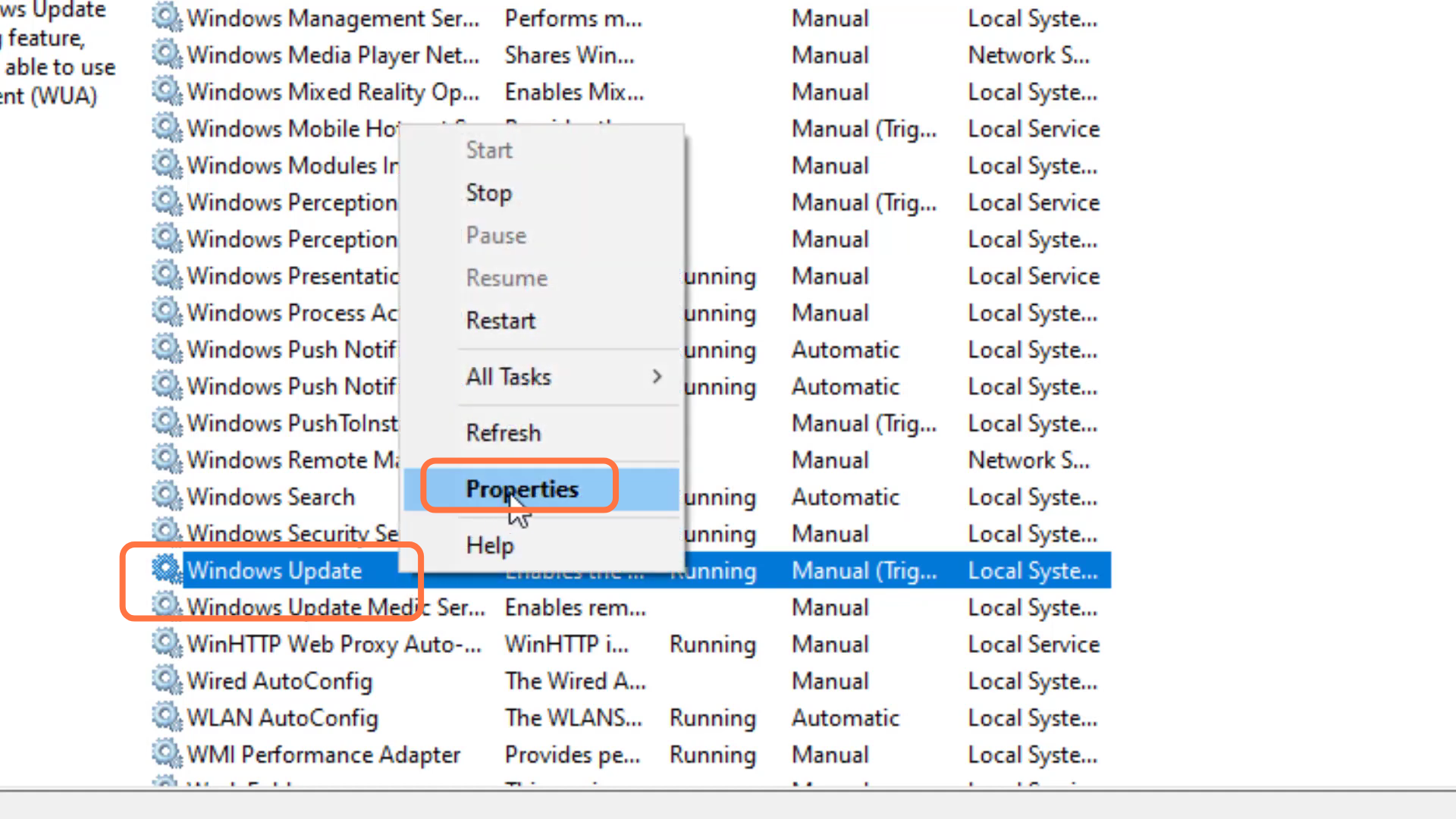
- Then you have to select "Automatic" and Press "OK".

- Finally, restart your PC to check if the error is resolved.
