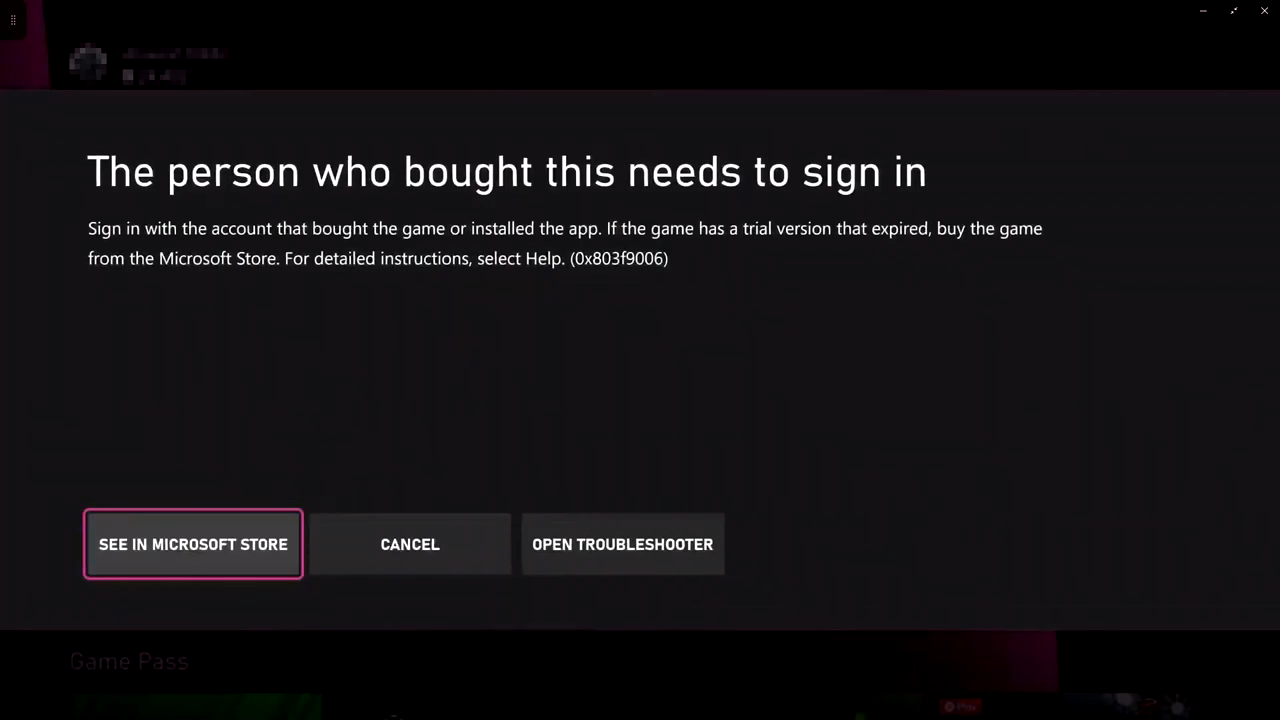
"The Person Who Brought This Needs To Sign In" Xbox Error
This guide will show you how to fix the Xbox error: "The Person Who Brought This Needs To Sign In." Follow these step-by-step instructions to resolve the issue.
Sometimes this error occurs because the Xbox profile with the active Xbox Game Pass or purchased game isn’t signed in. Here’s how to fix it.
1. Press the Xbox button on your controller and navigate to the Profile icon of the account that owns the Game Pass or game.
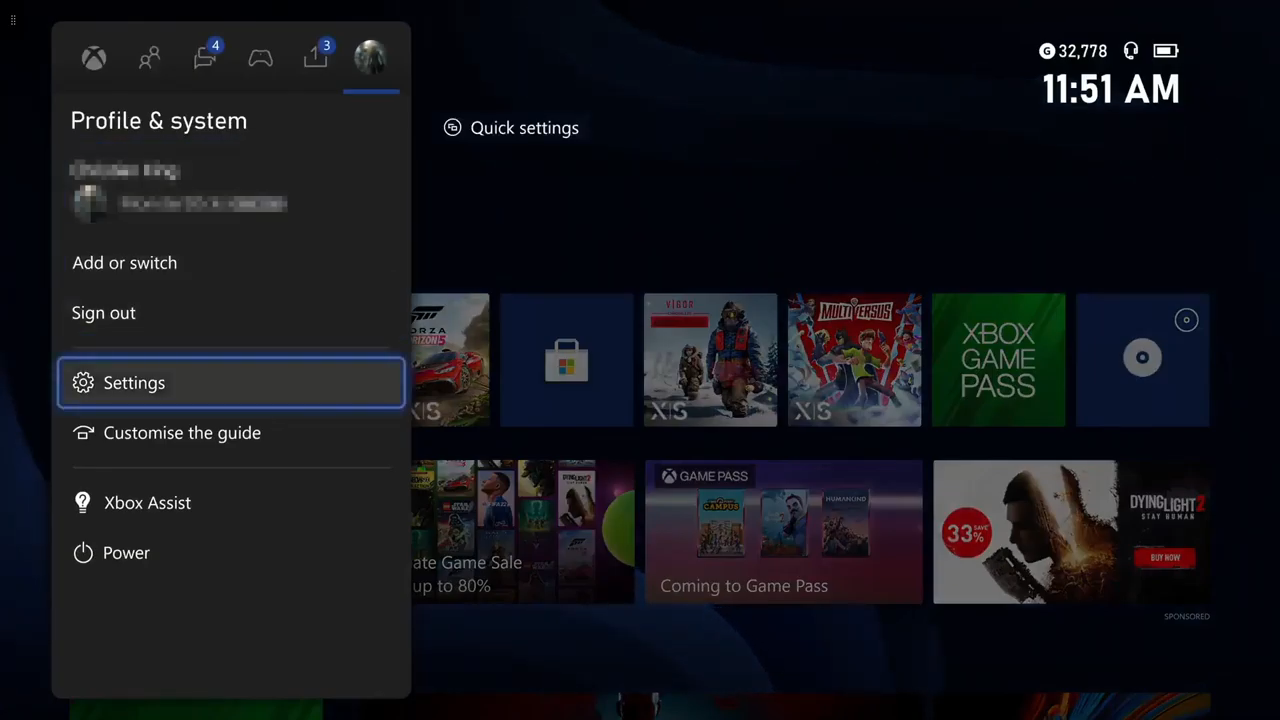
2. Go to Settings.
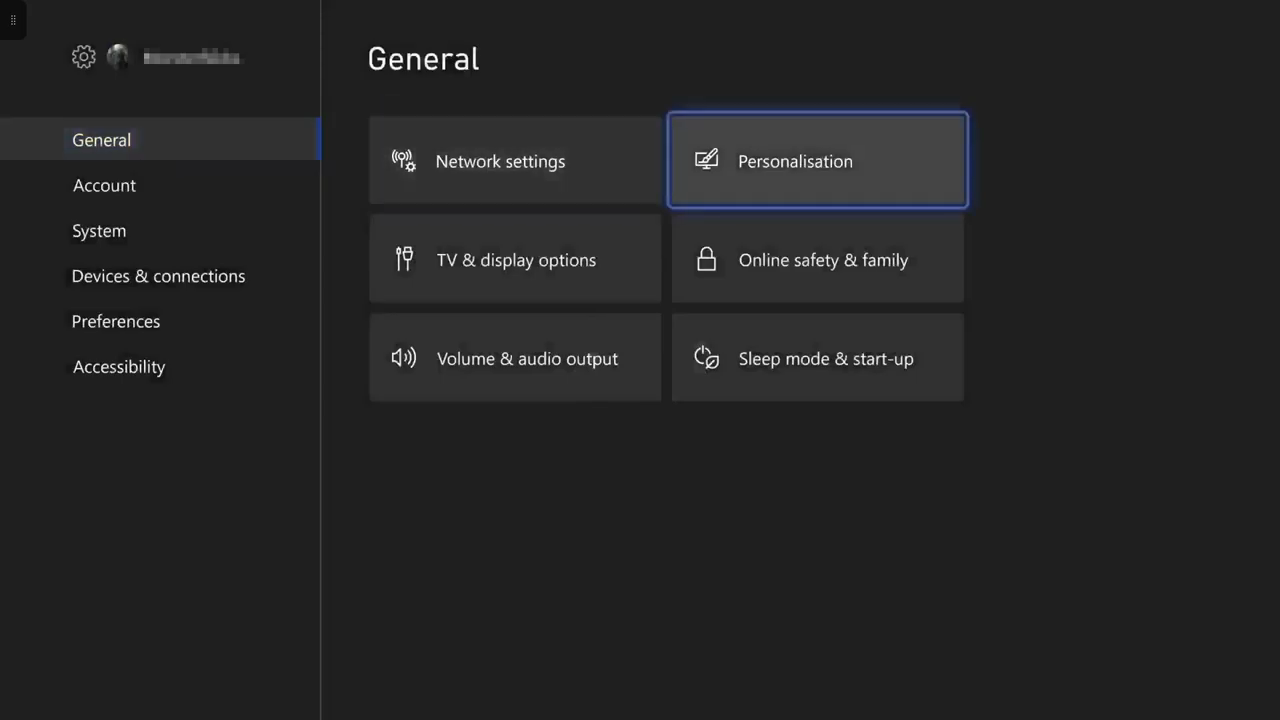
3. Navigate to General > Personalization.
4. Select My Home Xbox and then check the option "Make this my home Xbox".
By doing this, other people on the same console can play your downloaded games without needing you to be signed in. Additionally, if you have Xbox Live Gold, your whole household can enjoy it. Make sure you do this on the profile that owns the Game Pass or purchased game.

5. A confirmation message will appear. Confirm it by clicking "Make this my home Xbox".
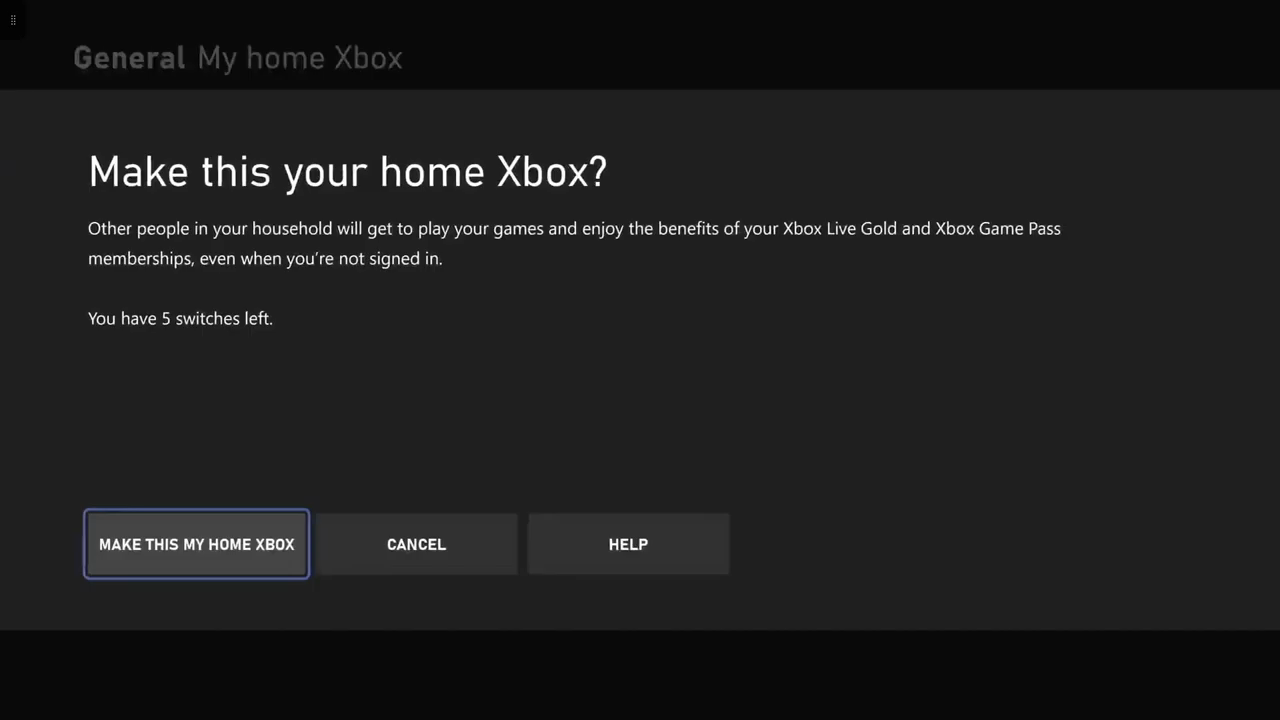
After this, the error should be resolved, and anyone on your console can access the games or Game Pass content without signing in.