Something Went Wrong in The Login - Minecraft (Fixed)
You have to follow all the steps carefully to fix this issue.
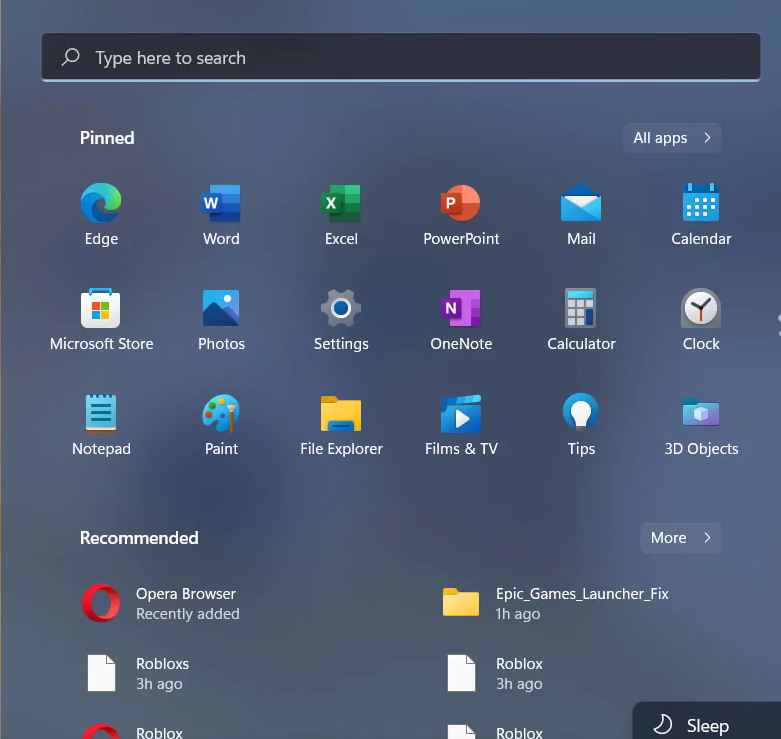
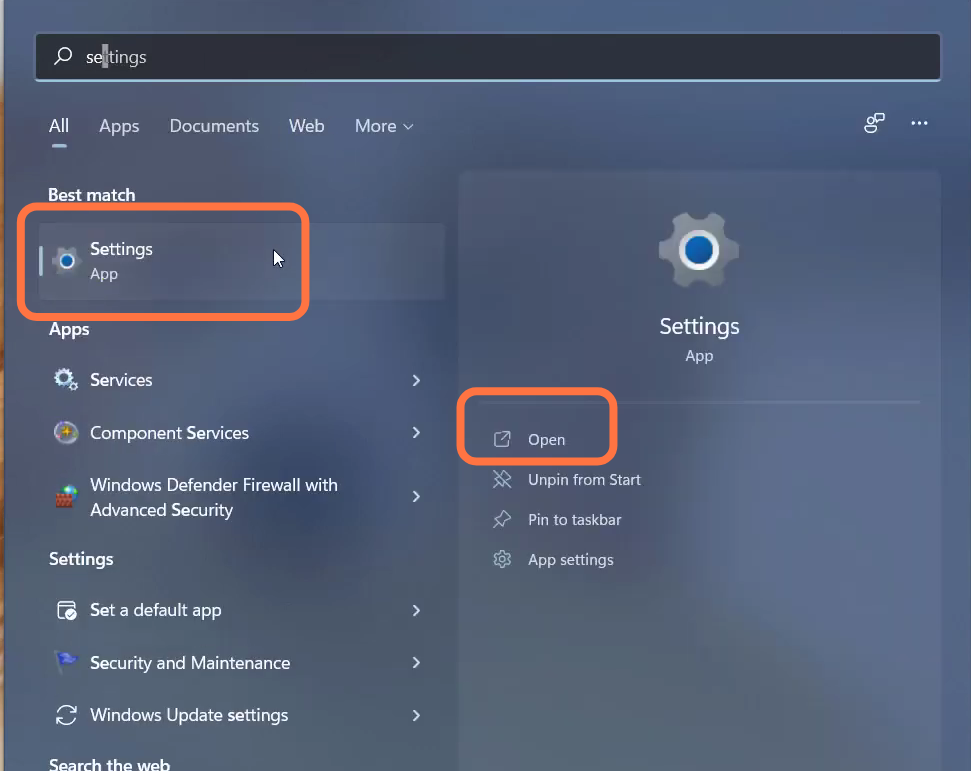
- You will need to open up the settings.
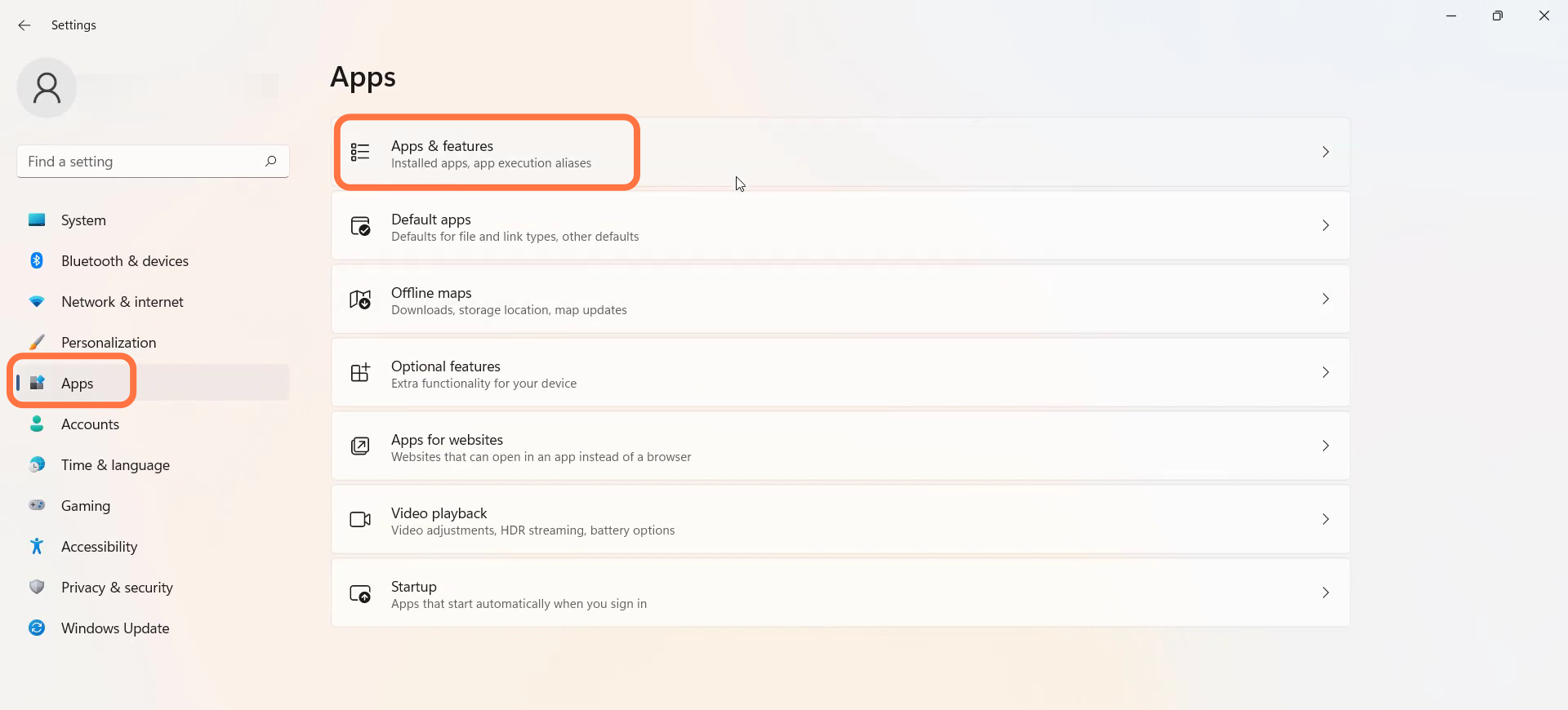
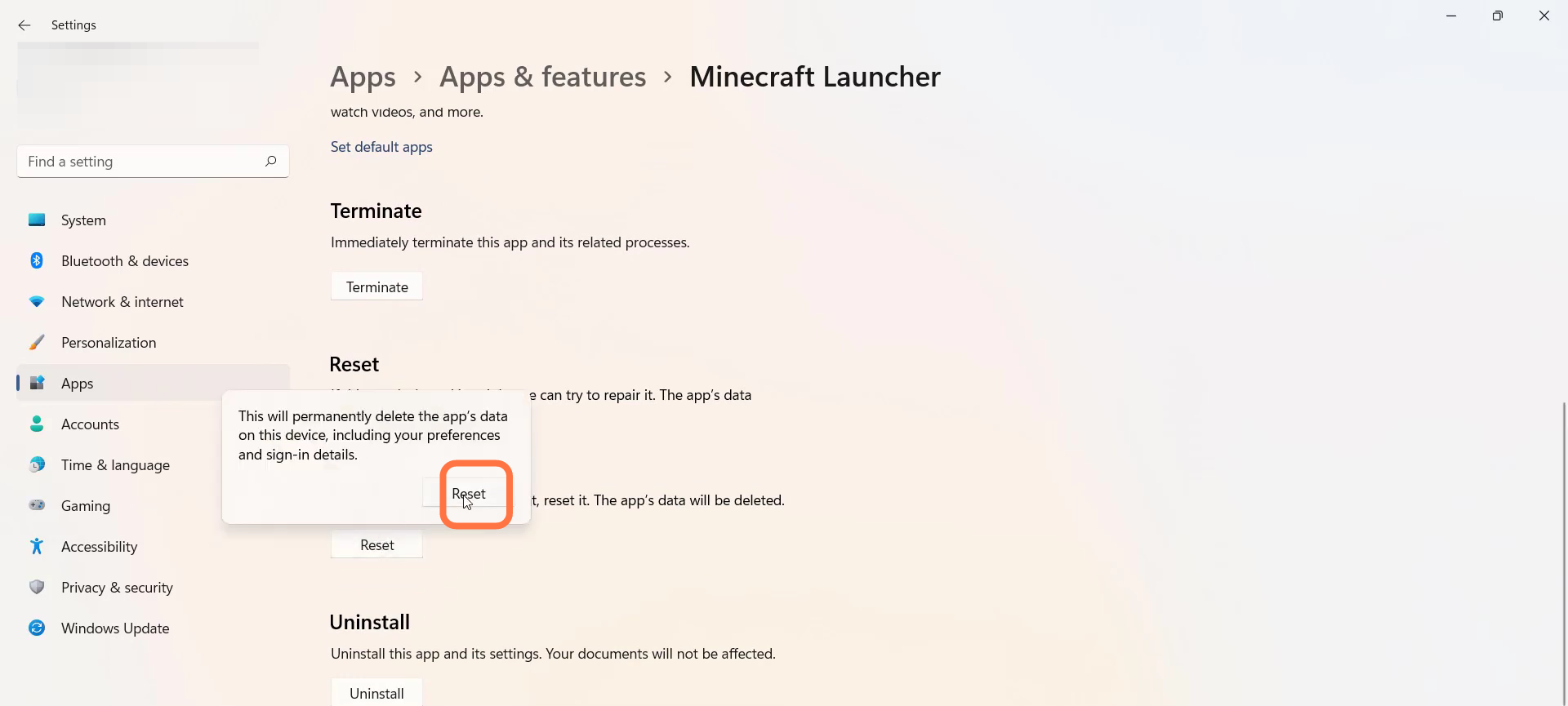
- Navigate to Apps settings and then go to Apps & features.
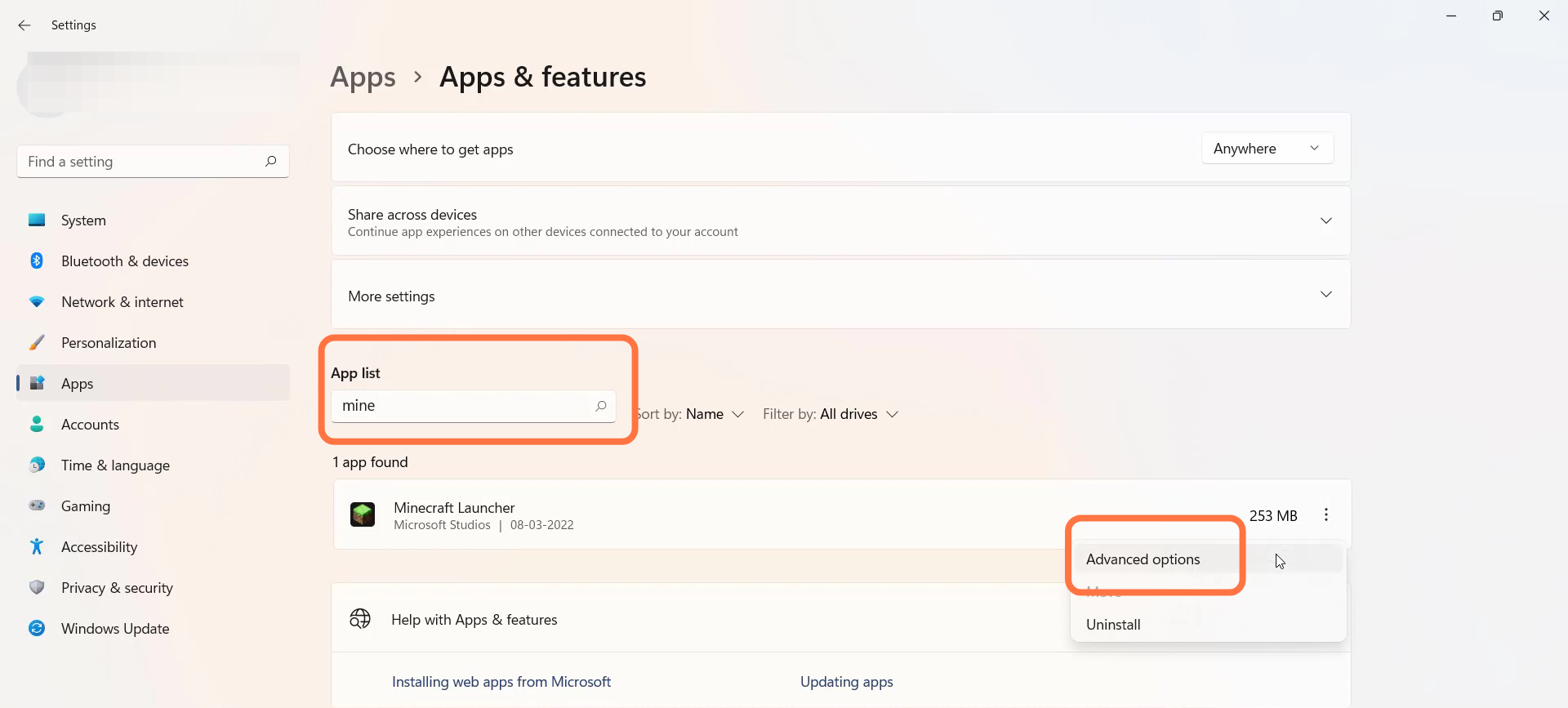
- Search for Minecraft launcher and tap on Advanced options.
- After that, tap on Reset.
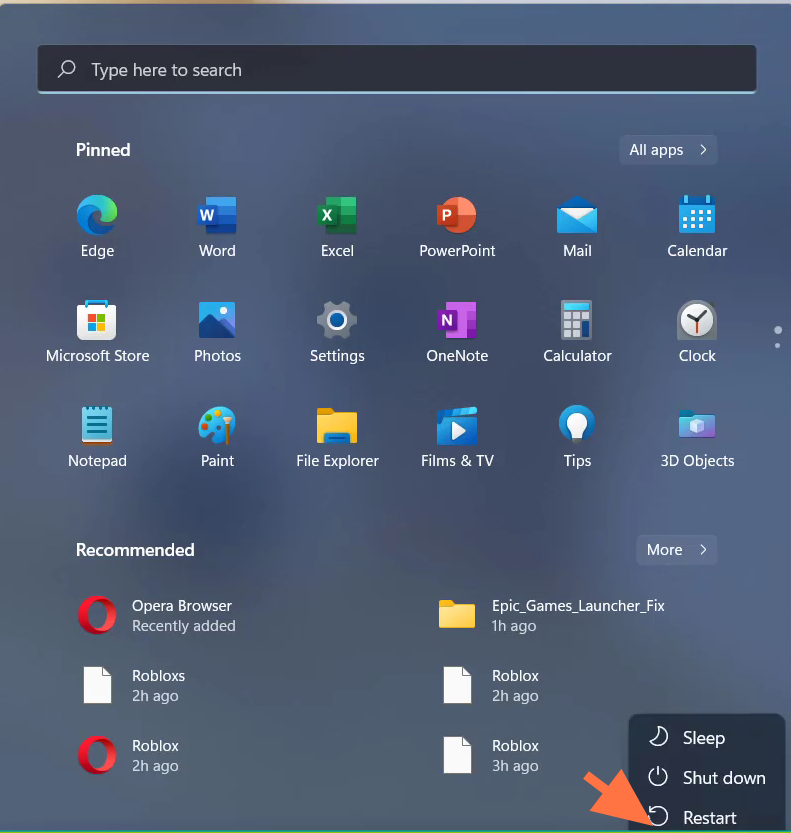
- And then restart your PC.
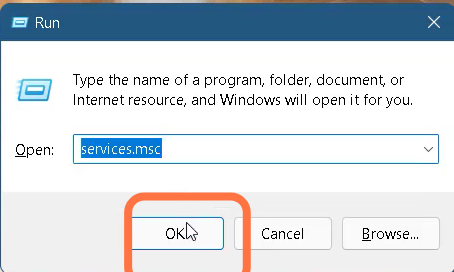
- You need to press the Windows key + R and type "services.msc".
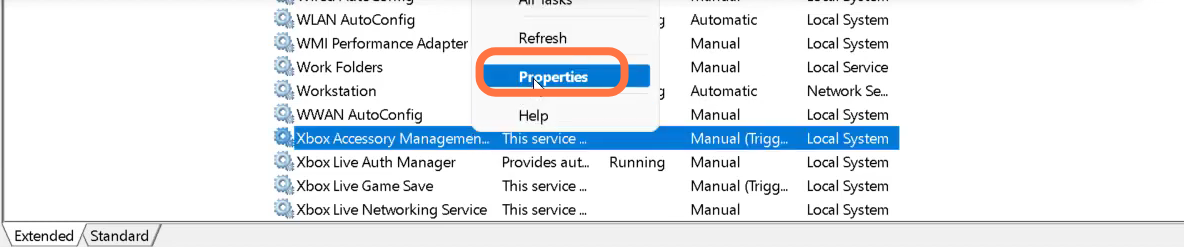
- Go to Xbox Accessory Management and then tap on properties.
- You need to change the Service type to Automatic and Service status to Running.
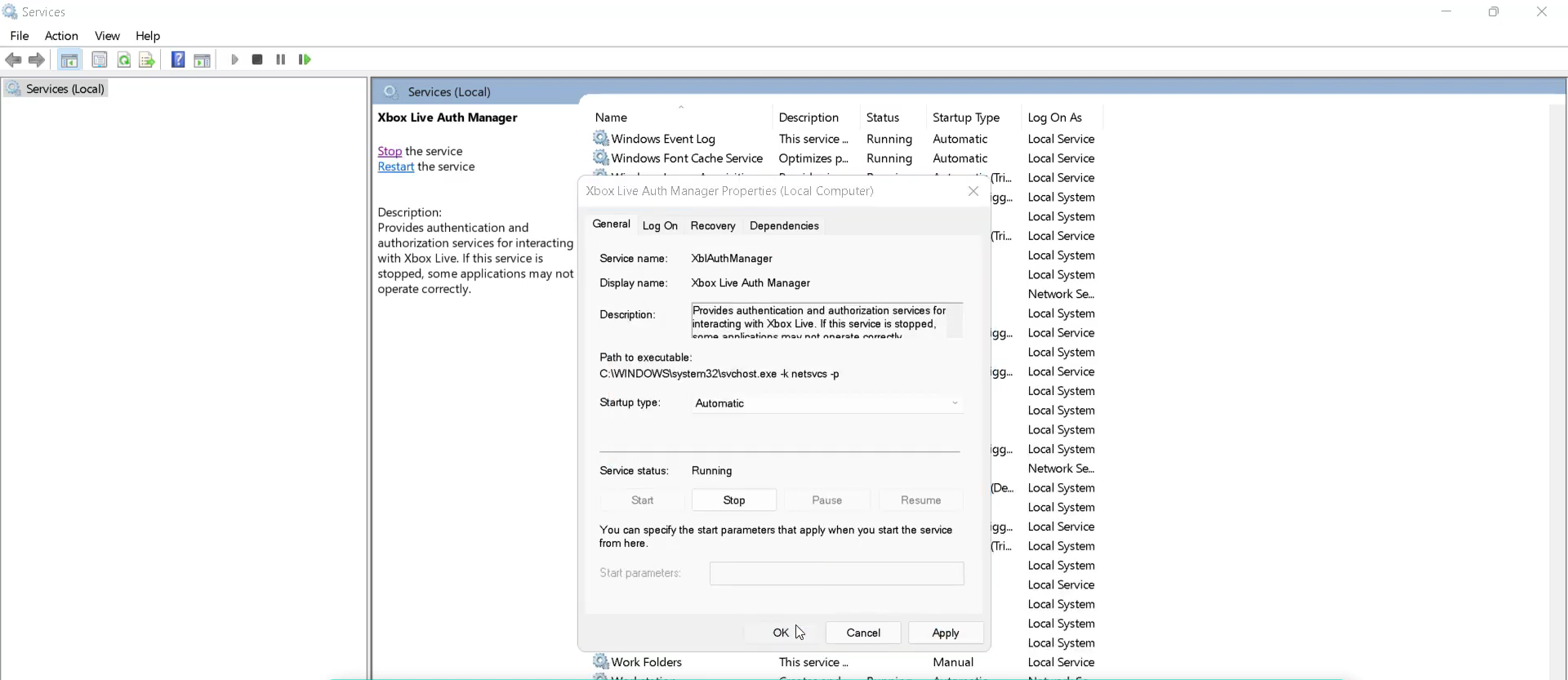
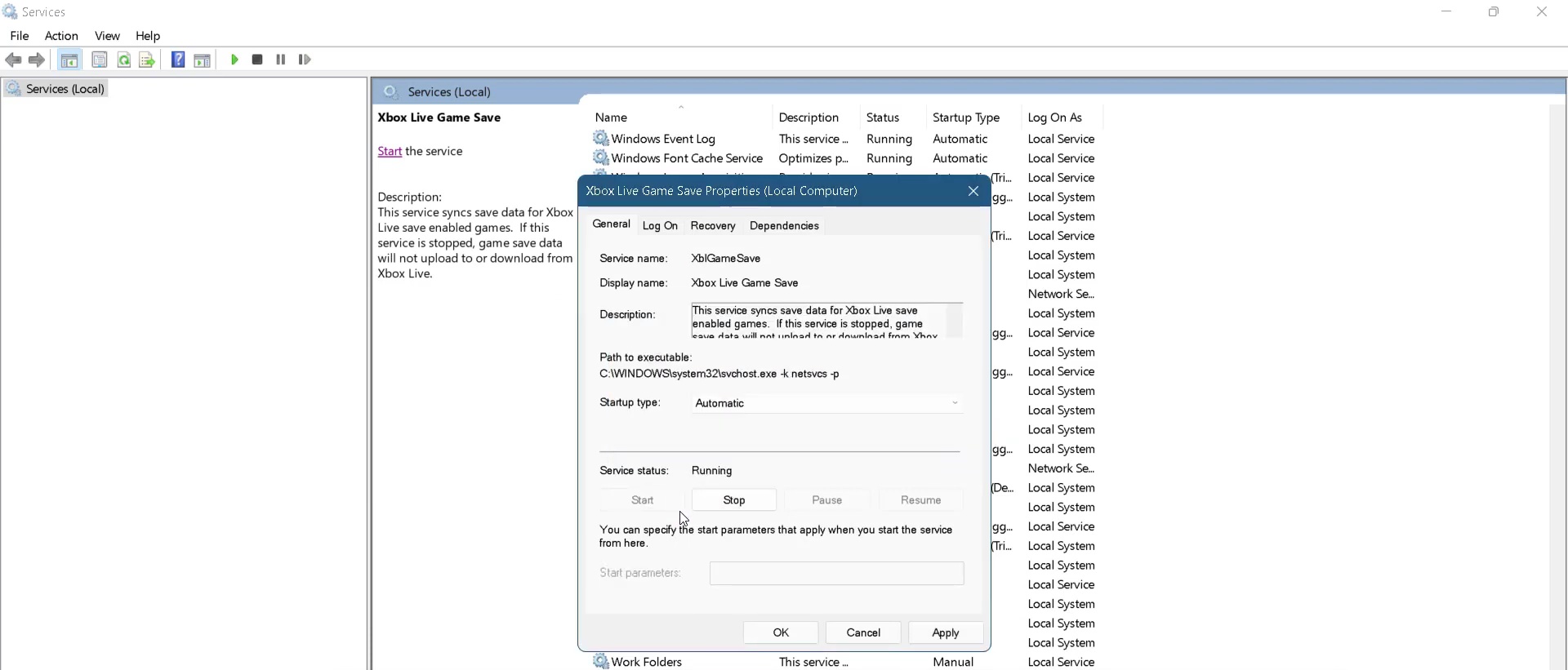
- After that, go to Xbox Live Game Save and go to its properties.

- Change the Service type to Automatic and Service status to Running.
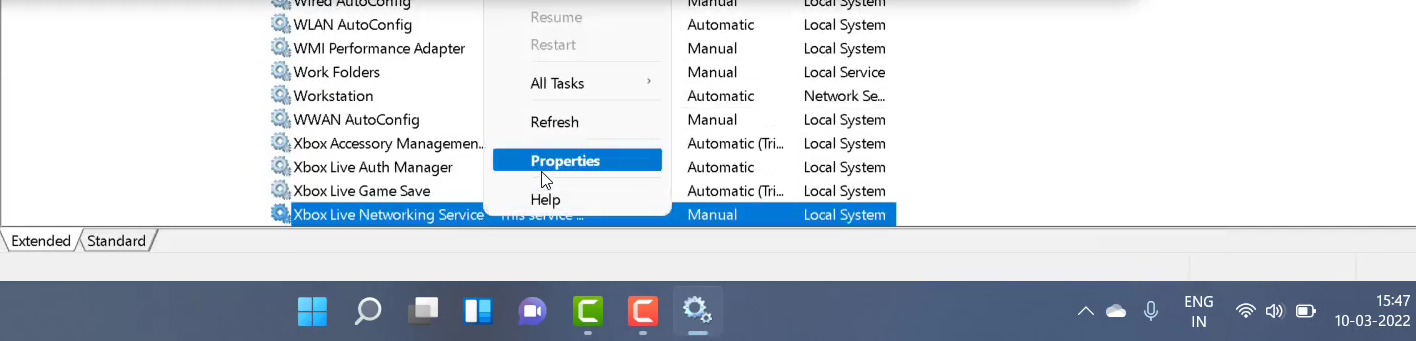
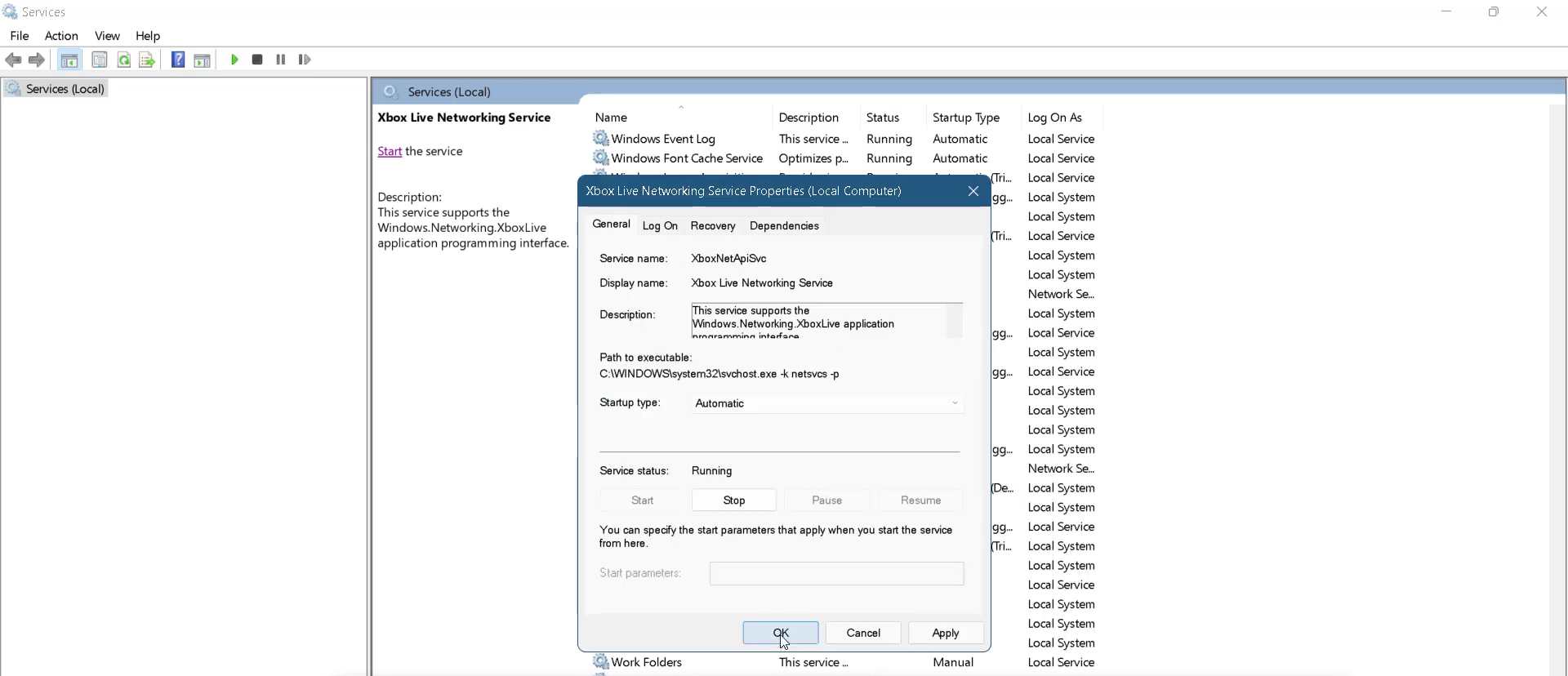
- Tap on Xbox Live Networking Service and navigate to its poperties.
- You need to change the Service type to Automatic and Service status to Running.
- Finally restart your PC to check if the error is resolved.