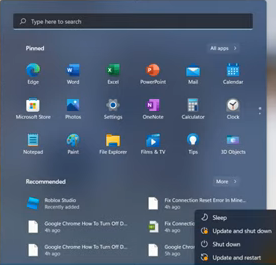
Roblox Error 268 "You Have Been Kicked Due To Unexpected Client Behavior"
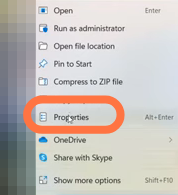
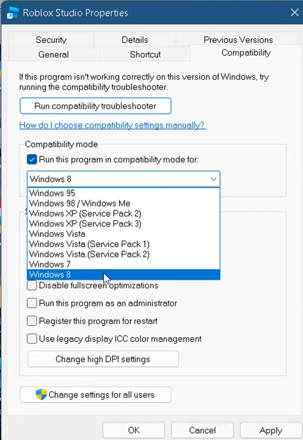
- And then click on the Compatibility tab.
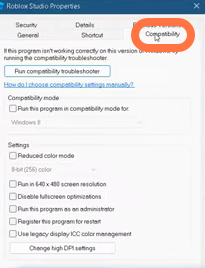
- After that, check 'Run this program in compatibility mode for'.
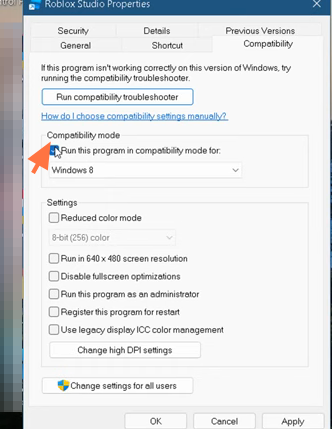
- Select Windows 8 from the dropdown list, click on the Apply button then OK.
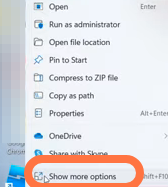
- Now again right-click on Roblox studio and select "Show more options".
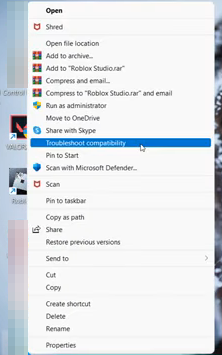
- Then you have to tap on "Troubleshoot Compatibility".
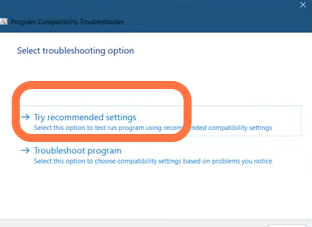
- Choose "Try recommend setting" from the given two options.
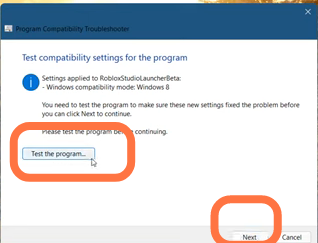
- After that, click on the 'Test the Program' tab and then hit Next.
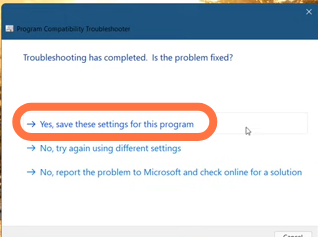
- Select 'Yes, Save the settings for this program from the given options and then click Close after the troubleshooting completes.
- The problem will be resolved.

- Now you need to restart your PC.