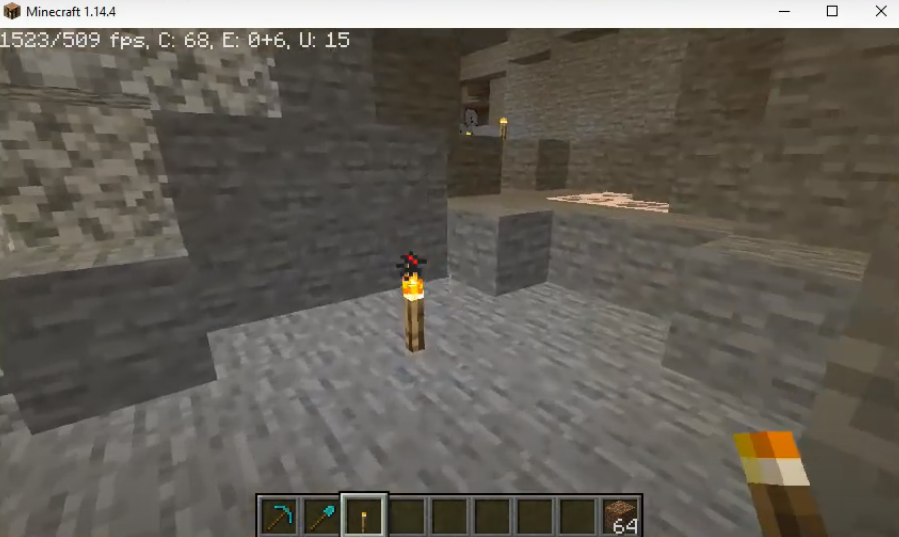
Ores - VisibleOres+Baritone Auto Miner Mod: How To Download and Install In Minecraft
VisibleOres+Baritone Auto Miner is a highlighted ore texture pack. Follow the steps below to download and install VisibleOres+Baritone Auto Miner MOD in Minecraft:
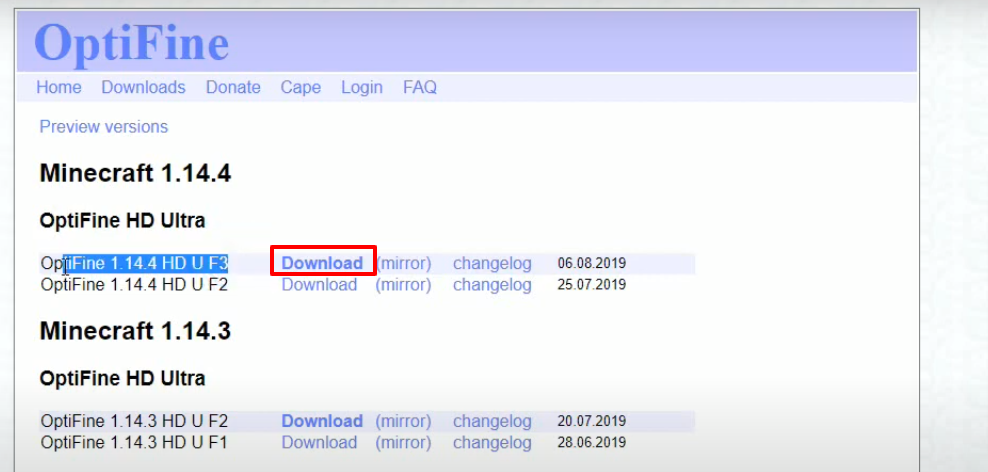
- Open the link below and then click on Download.
https://optifine.net/downloads
- Open the following link and click on marked icon.
https://github.com/cabaletta/baritone
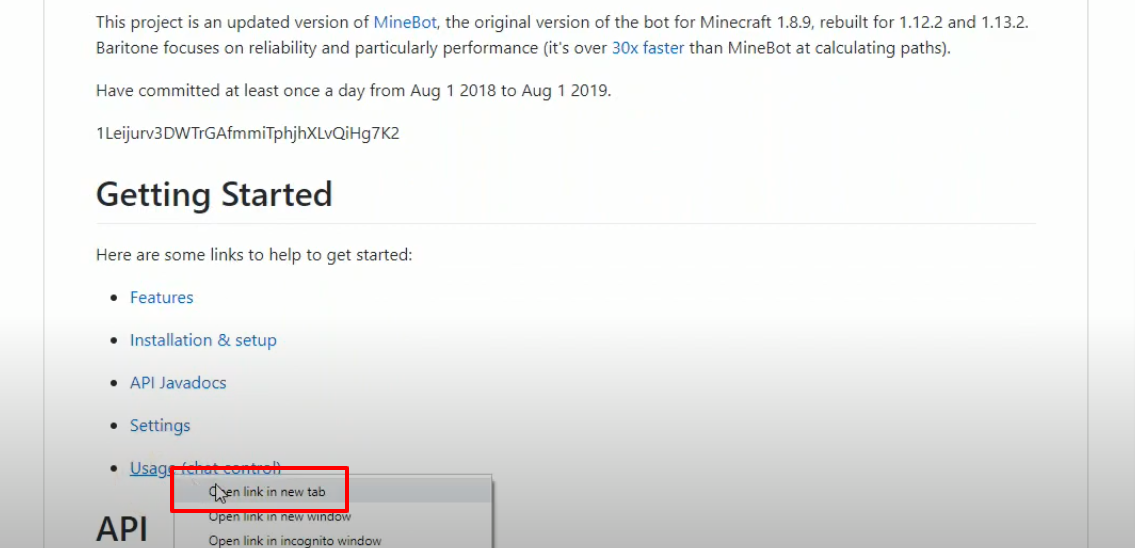
- Click on the marked option in the image below.
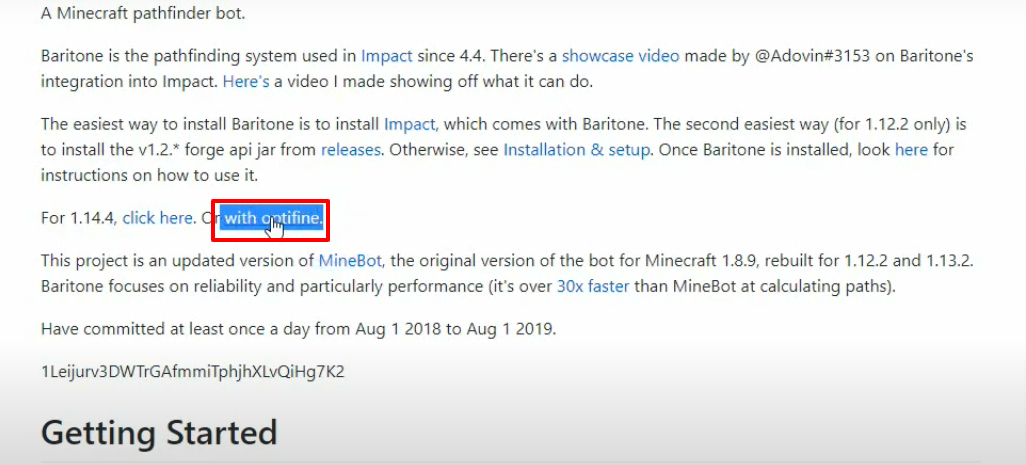
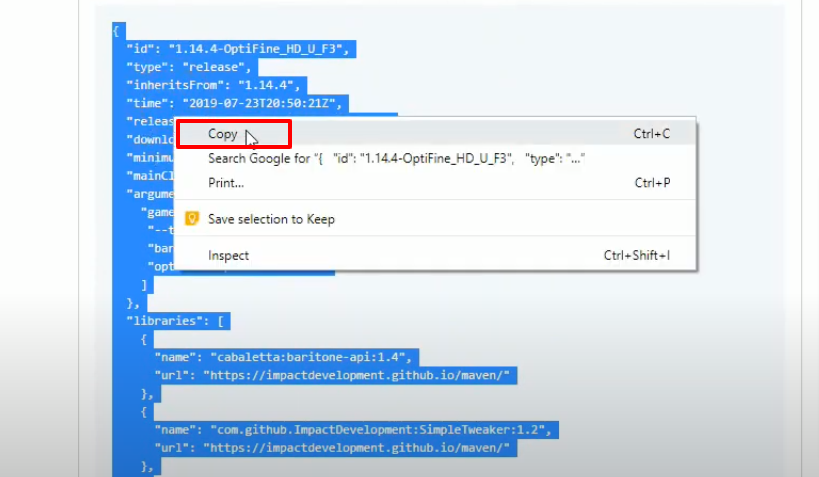
- Copy the marked text, it will be needed in the next steps.
https://github.com/cabaletta/baritone/issues/797
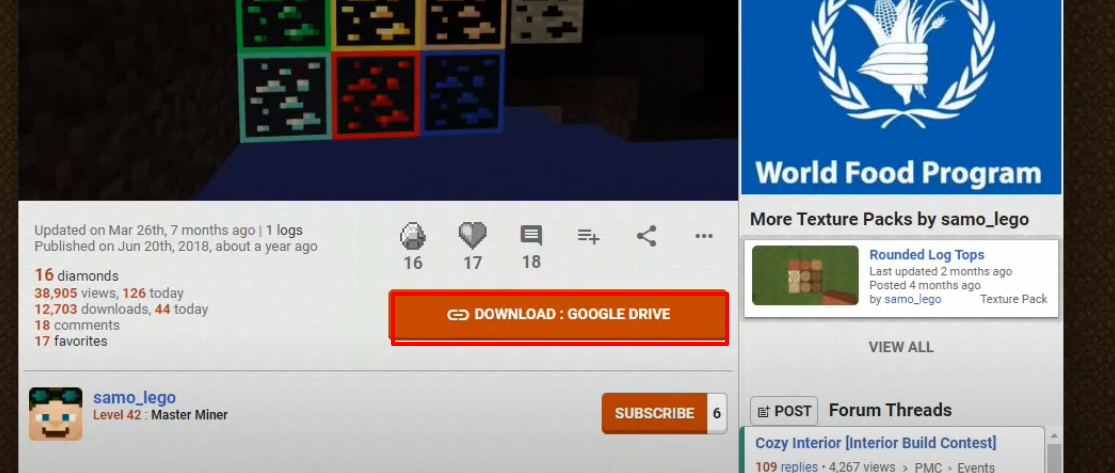
- Open the link below to download the setup file.
https://www.planetminecraft.com/texture-pack/visible-ores-resource-pack-not-xray-optifi
ne/
- Launch Minecraft, select the marked options and then click on PLAY.
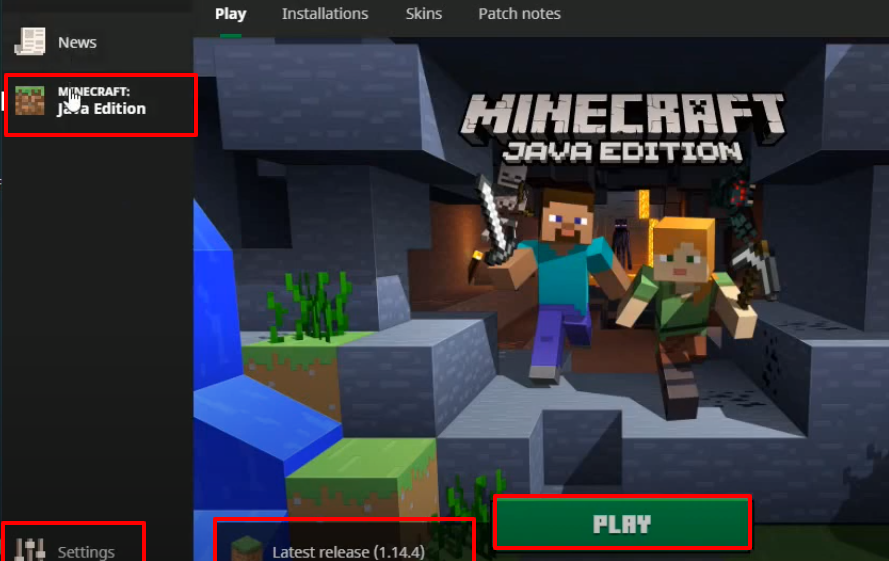
- Check for the versions and then click on Quit Game.
- Type windows+r to open the run dialog box, type %appdata% in it and click OK.
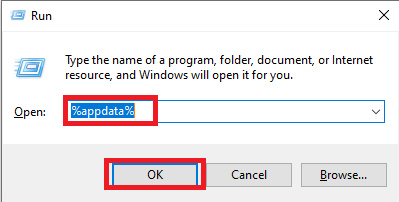
- After that, follow this directory “appdata\roaming\.minecraft\versions.
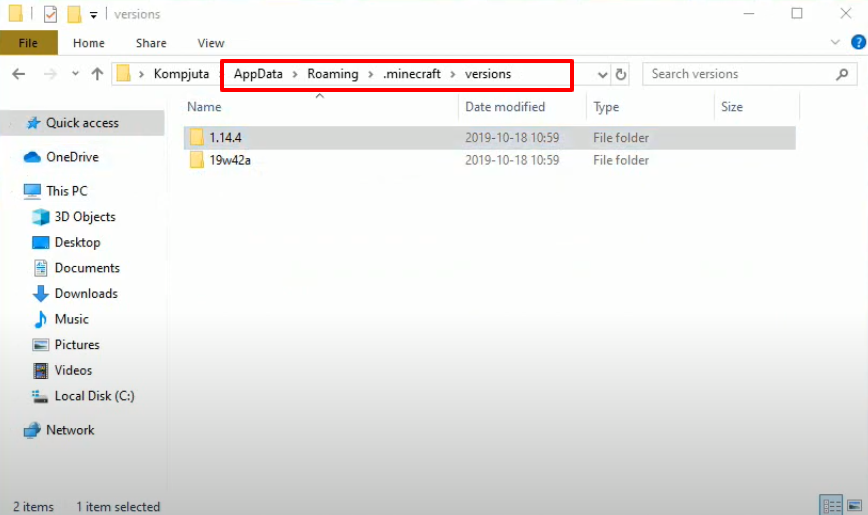
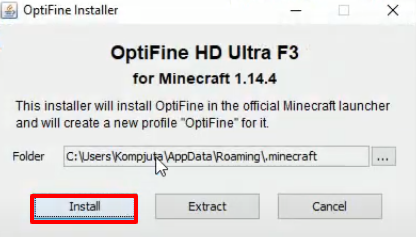
- Open "OptiFine Installer" and then click on Install.
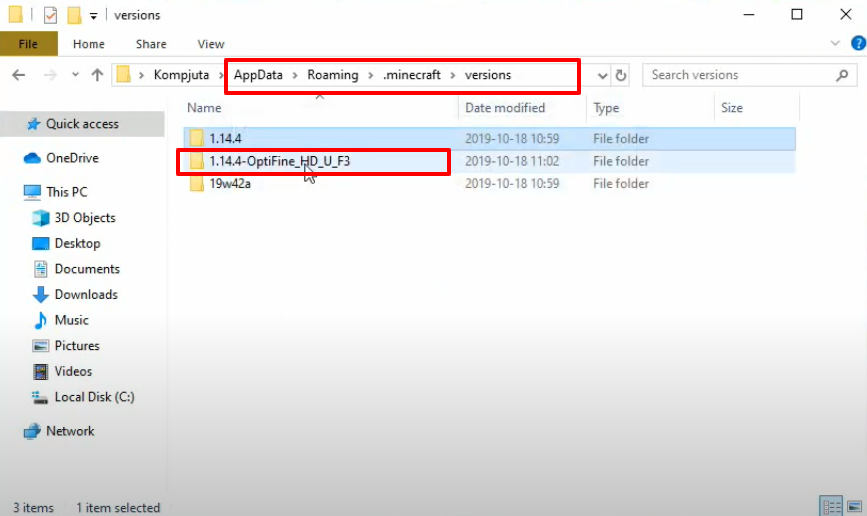
- As the installation gets completed, a new folder will be generated in the versions folder. Open that folder.
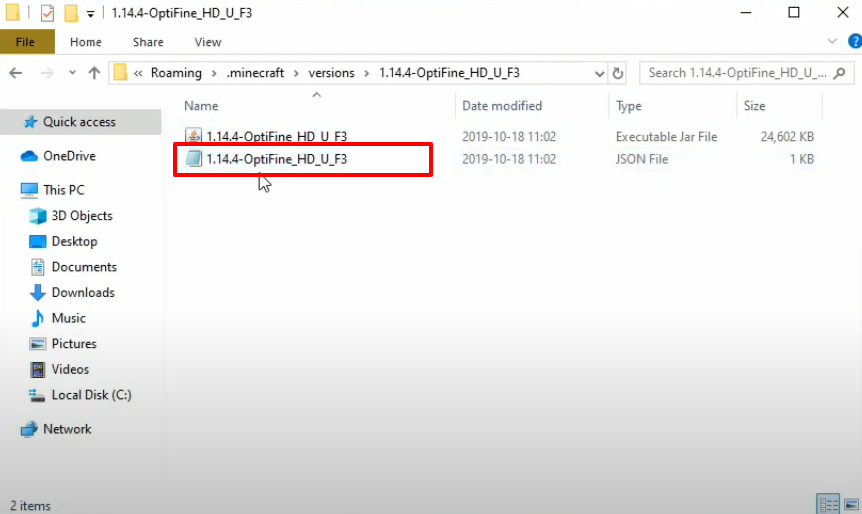
- Open the marked file.
- Copy the text from the below link.
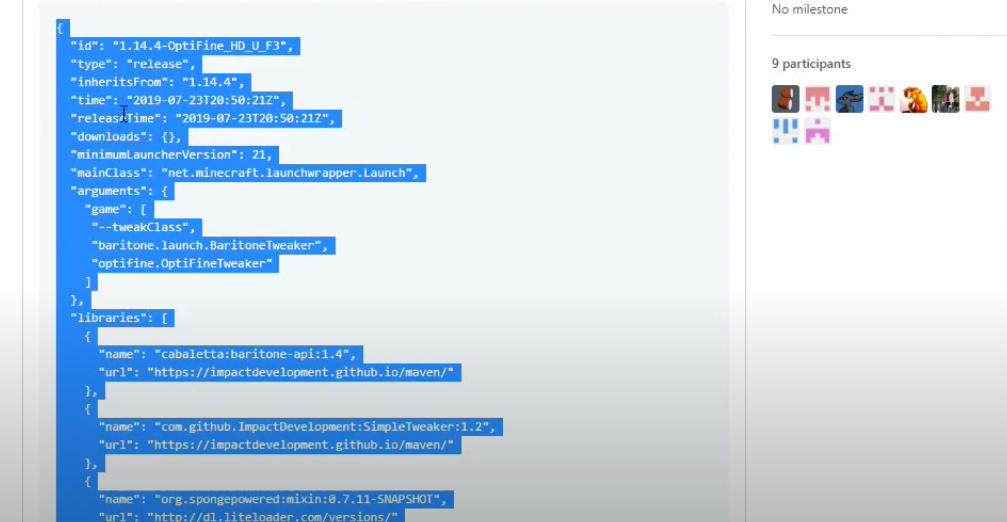
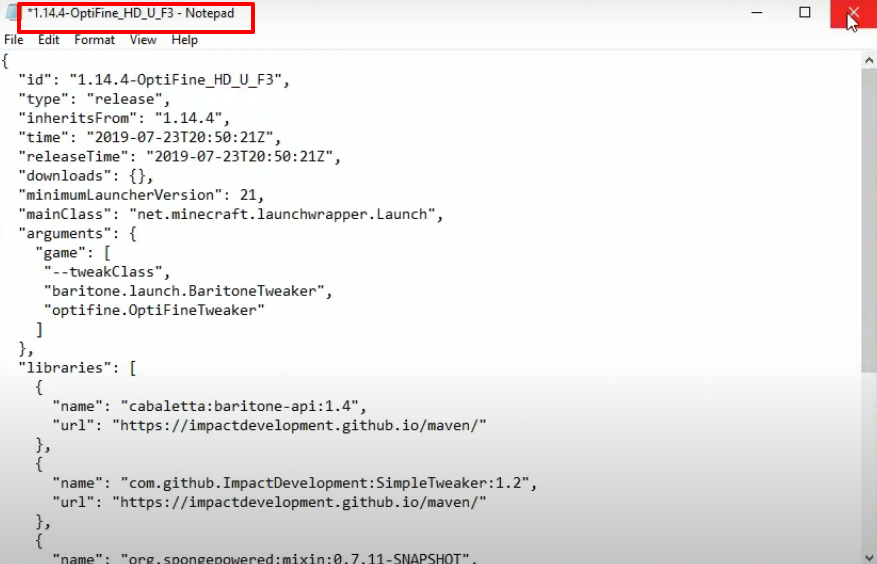
- Paste the copied text in the opened file.
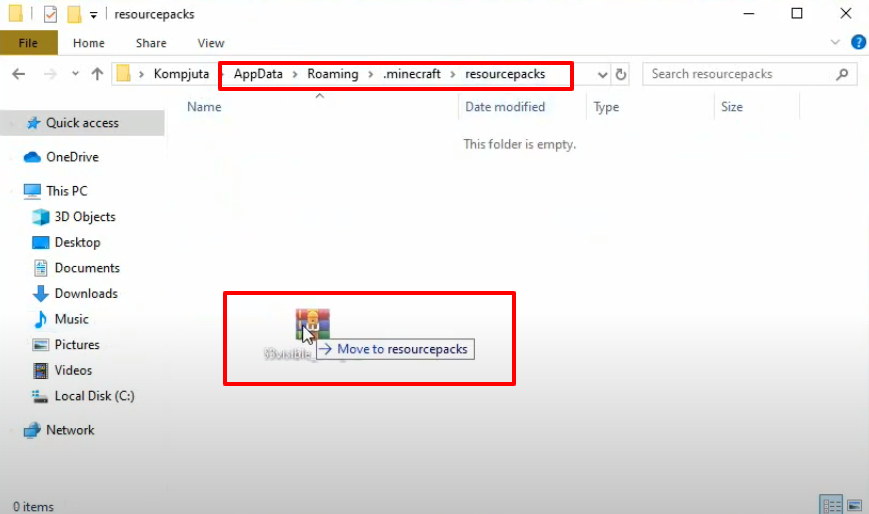
- Follow the path and move the downloaded rar file in the resourcepacks file.
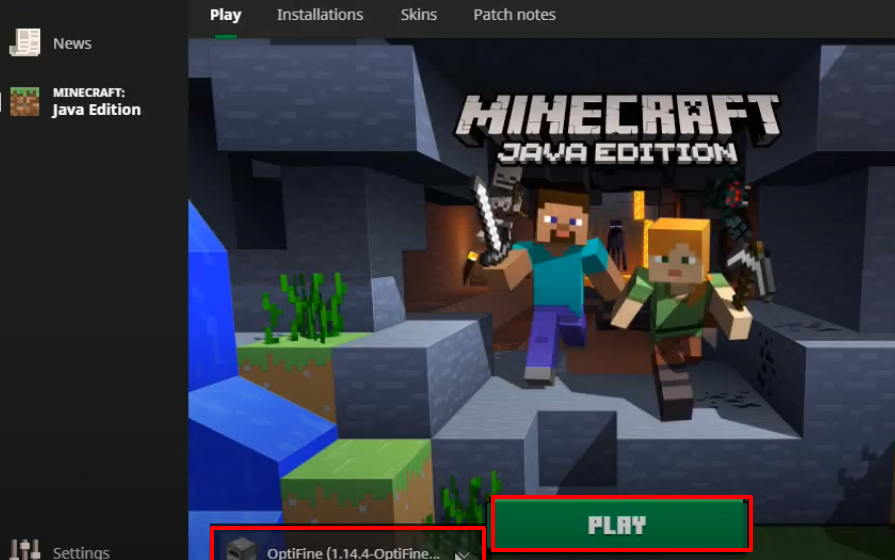
- Launch Minecraft and click on PLAY.
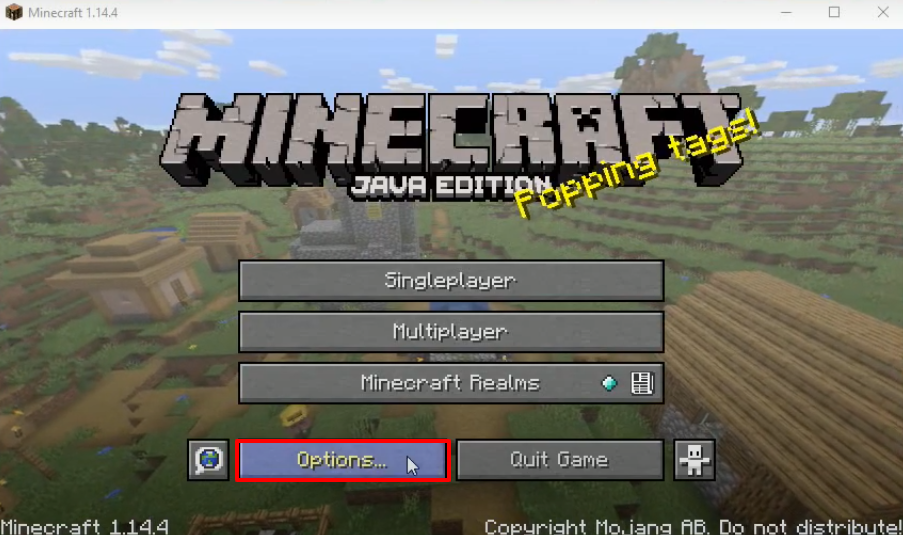
- Click on Options..
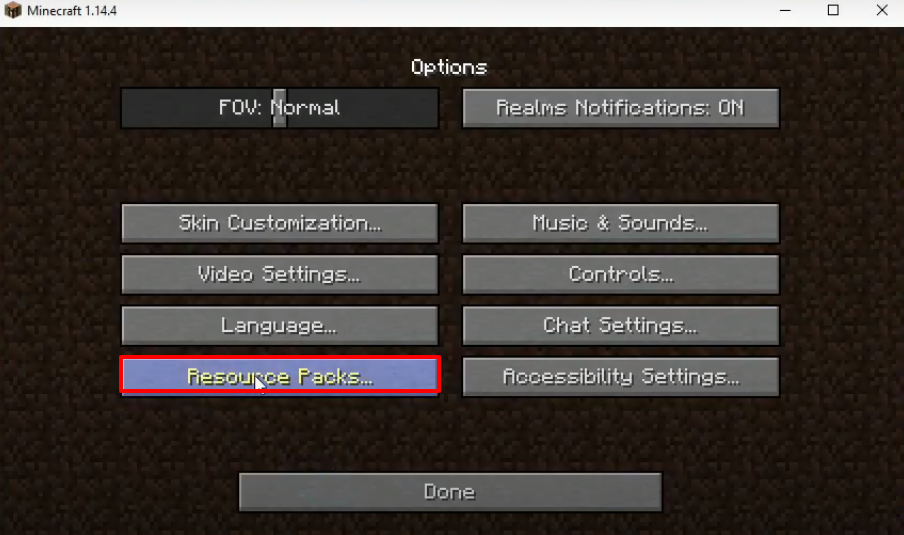
- And then click on Resource Packs.
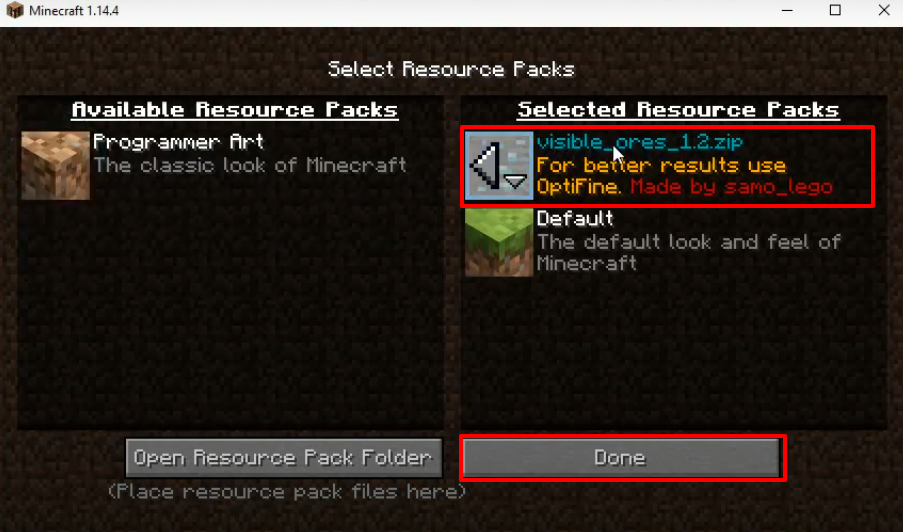
- Move the zip file under the Selected Resource Packs and then click on Done.
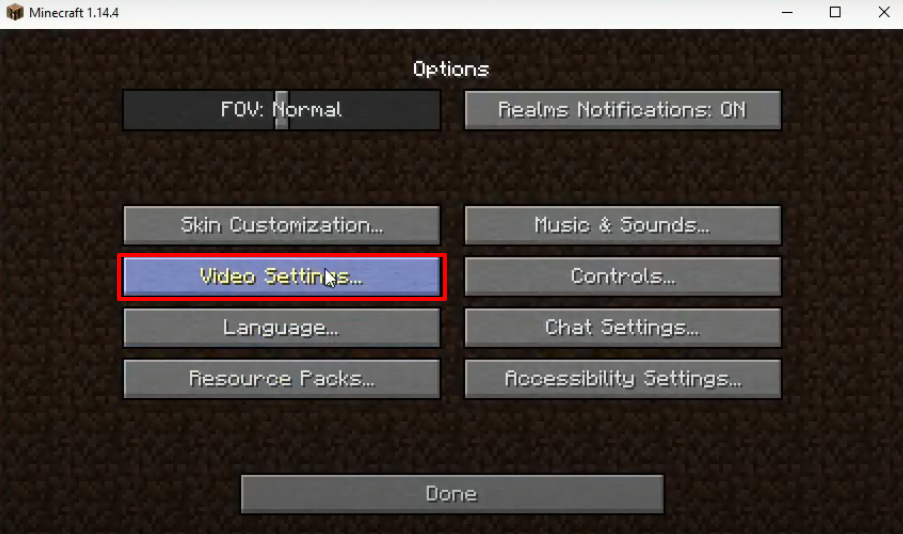
- Click on Video Settings...
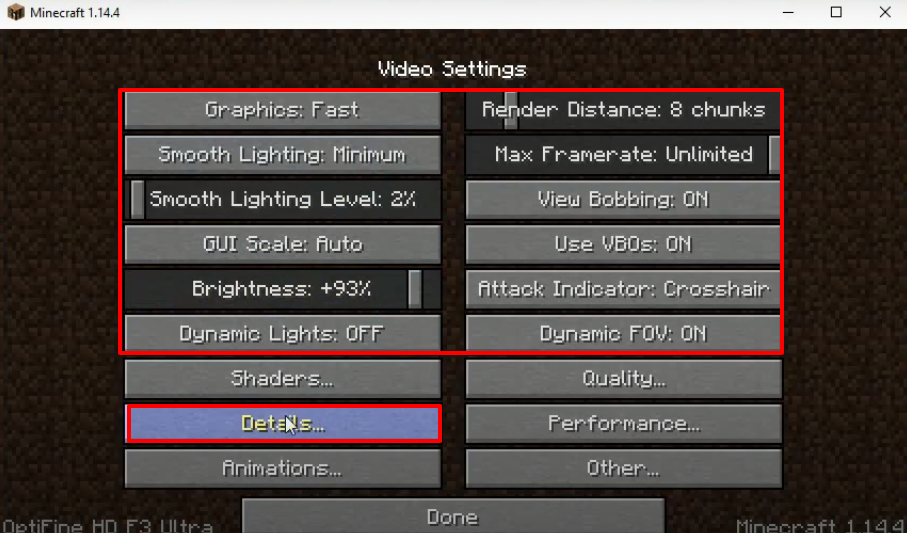
- Make some changes as shown in the image below and click on Details.
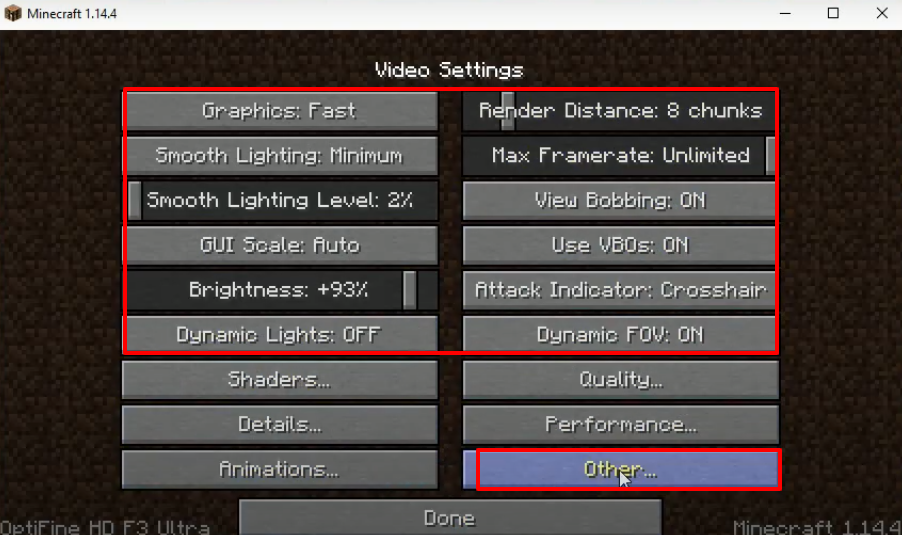
- Make the changes as shown in the image below and click on "Other...".
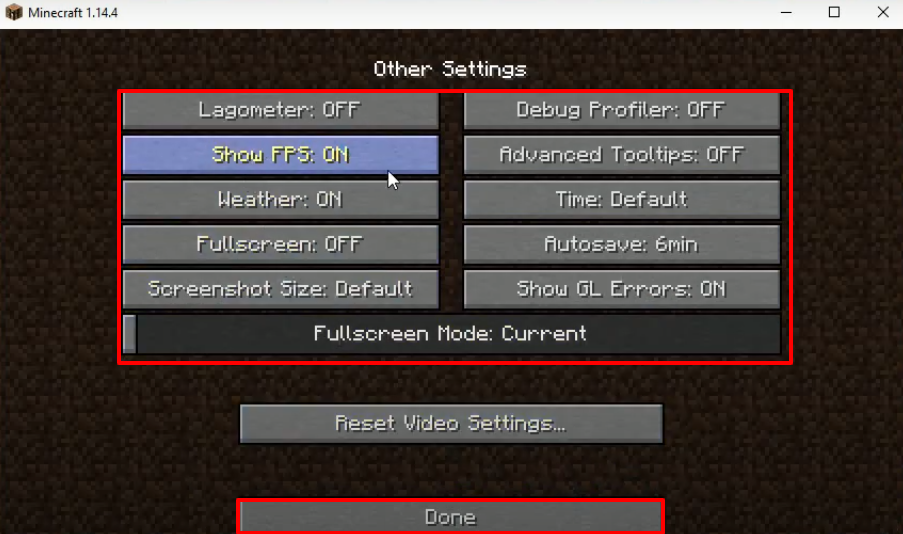
- Make changes as shown in the image below and click on Done.
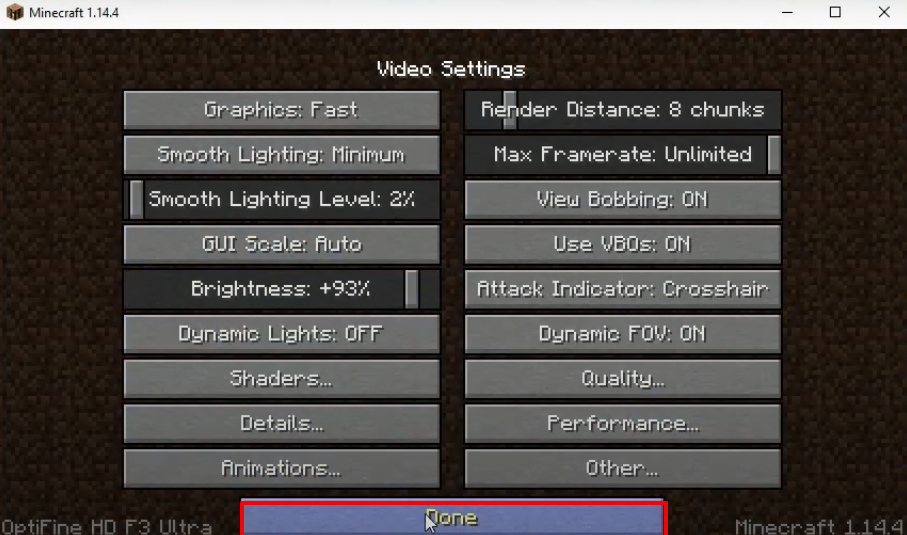
- Press Done.
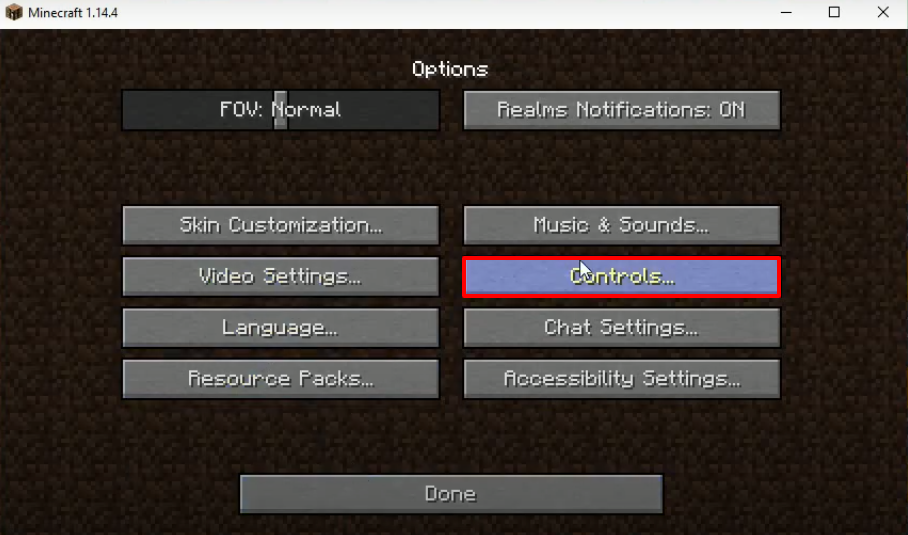
- Click on Controls...
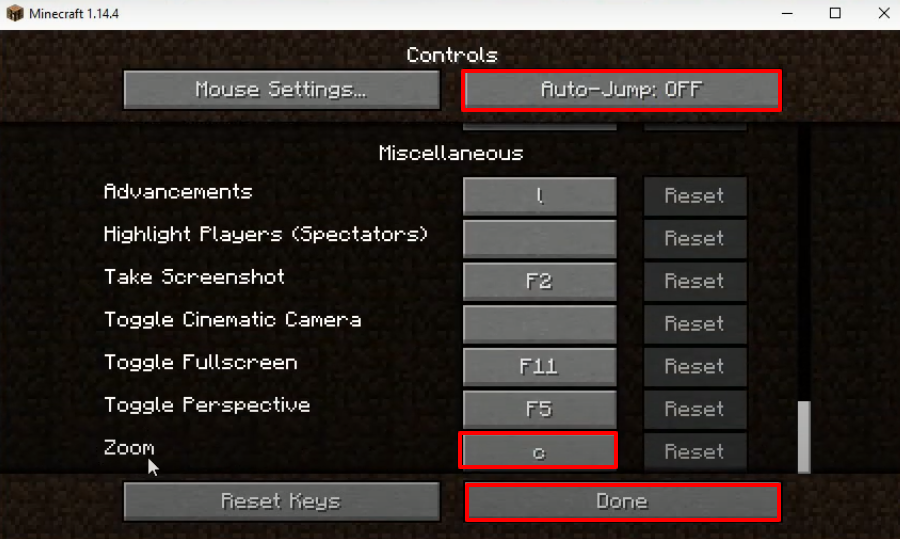
- Turn off "Auto-Jump" and then click on Done.
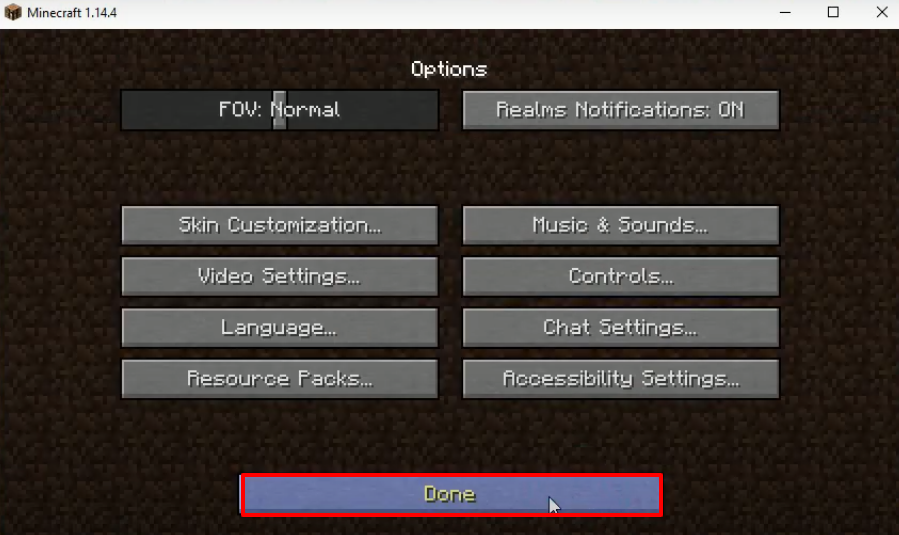
- Click on Done.
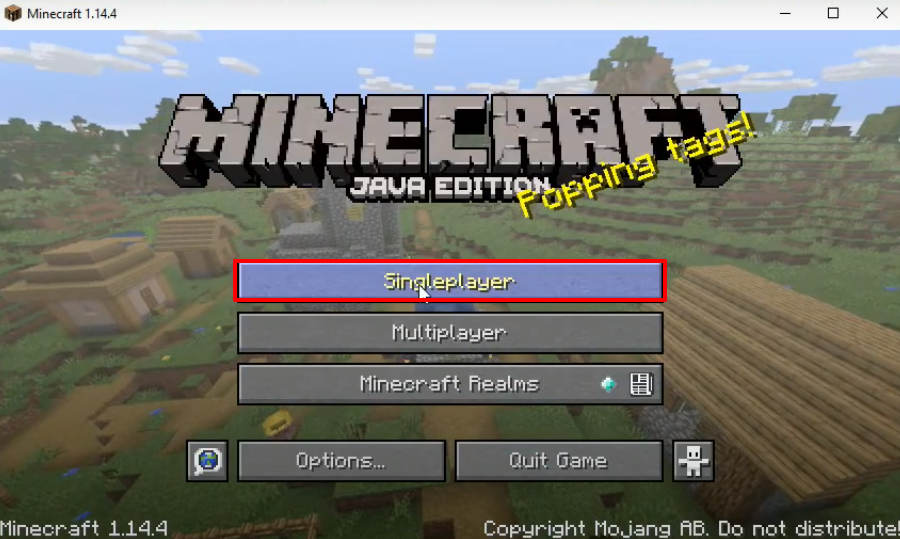
- Click on Singleplayer.
- Click on Create New World.
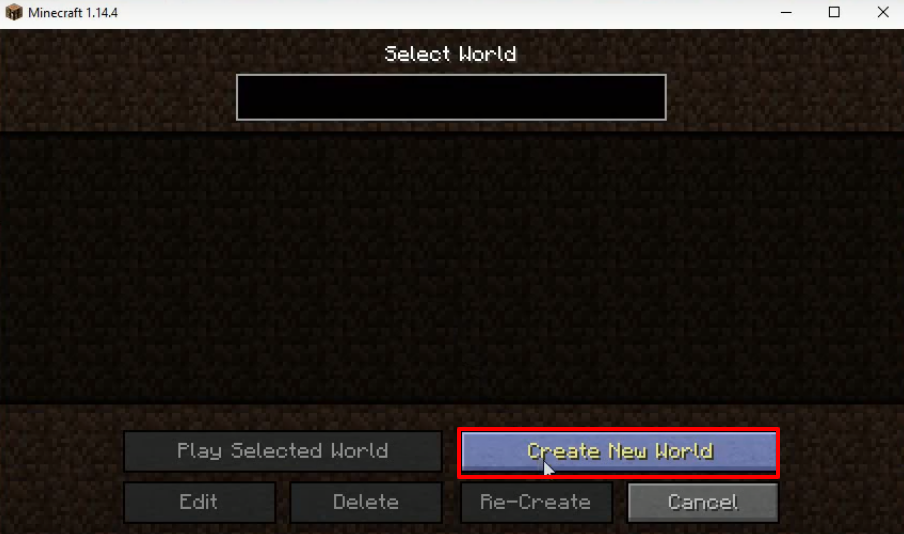
- And then click on More World Options..
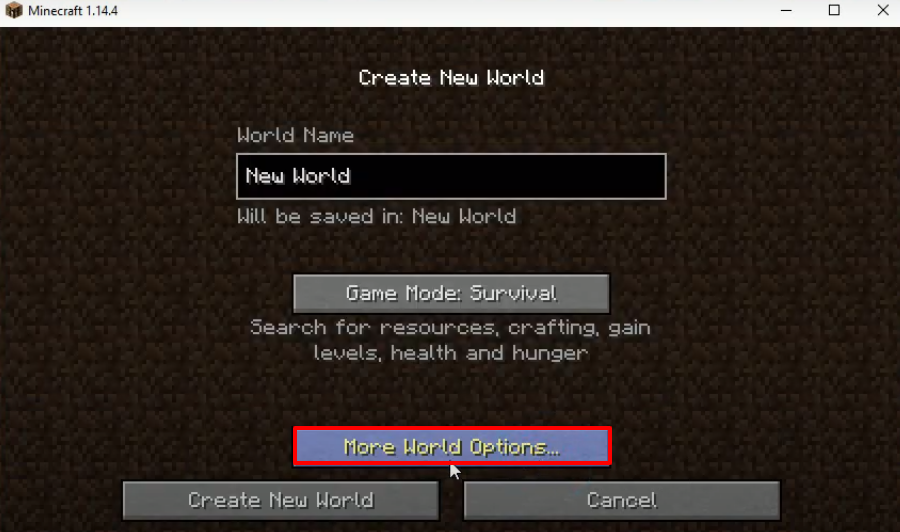
- Make some changes as shown in the image below and then click on Done.
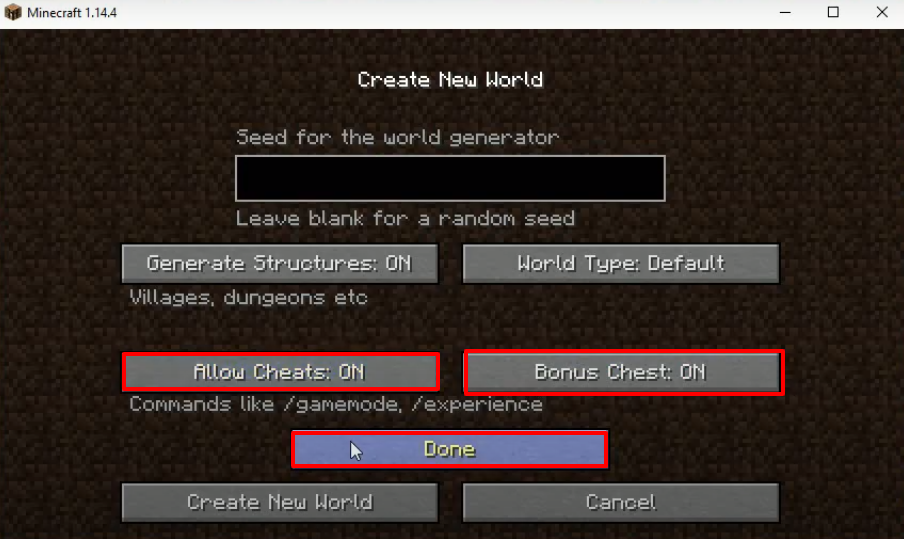
- Click on Create New World.
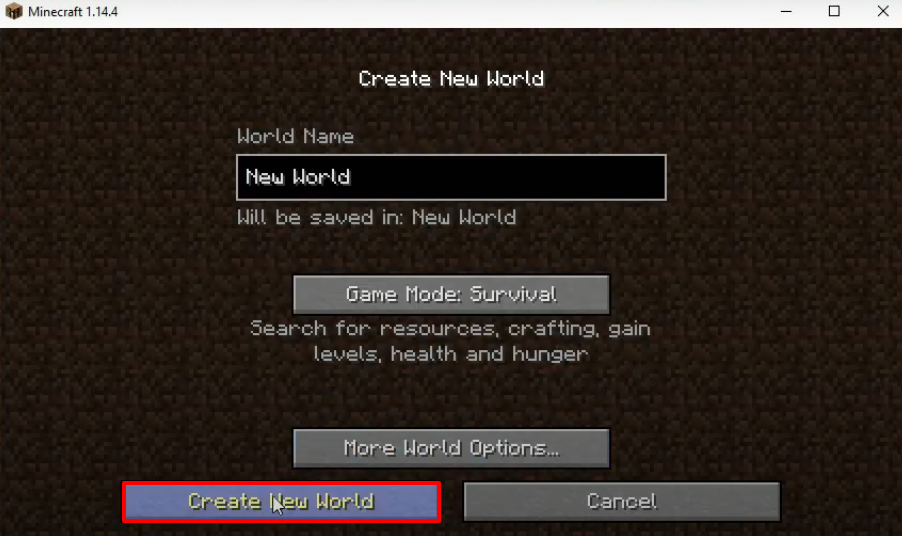
- Explore and enjoy the game.