How to View Players RANKED Levels in Warzone 2
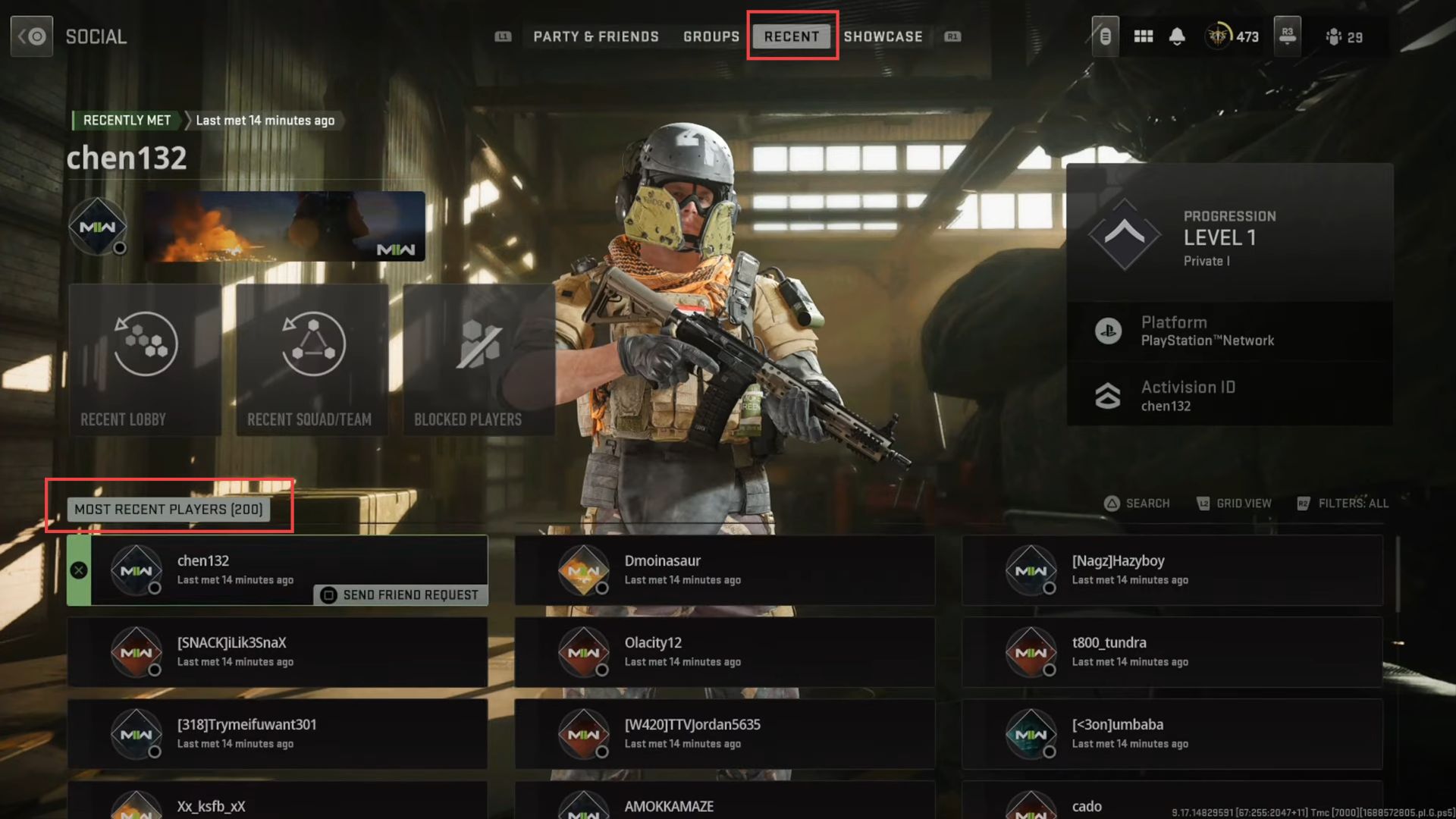
In this guide, you will find how to view players' ranked levels in Call of Duty Warzone 2. You will also find how t
o see the players ranked while you areout of the game.
- First, you have to press the options tab while in the game mode to open up a menu.
- Now hold the R3 button to go to the report player section.
- Upon reaching the window, you need to scroll down to the player's name from the recent player section.
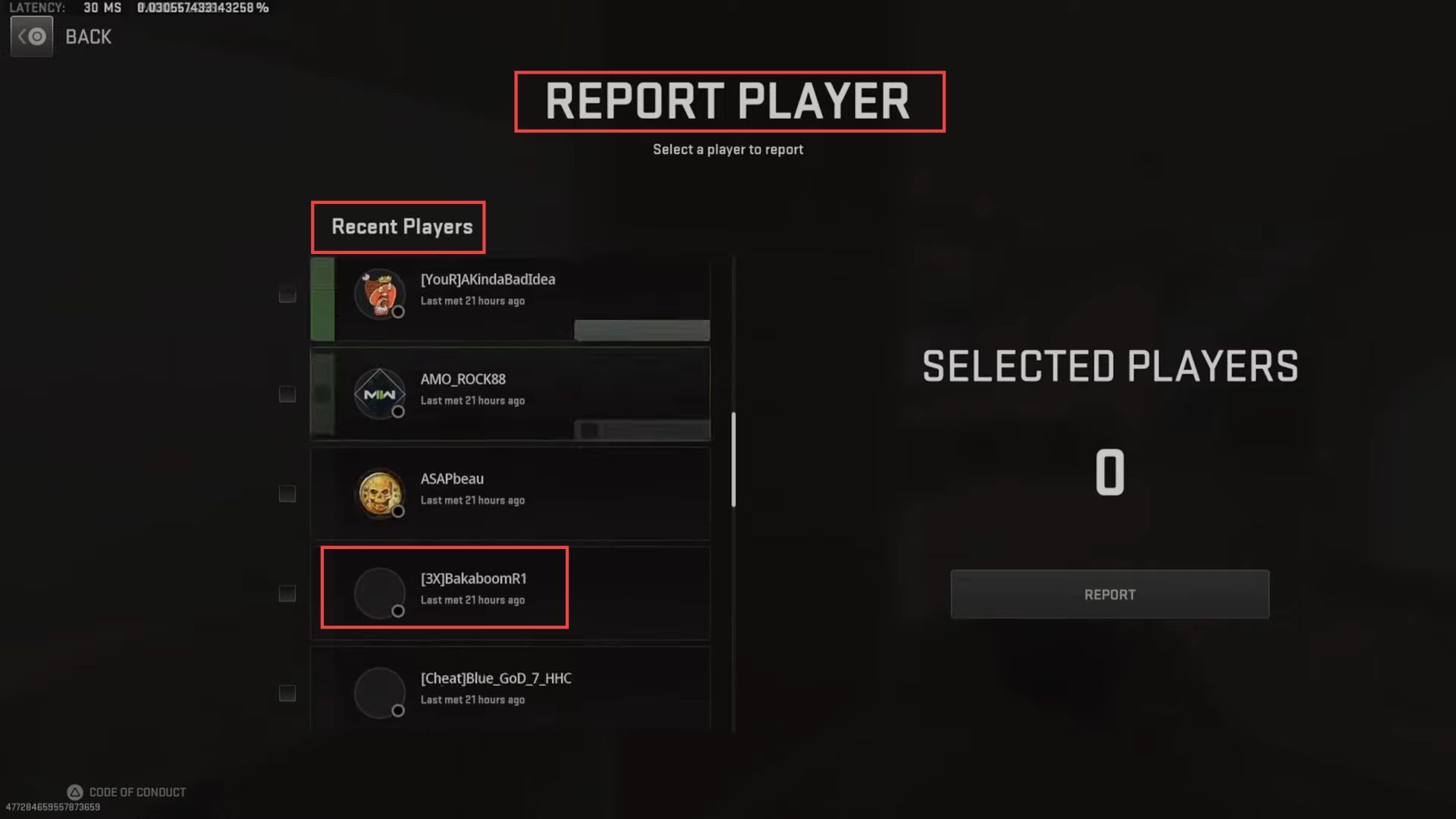
- After that, press the Square button on your controller to see their level.
- To see the players ranked while you are out of the game, you have to press options to open the menu.
- Once the window is opened, click the Social tab from the quick access toolbar.

- Upon reaching this window of your party, scroll down to the Friend section.
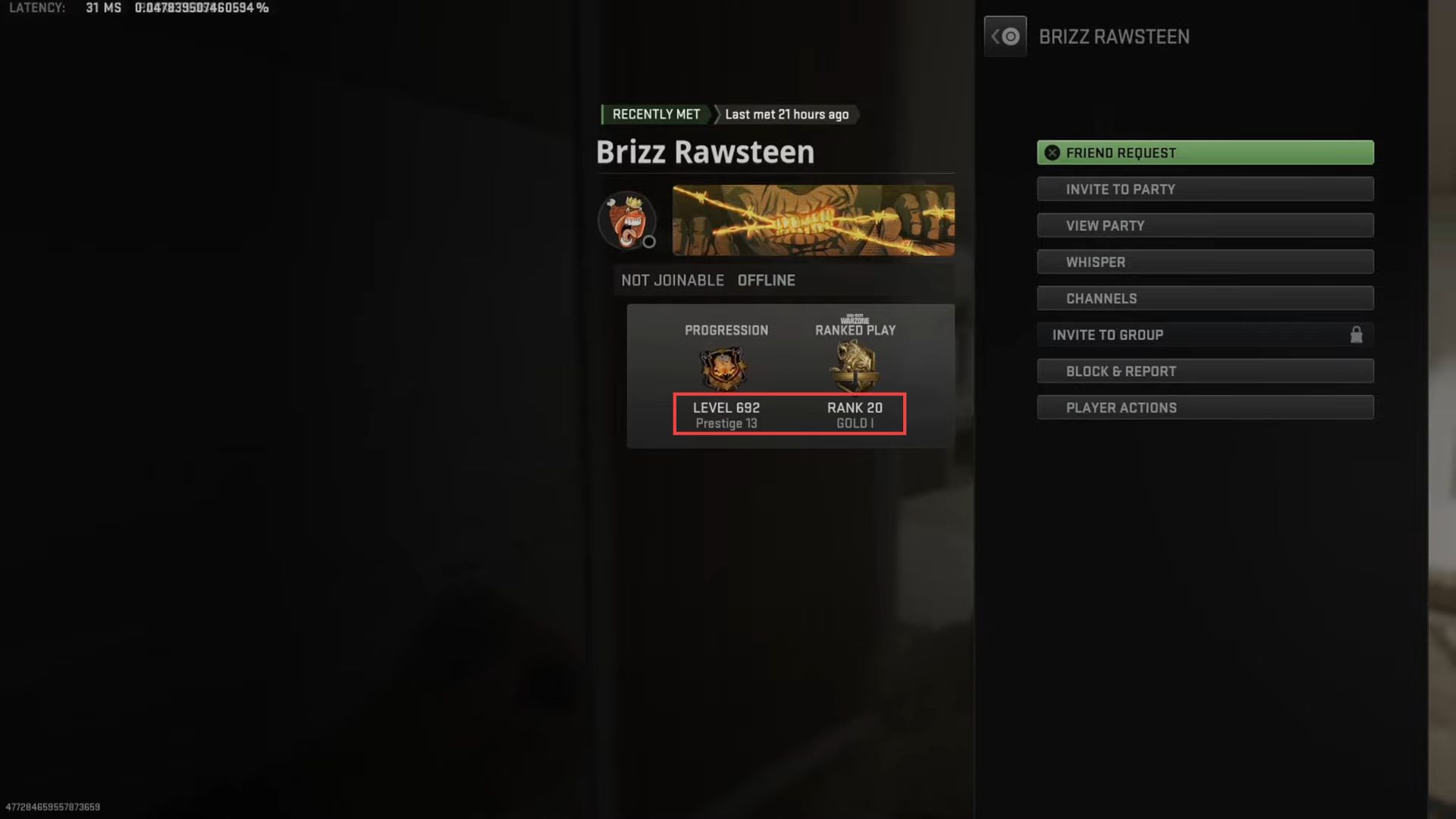
- Click the player name from the menu.

Now you can see the level and rank of the selected player from the right-side popup on your screen.

- You need to press the R1 button to check the rank and level of the recent players.
- Upon reaching the window, click the player name from the menu to see its rank and level.