How to Un-Hide a Game on Steam
In this guide, you will find out how to un-hide the Steam games. It will provide you with a quick and easy method to unhide it.
1. To hide a game on Steam, you will need to right-click on it and select Manage. Then select hide this game and the game will be hidden.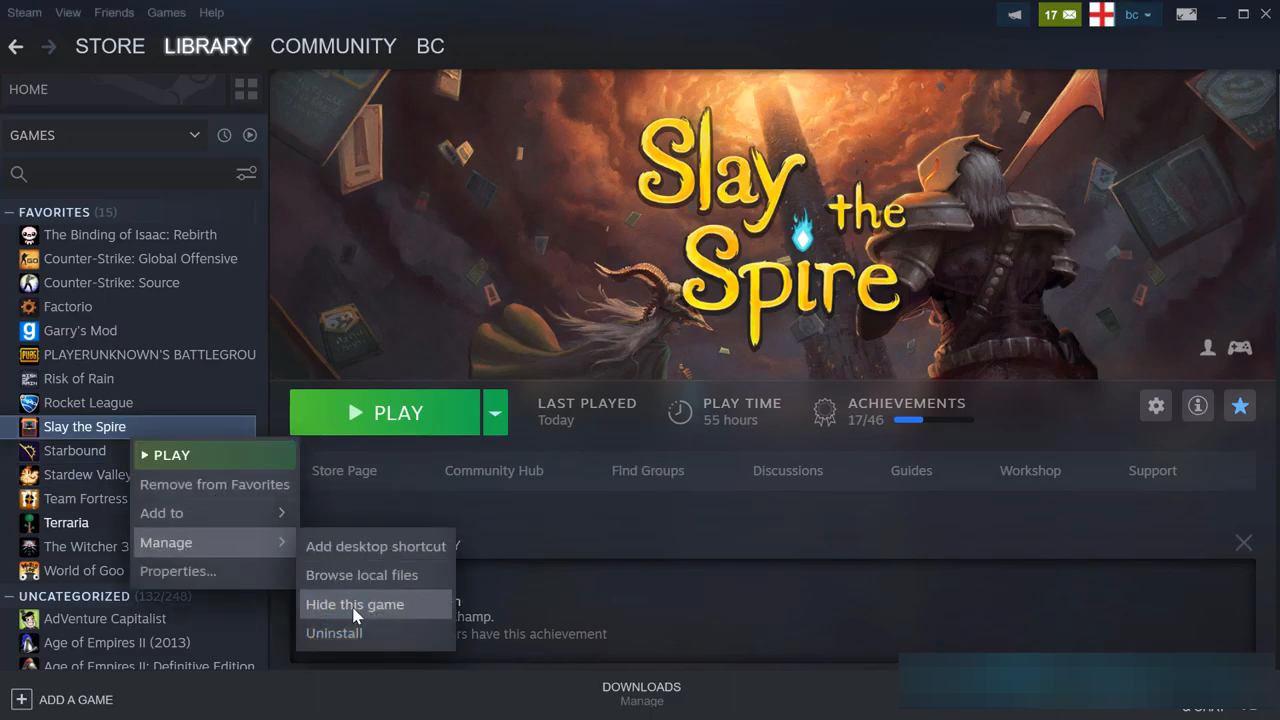
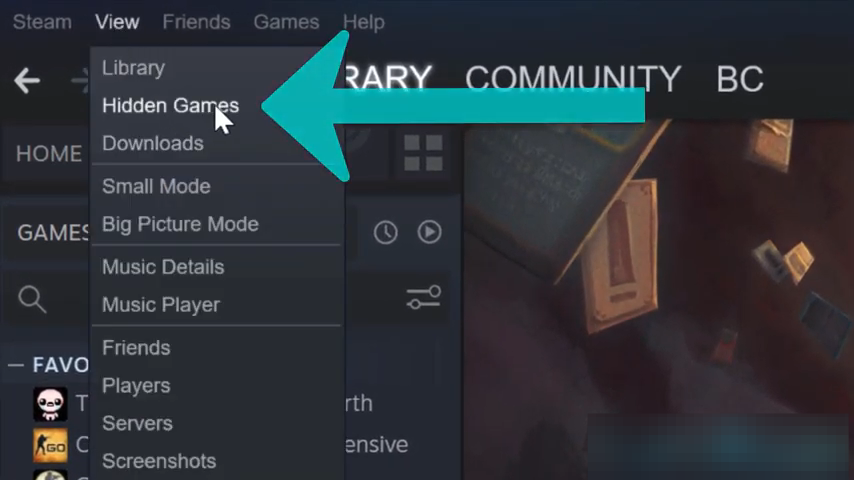
- And to restore it, you have to go to the View tab at the top of the Steam interface and click on Hidden Games.
- Then right-click on the hidden game on the left column under the hidden tab. After that, select Manage and click on Remove from Hidden.
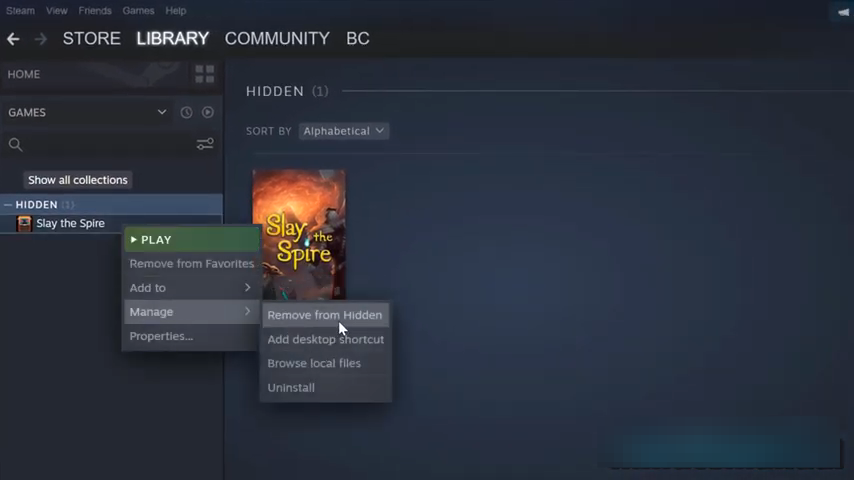
- If you click on "show all collections", you will find that it is now restored to wherever it was originally.