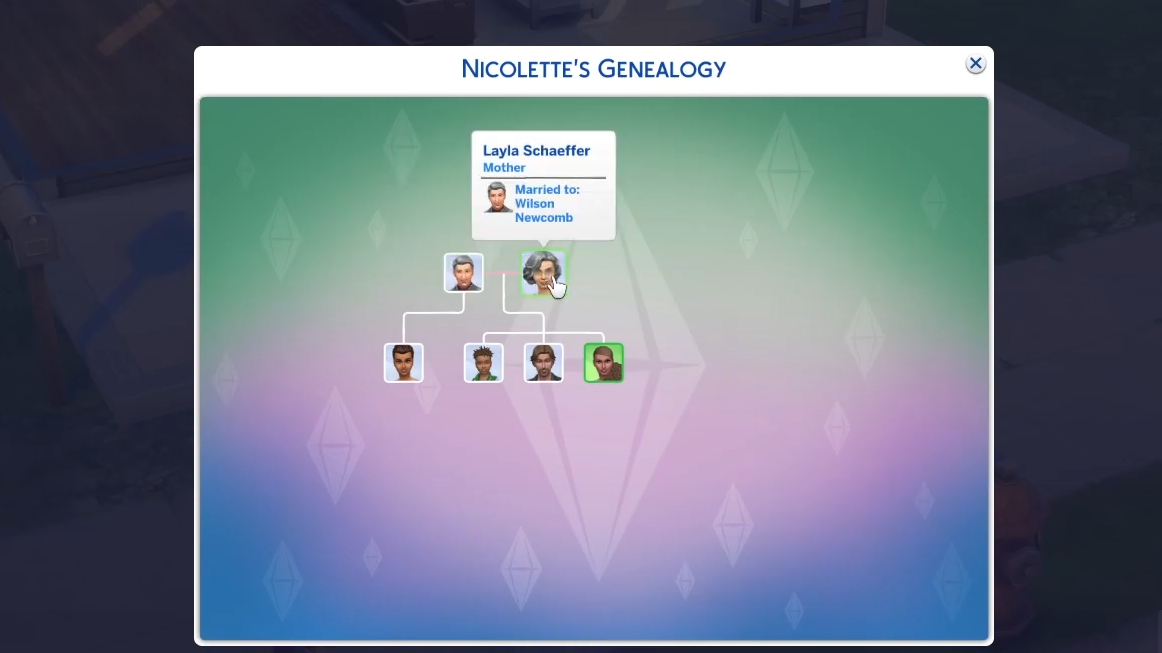
How to See Your Family Tree - The Sims 4
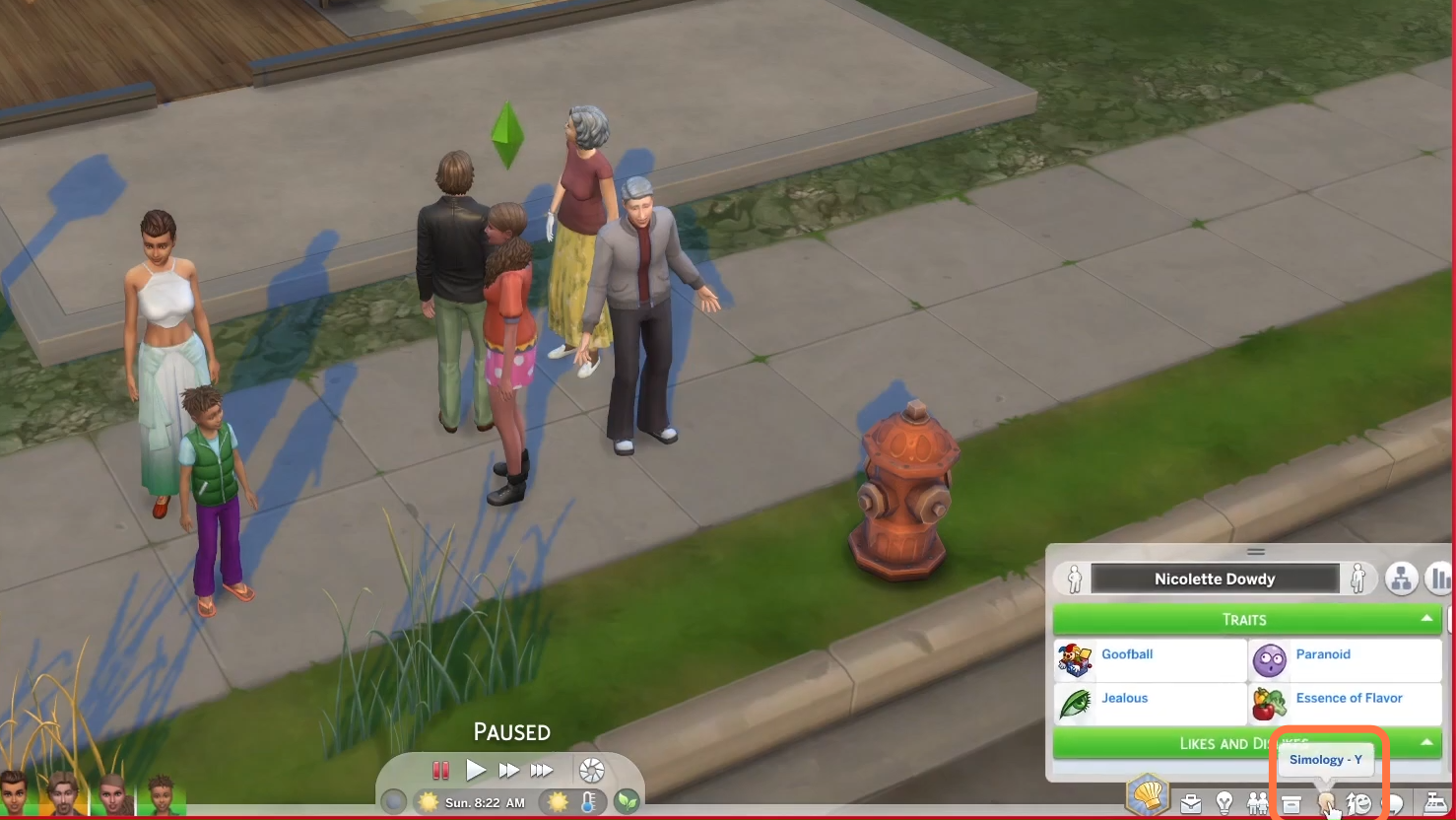
1. First, you need to go into the Simology Panel from the bottom right corner.
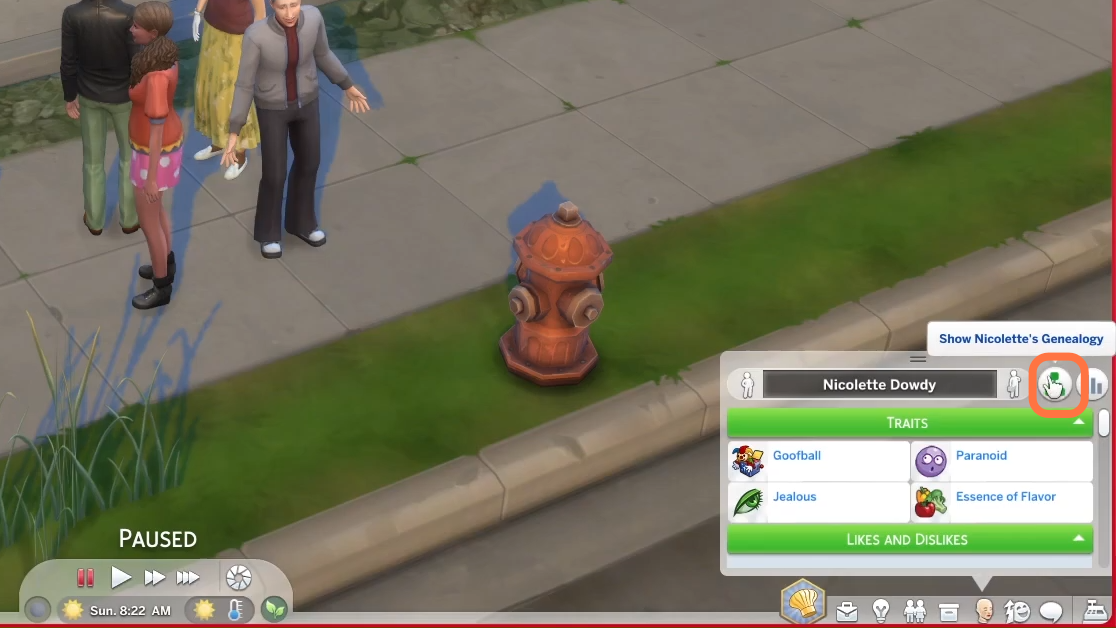
2. Then you can access the family tree by clicking the Genealogy button.
3. After that, you will find the Family Tree chart. You can click on any sim to go into details.