How to Remove Steam Mobile Authenticator Without A Phone
In this guide, you will find how to remove Steam Mobile Authenticator without a phone.
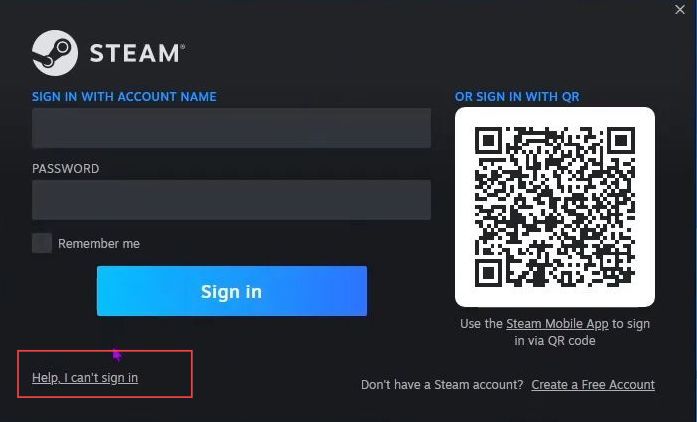
- First, you need to go to the Steam login page and click the ''Help, I can't sign in'' option.
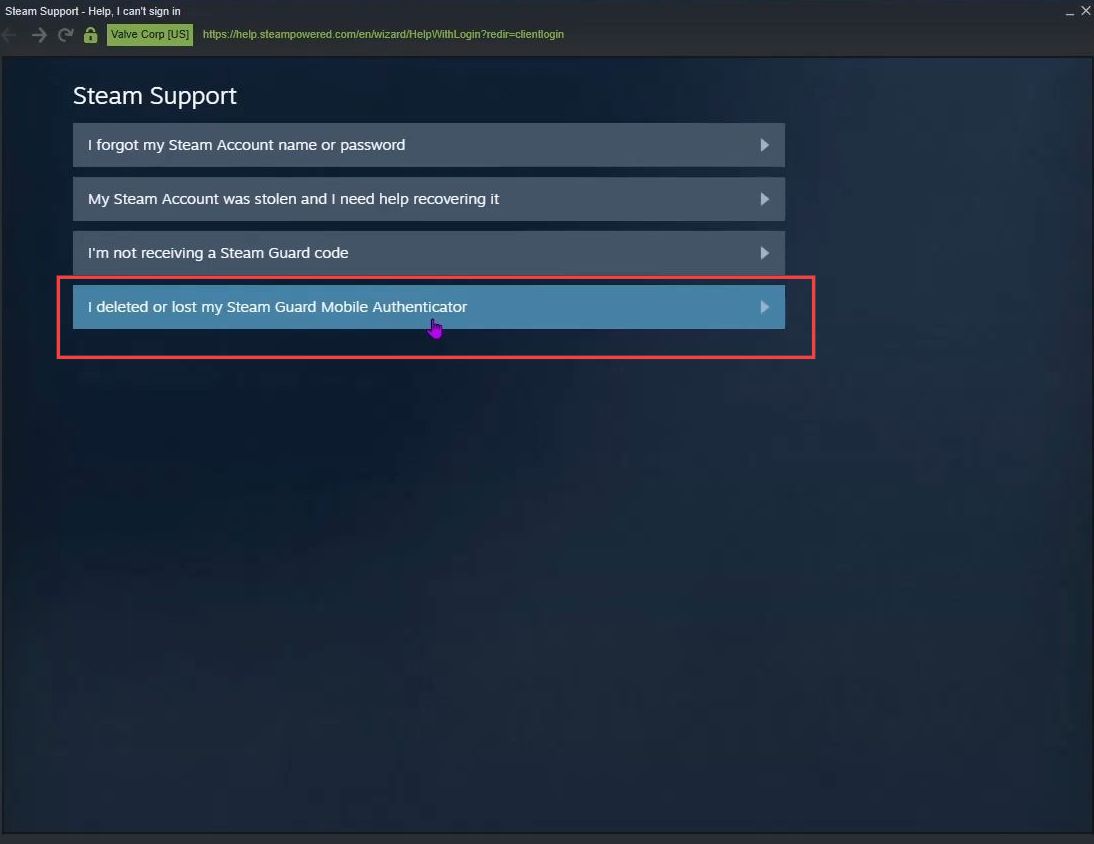
- Upon reaching this window, you have to select the option named ''I deleted or lost my Steam Guard Mobile Authenticator'' from the menu.
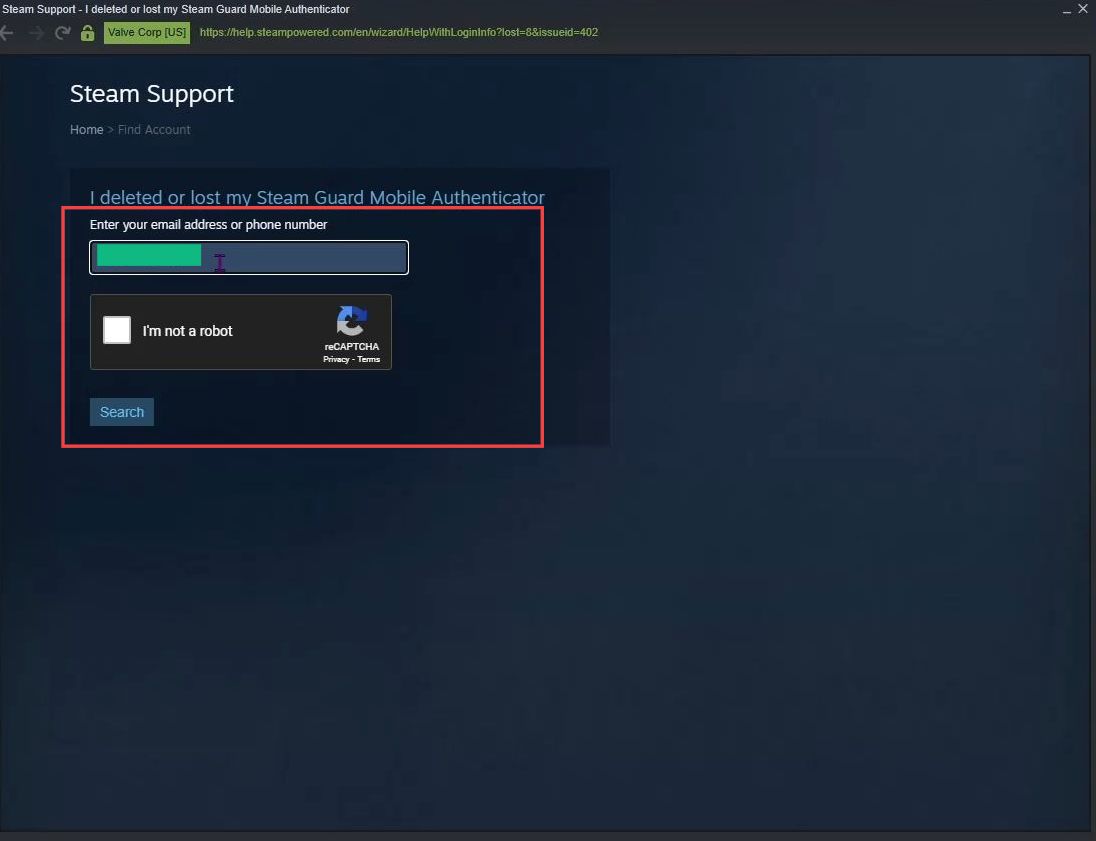
- Input your email address or phone number in the box to access Steam Support.
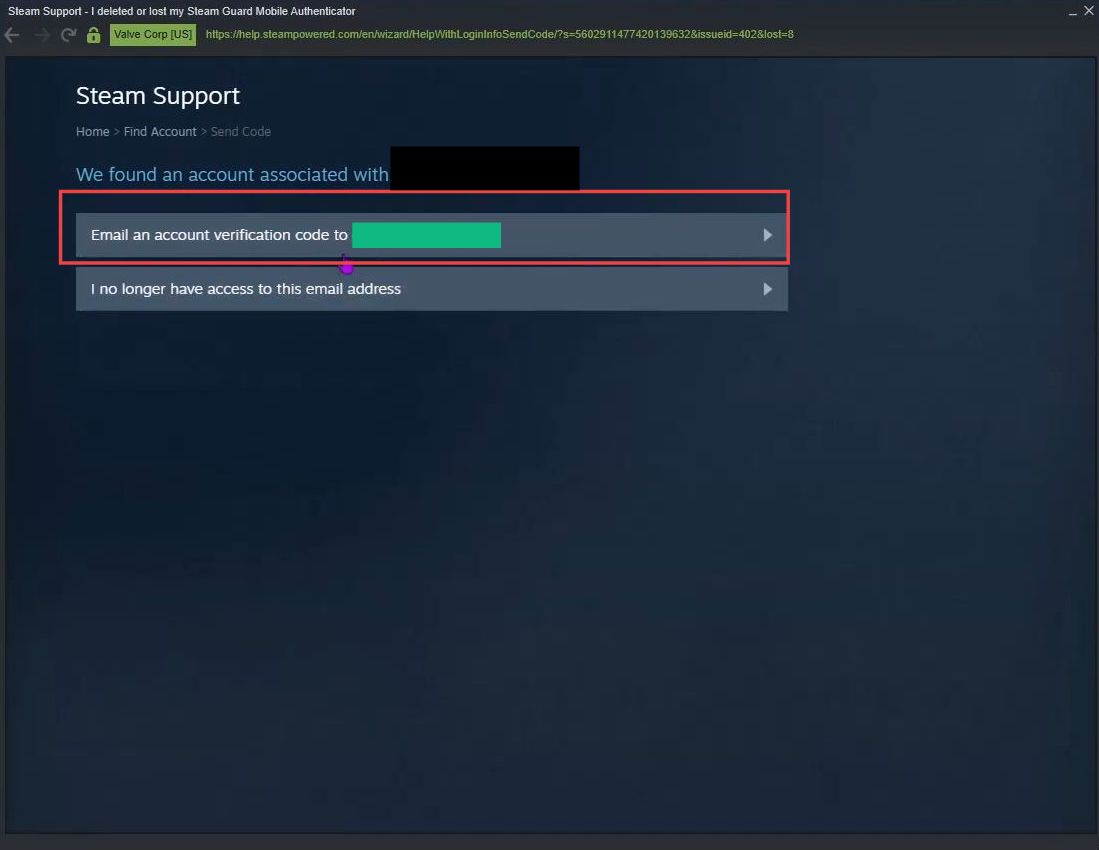
- Once this menu is opened, click the first option named ''Email an account verification code to my email'' from the listings.
- After that, select the link sent to your email to remove the mobile authenticator without a phone.