How To Make Road Sign Banner
Road Sign Banners are a very useful thing in the Minecraft game, go through this guide and follow step-by step instructions to make a Road Sign Banner.
In order to make a Road Sign Banner, you will need to bring the loom out of your inventory and use a red banner and white dye in it. Select the design of the banner to make one. Then use this banner again in the loom with a red dye this time. Add this banner in your inventory.
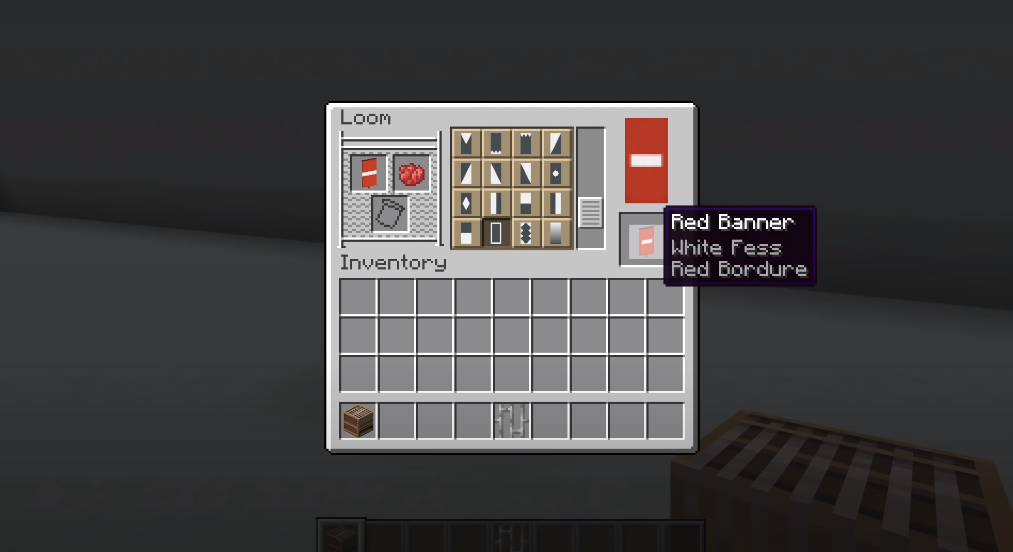
Place two iron bars on the ground and add a newly made red banner on it. This will complete your “No Entry” design.

Speed Limit Sign:
Speed Limit Banner can be used to show the maximum allowed speed.
Bring the loom out one more time and add a white banner and black dye in it. Select the design to have a new white banner.
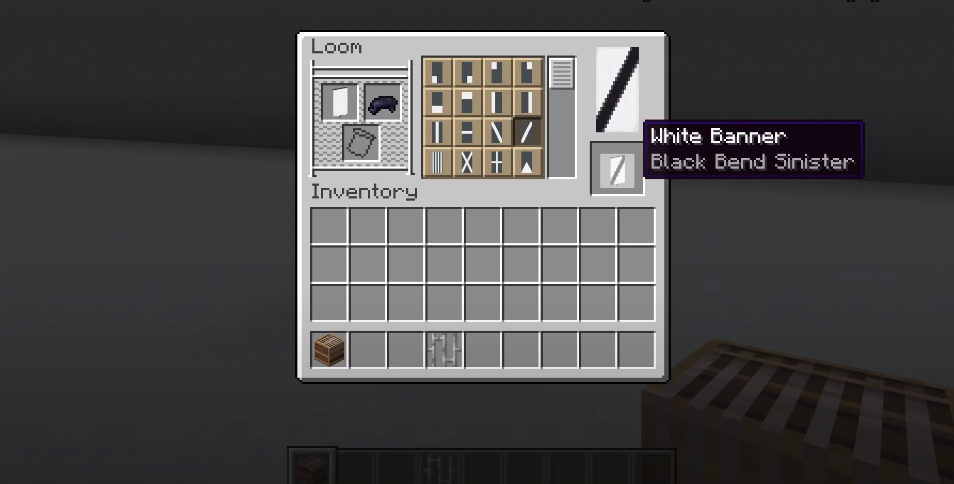
Now the next thing you need to do is to place two iron bars on the ground and add a new white banner on it.
