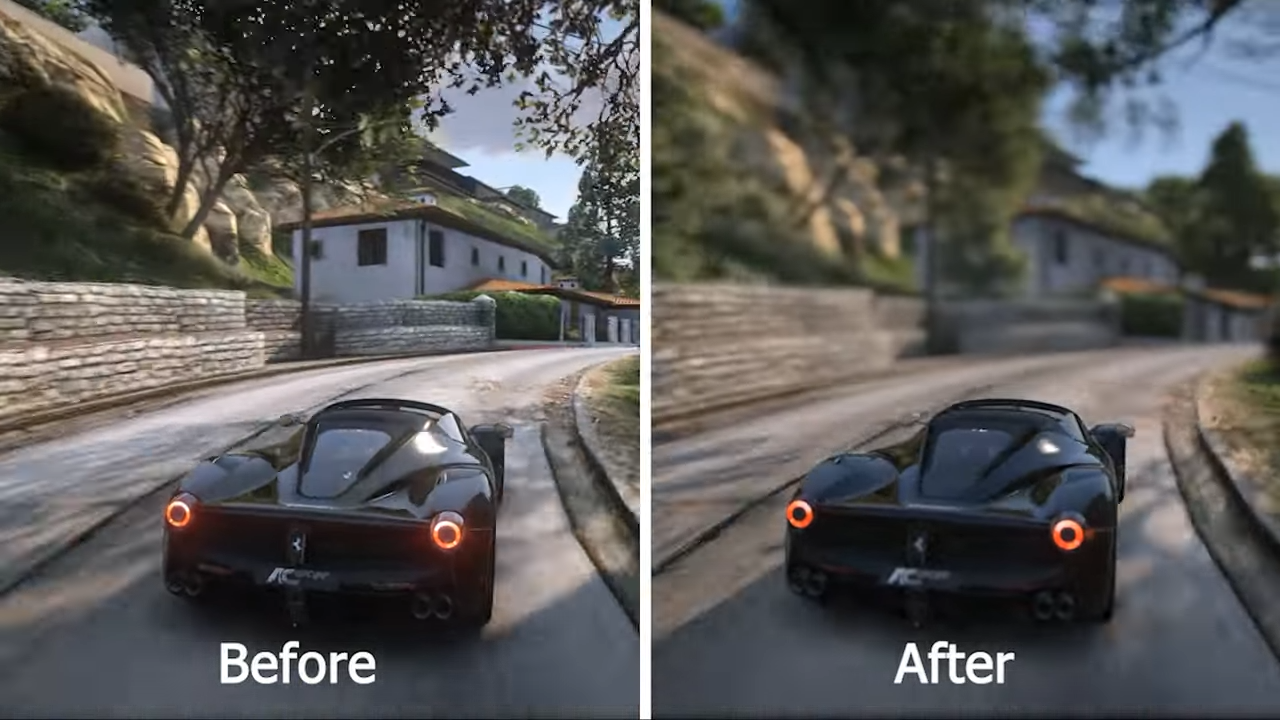
How to install NB Visual in GTA 5

- Then open the "Open IV" application, press "Edit Mode" and also open the Downloaded Mod folder adjacent to Open IV.
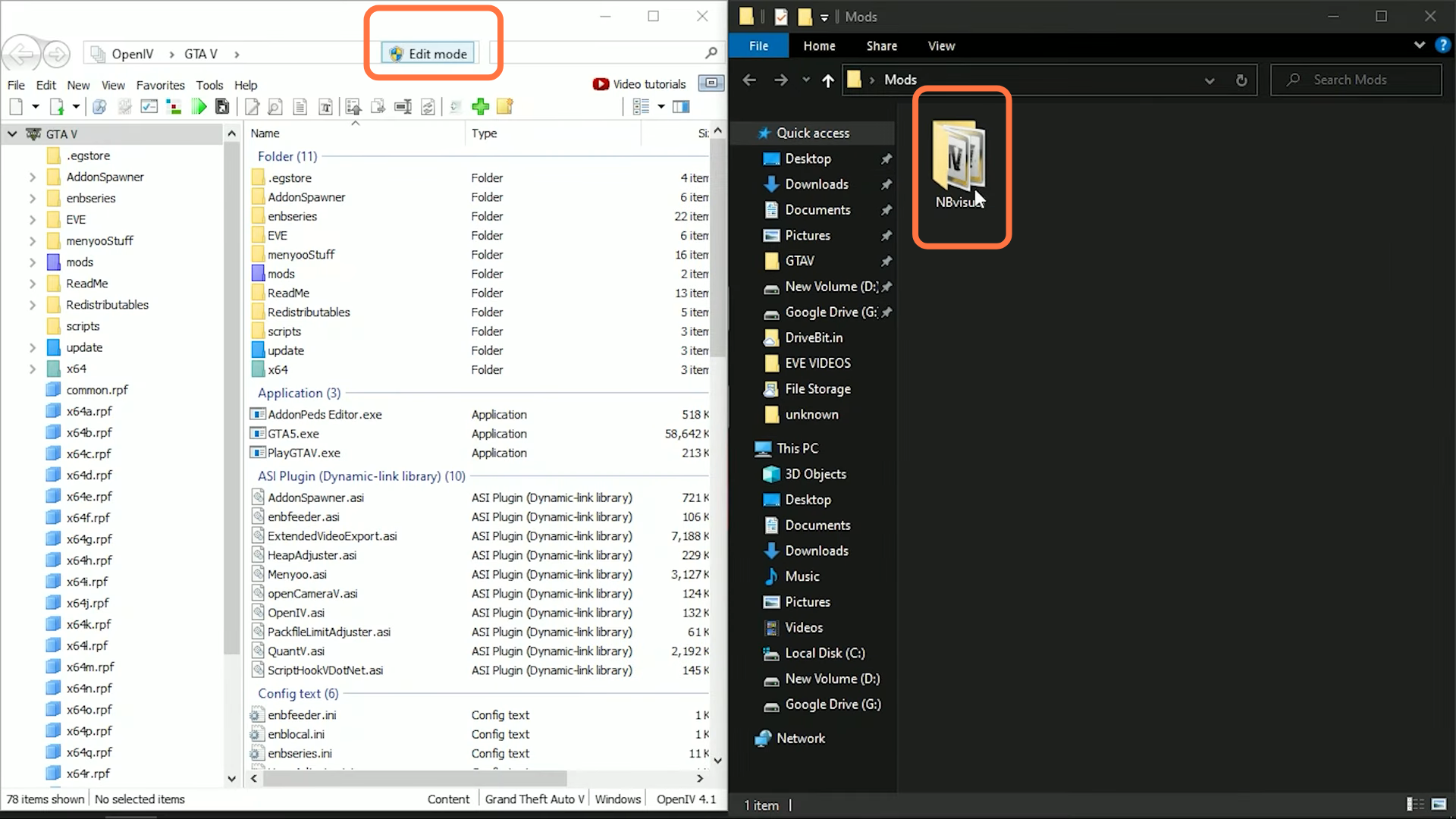
- After that, drag the "Nbvisual Installer.oiv" file into the 'Open IV' tool and install it into the mods folder. You need to keep 'Edit mode' on till it gets installed.
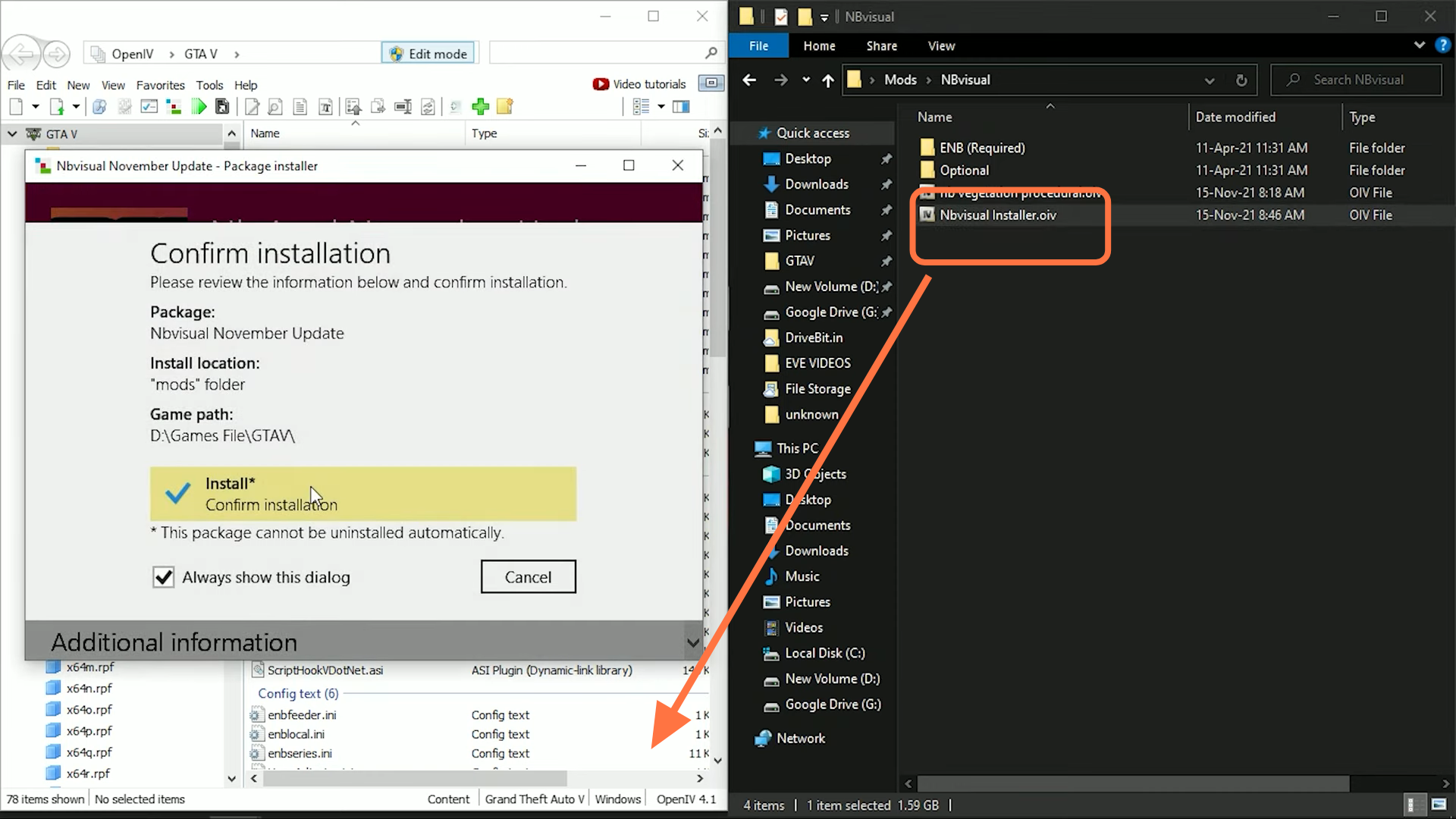
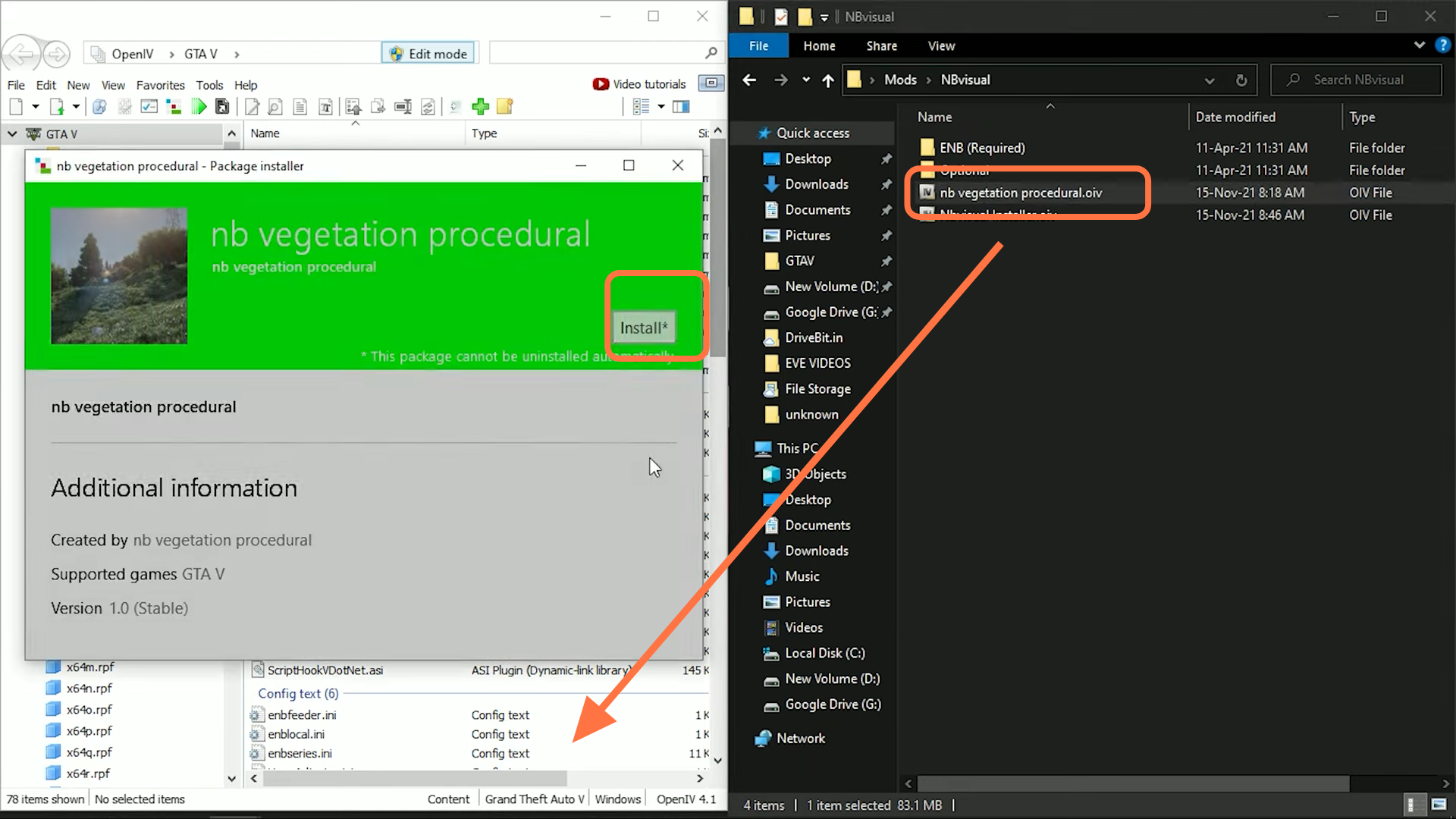
- Now Turn Off and On the "Edit Mode Button" and Drag the "nb vegetation procedural.oiv" file into Open IV to install it as well.
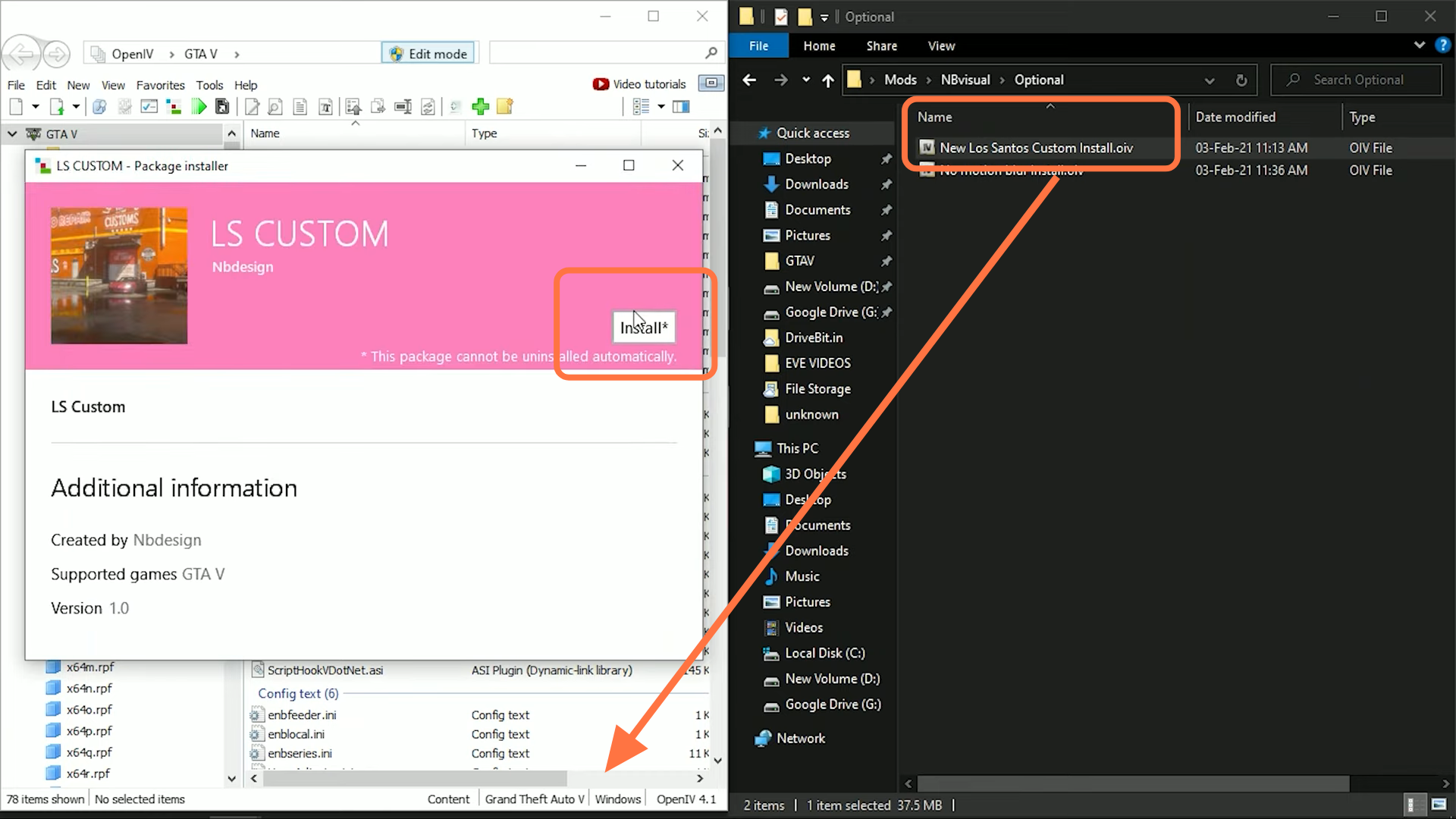
- Then you have to go to the "optional" folder and drag "New Los Santos Custom Install.oiv" file into open IV to install it into the mods folder.
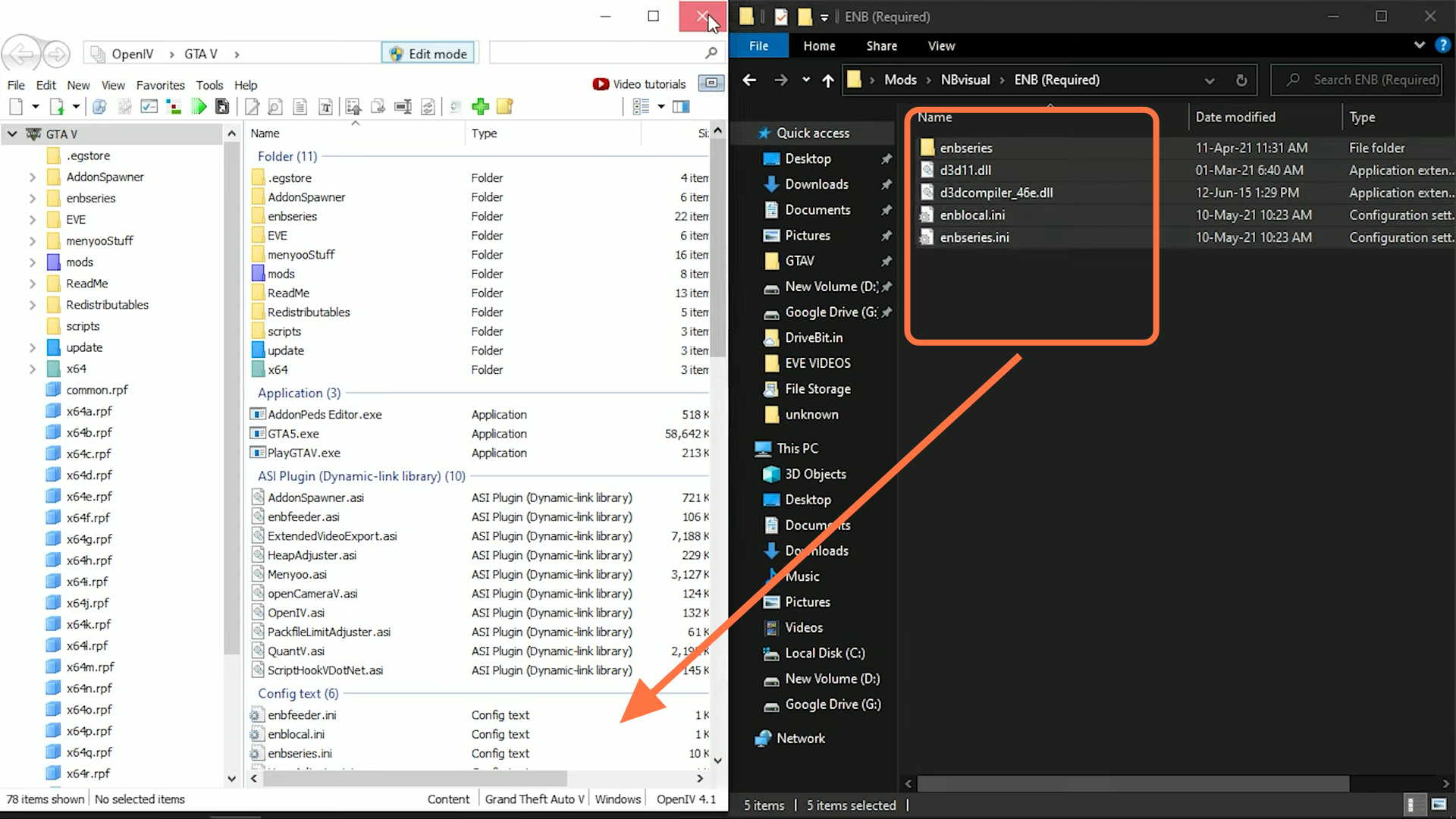
- After that, enter into "ENB (Required)" folder and select all the files from this folder. Then drag them into open IV.
- The MOD installation is completed and you can check the difference.