How to Install Make Visuals Great Again (FIVEM GRAPHICS MOD) in GTA 5
This guide will let you know how to install the Make Visuals Great Again Pack into FiveM. Follow the step-by-step instructions below to install it.
1. First, you will need to download the Make Visuals Great Again Graphics Mod from "https://www.ausgamer.net/mods/file/30-make-visuals-great-again/".

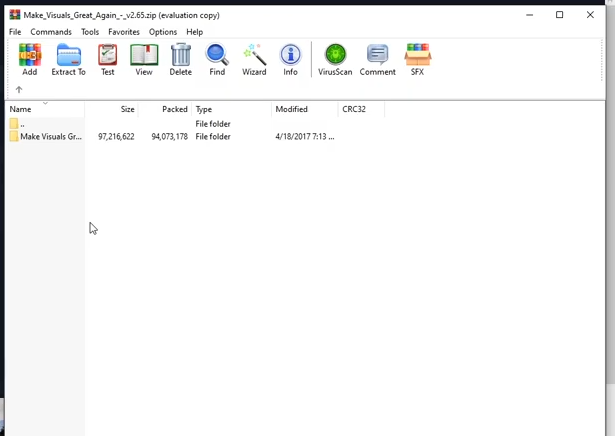
2. Then extract the downloaded zip file or just open it with WinRAR to see the files & folders inside it. There will be a "Make Visuals Great Again" named folder in it.
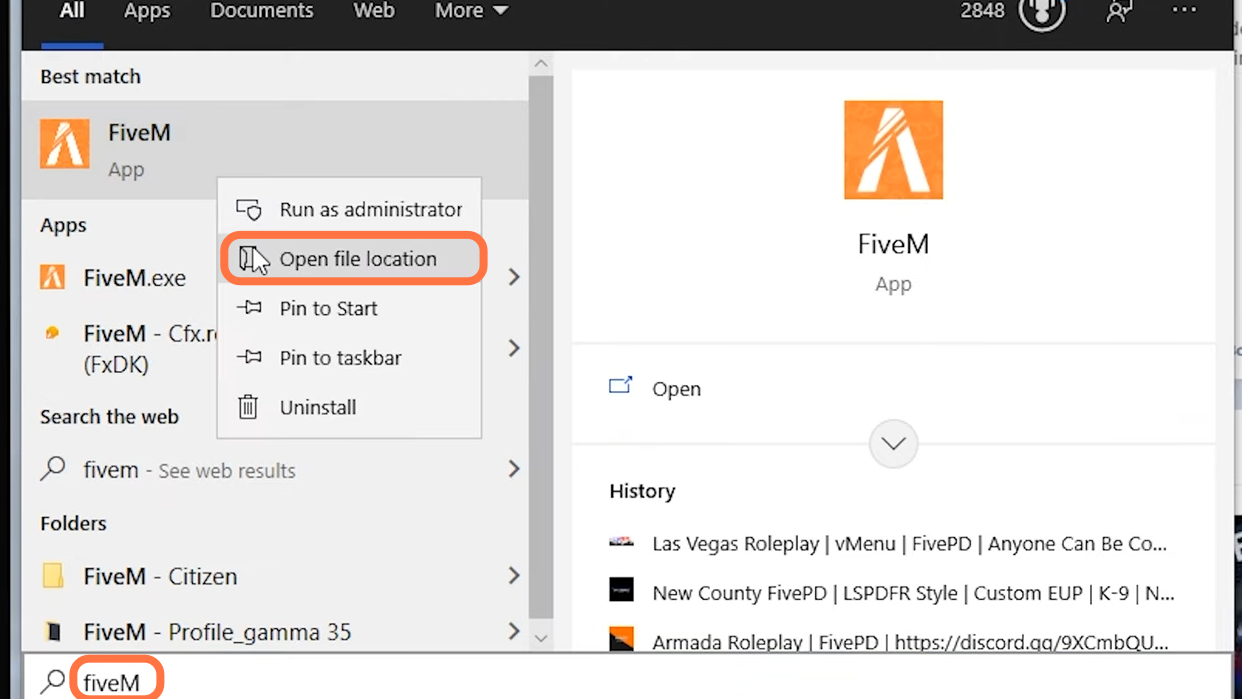
3. After that, you need to open the FiveM application location. Go to the start button, type in "FiveM" and right-click on it to open the file location.
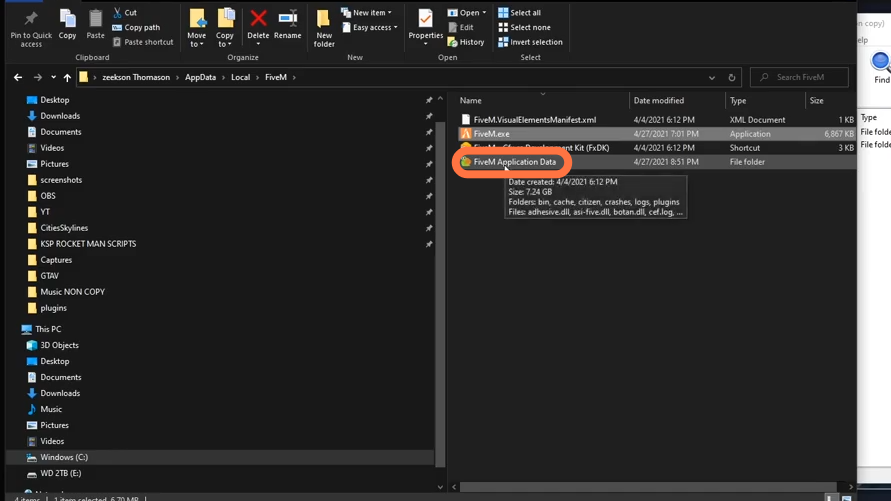
4. Once you get to the file location, left-click on the "FiveM Application Data" folder twice.
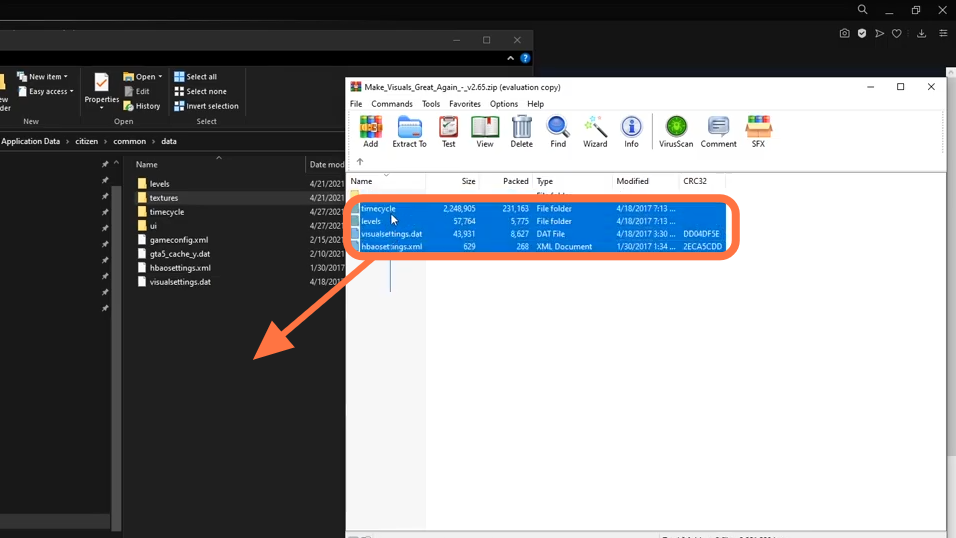
5. Within "FiveM Application Data", you need to go into citizen > common > data folders.

6. Then go back to the WinRAR side and open up the "Make Visuals Great Again", then navigate to "Manual Installation" > "Files" > "Update" > "Update.rpf" > "x64". Drag the "texture" folder from here into the opened directory of the FiveM.
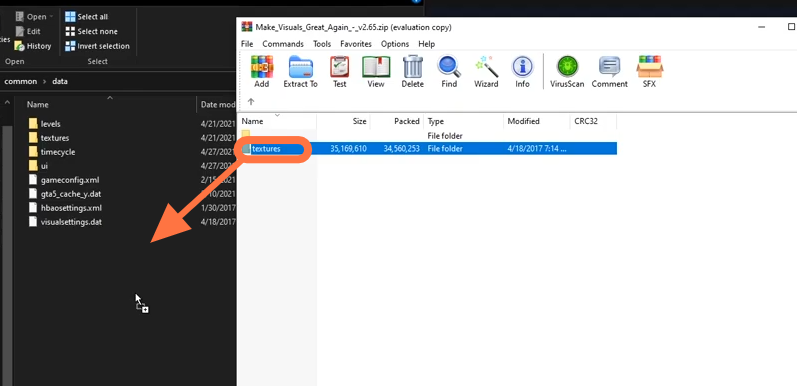
7. Again from the downloaded file, open up the "Make Visuals Great Again" > "Manual Installation" > "Files" > "Update" > "Update.rpf" > "common" > "data" and drag all the files from here into the opened directory of the FiveM.
8. The "Make Visuals Great Again" Graphics Mod has been installed successfully.
