How to Hide your BIO & Location on Your Profile on Xbox Series X
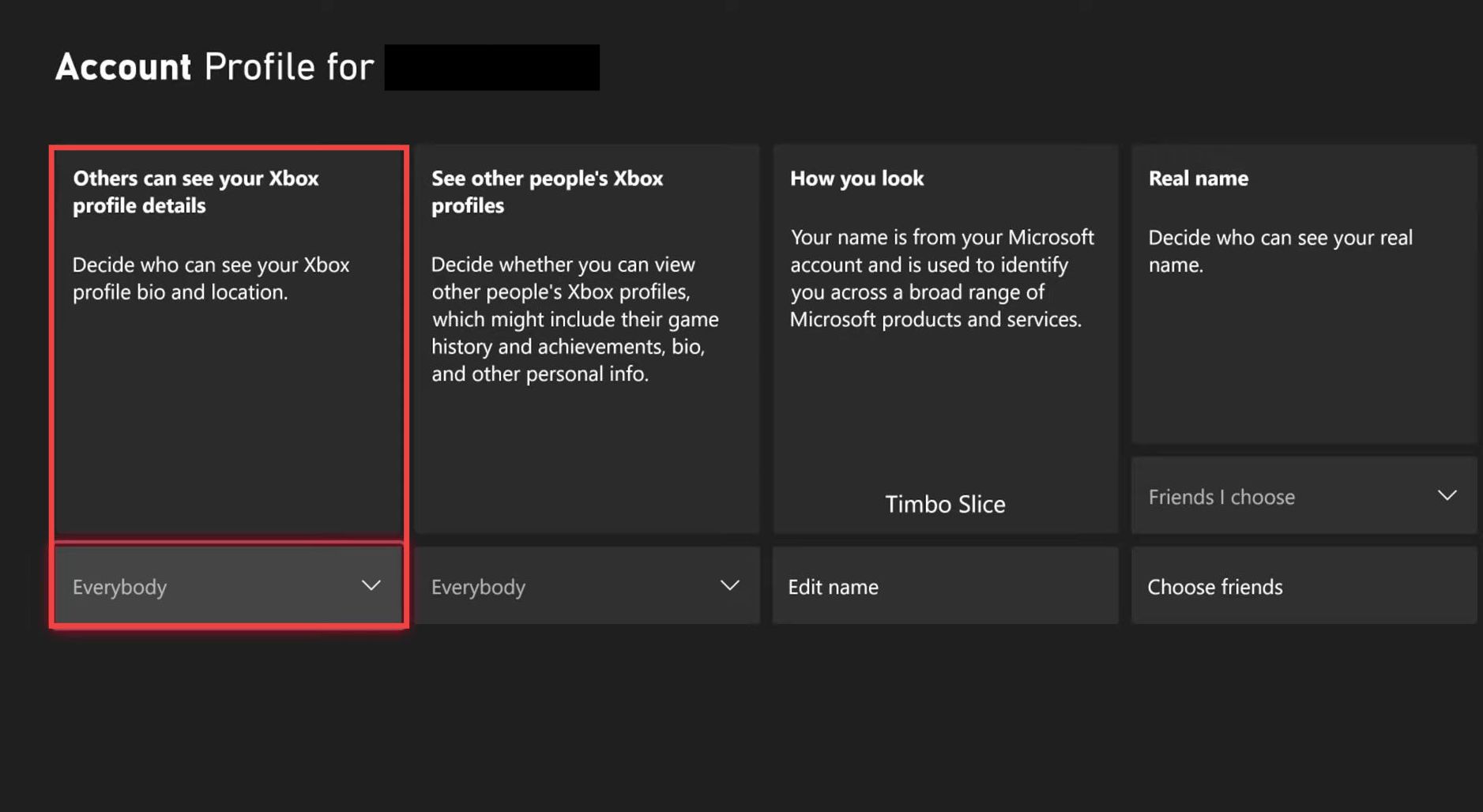
This guide shows you how to hide your bio and location on your Xbox profile on Xbox Series X. Follow the step-by-step instructions below to hide this information.
- First, go to Settings from the home screen.
- Next, navigate to the General tab and select Online Safety & Family.

- Select Privacy & Online Safety, then go to Xbox privacy. Choose Custom and click View details & customize.
- Open the Profile section, use the drop-down menu under Others can see your Xbox profile details, and select Block.
Your profile bio and location will now be hidden from other users.