How to Fix Valorant Error Code 128
You have to follow the simple steps to resolve this error.
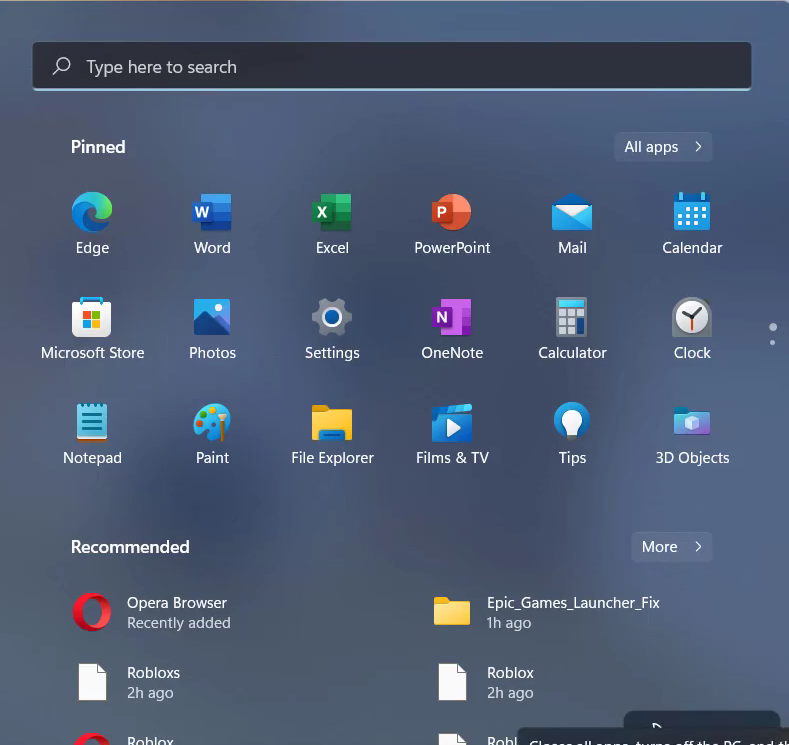
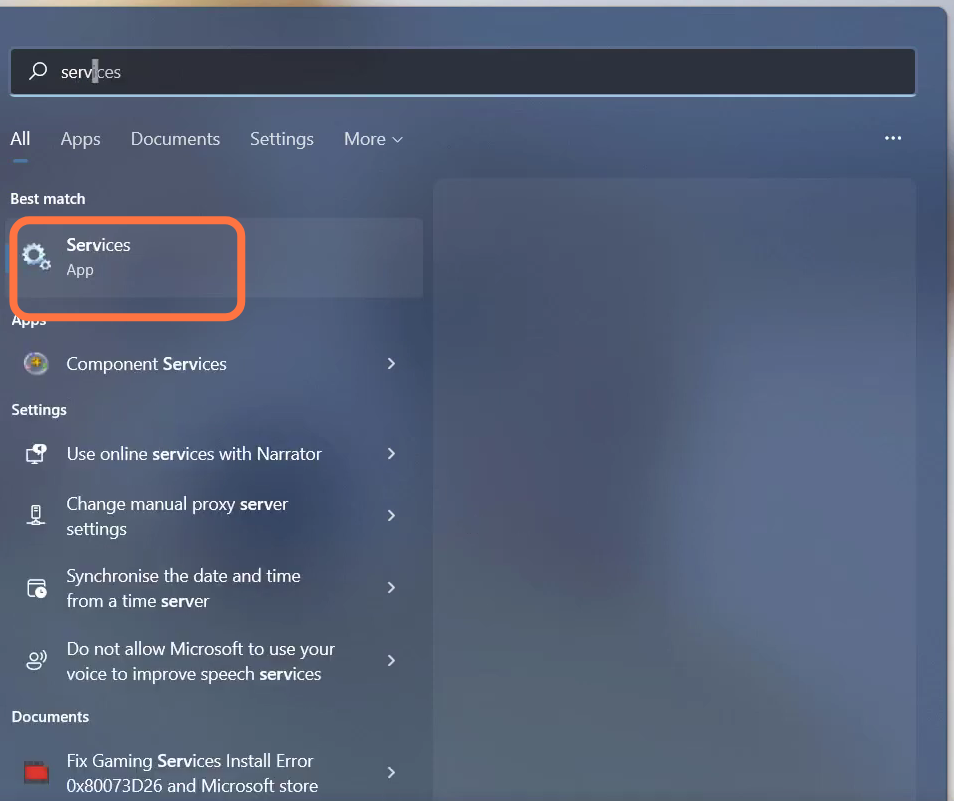
- You will need to open the Services.
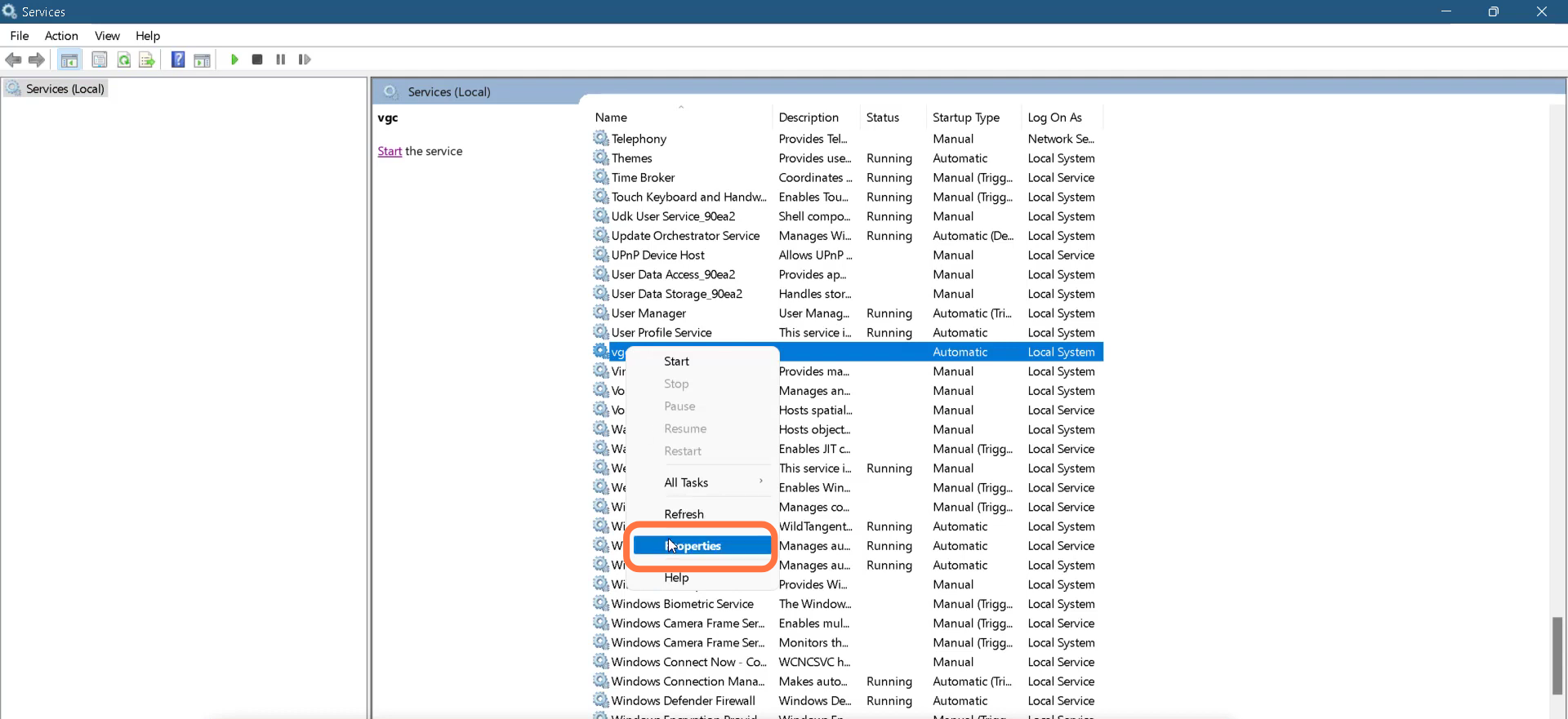
- Left click on vgc and go to its properties.
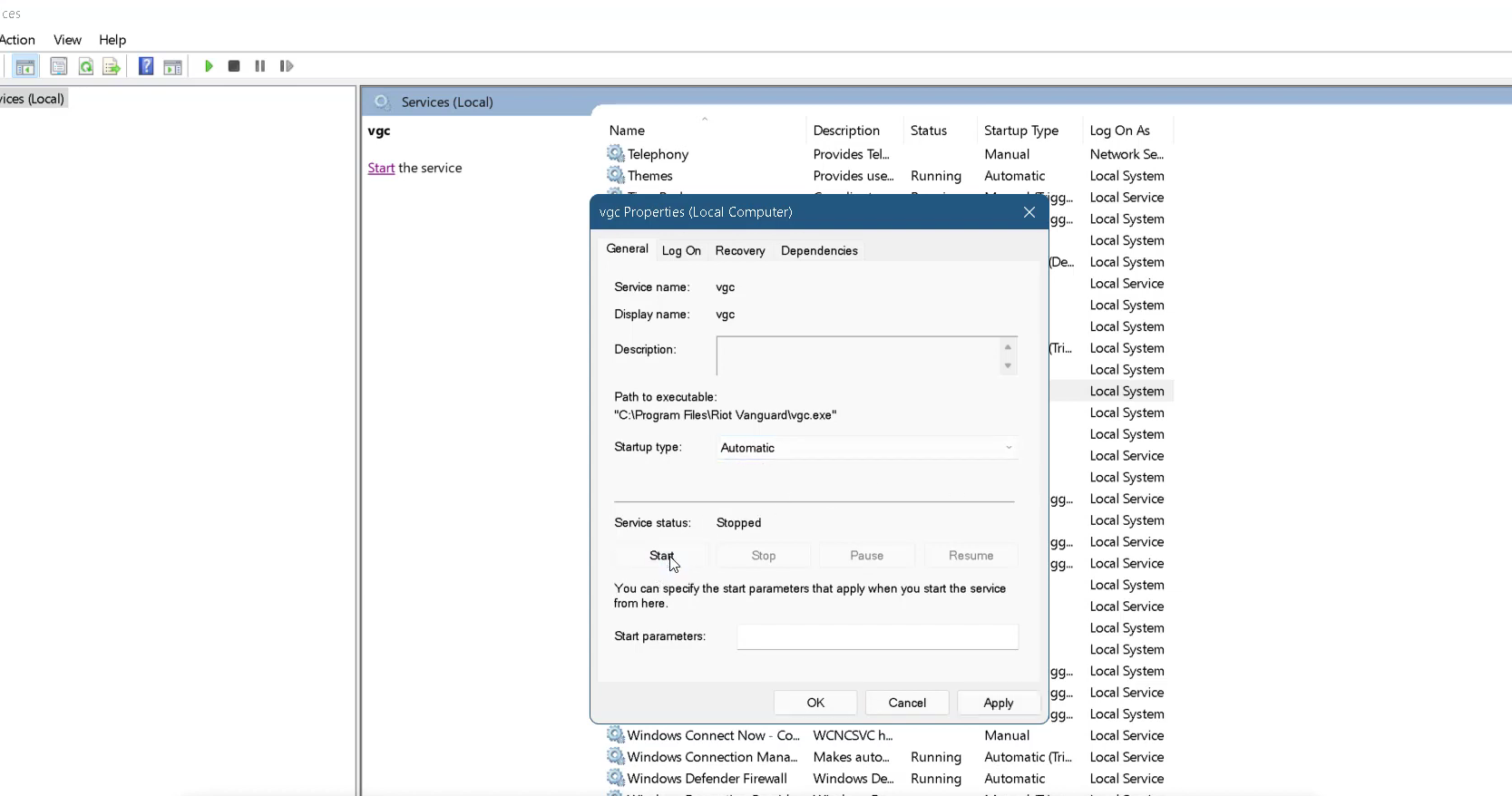
- After that, change the Startup type to Automatic and Service status to Running.
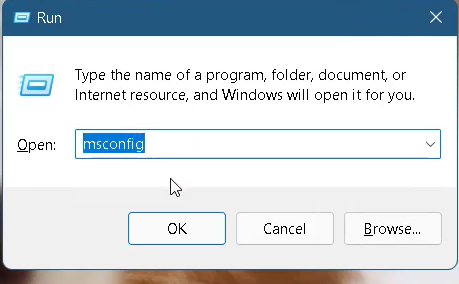
- Then press Window key +R, type "mscconfig" and hit the OK button.
- Enter Into Services and tap on "Disable all".
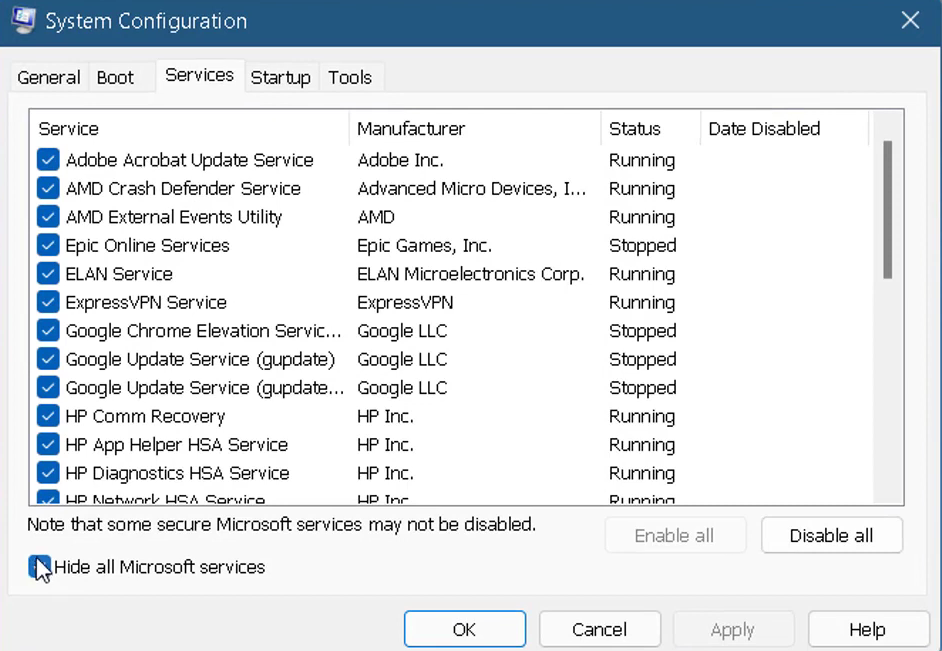
- Finally restart your PC to check if the error is resolved.