How to Fix Roblox Teleport Failed Unknow Exception Error Code 769
You have to follow the step-by-step instructions below to get rid of this error.
- First, you will need to open the control panel.
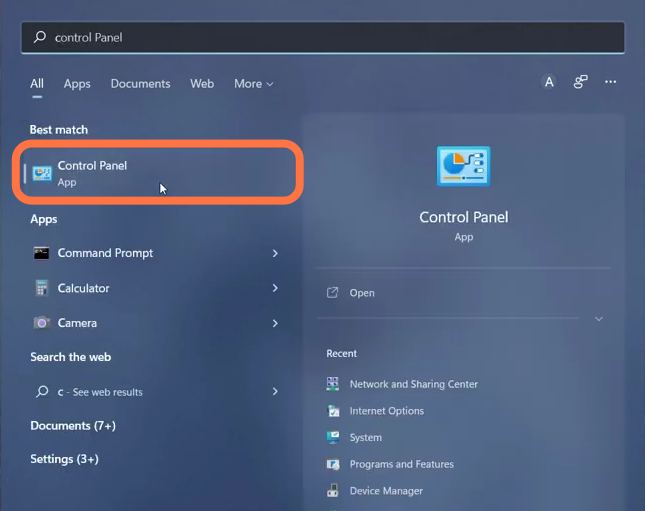
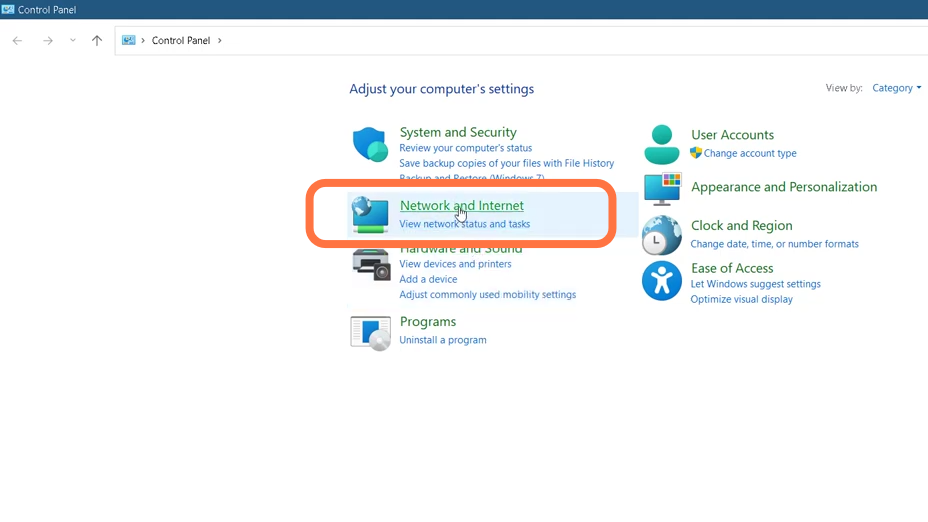
- Select the Network and Internet option.
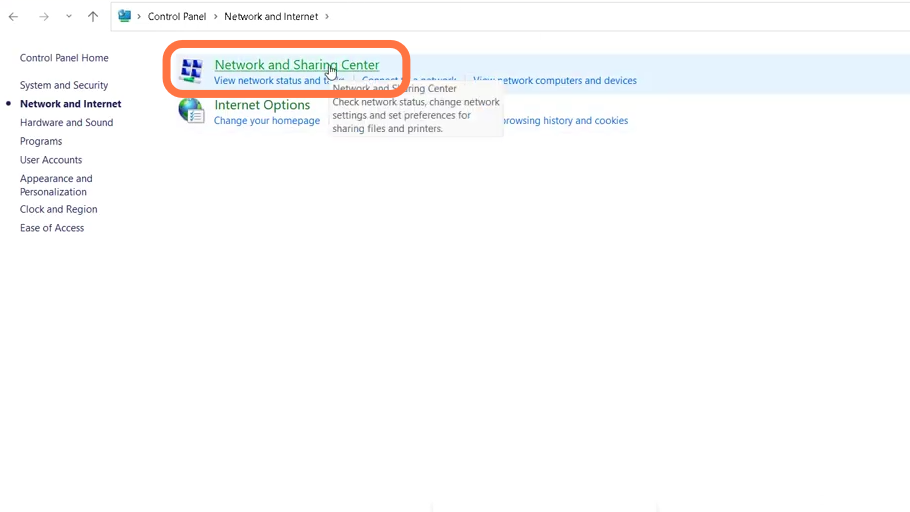
- After that, open the Network and Sharing center.
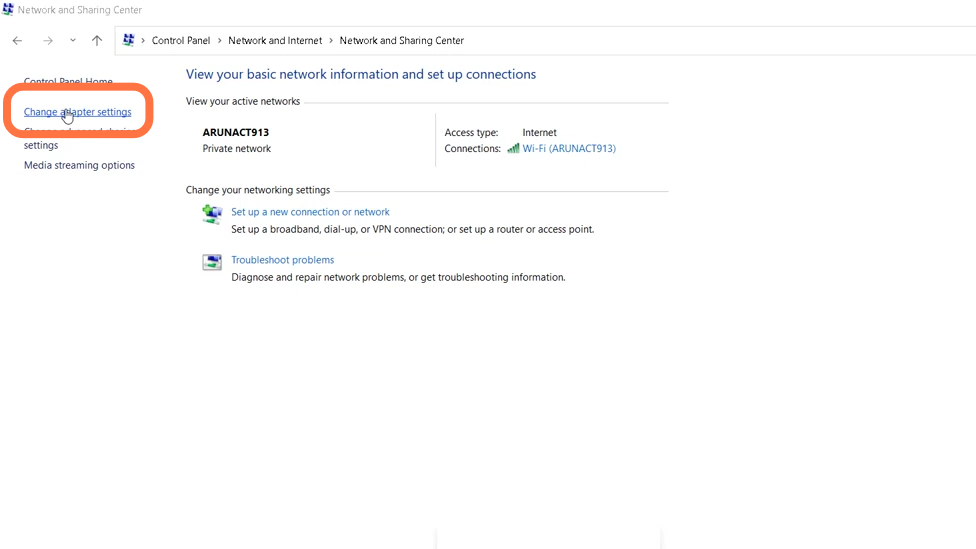
- And enter into Change adapter settings.
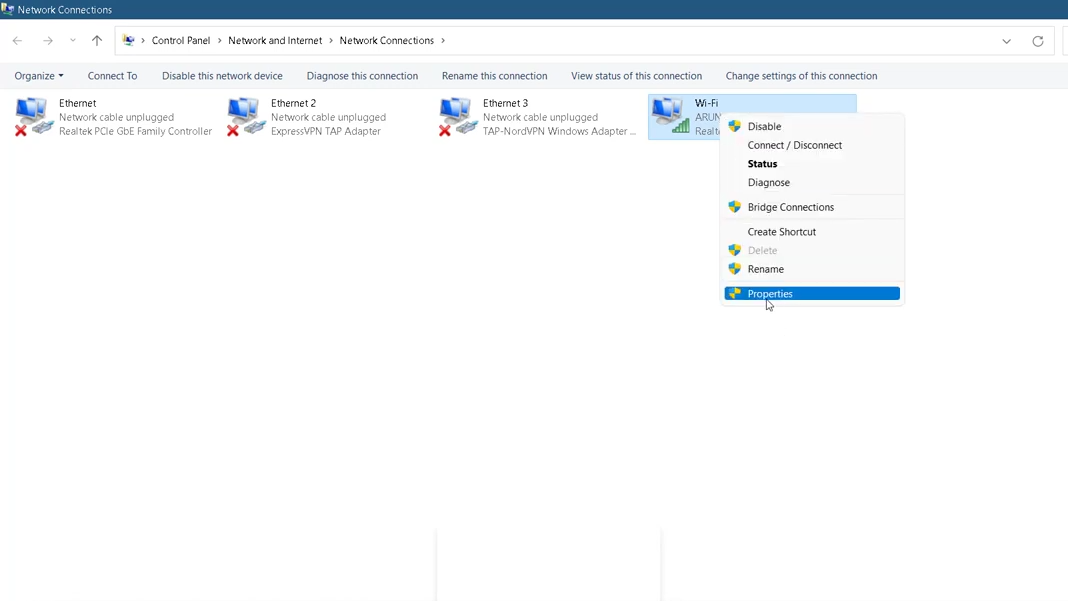
- You have to right-click on the WiFi and go to its properties.
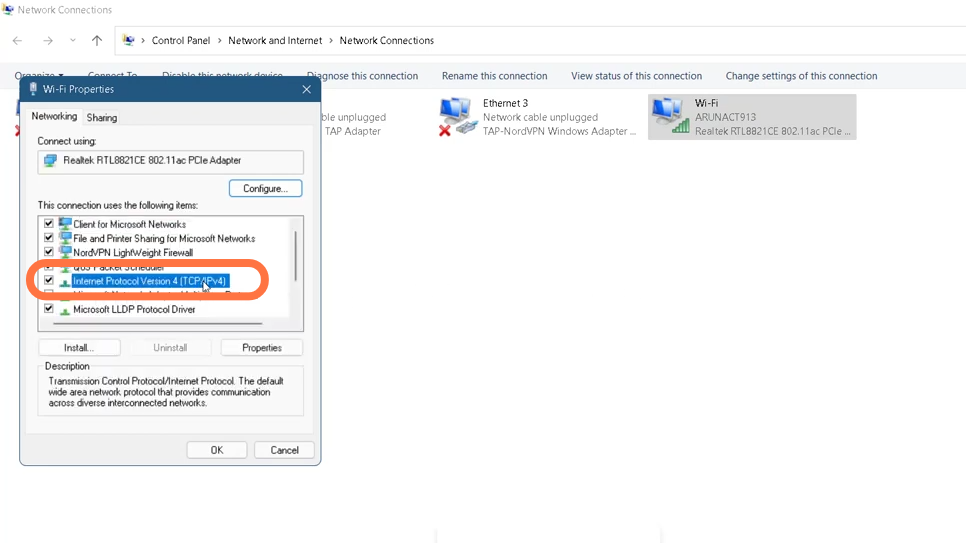
- After that, click on Internet protocol version 4 (TCP/IP) and go to properties.
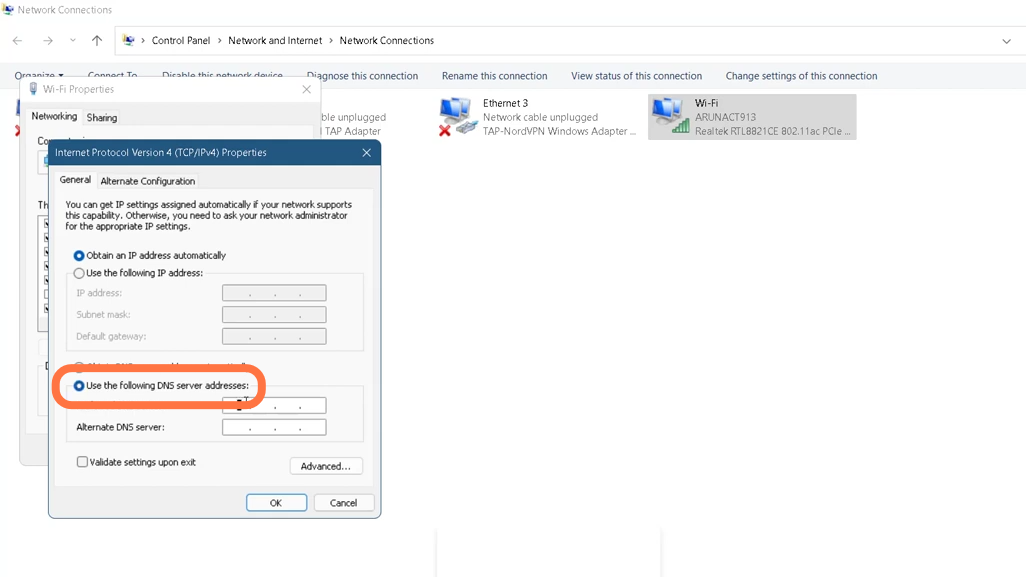
- You need to enable "Use the Following DNS server addresses ", change the DNS server address to 8.8.8.8, alternate DNS server to 4.4.4.4 and then click OK.
- Then click on Close after setting DNS server addresses.
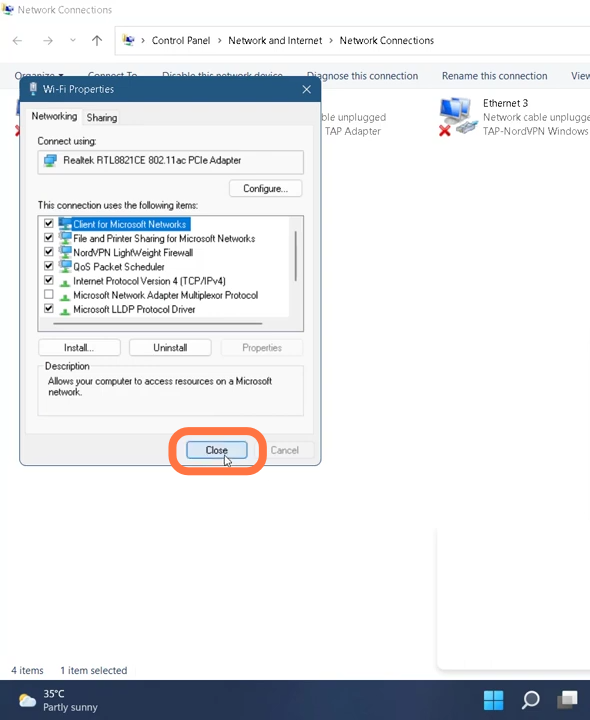
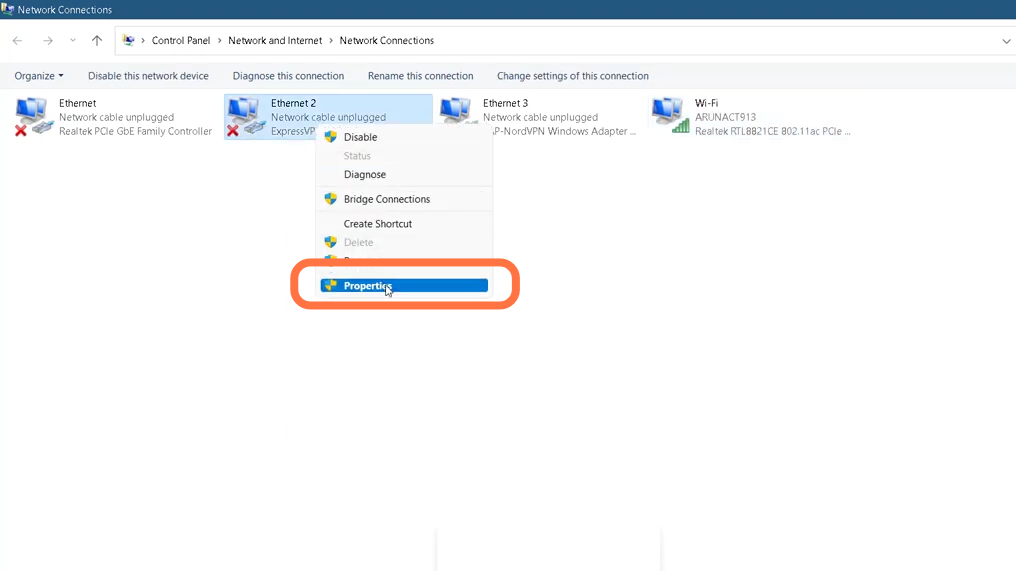
- Next, you have to right-click on the ethernet and select properties.
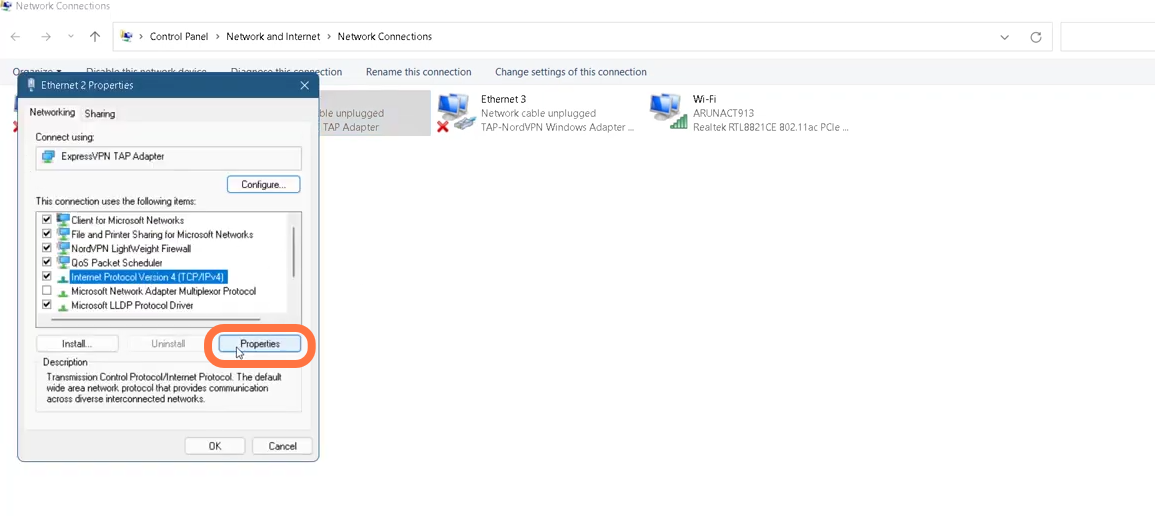
- Enter into Internet protocol version 4 (TCP/IP) and tap on properties.
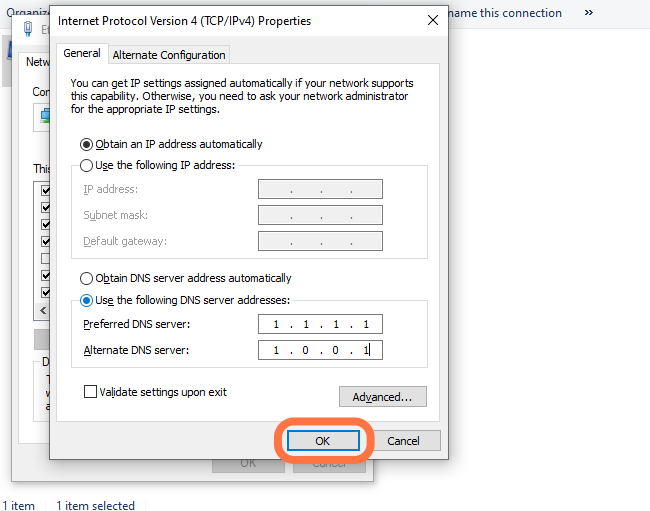
- You will need to enable "Use the following DNS server addresses", set the 'Preferred DNS server ' to 1.1.1.1 and 'Alternate DNS server' to 1.0.0.1 and click Ok.
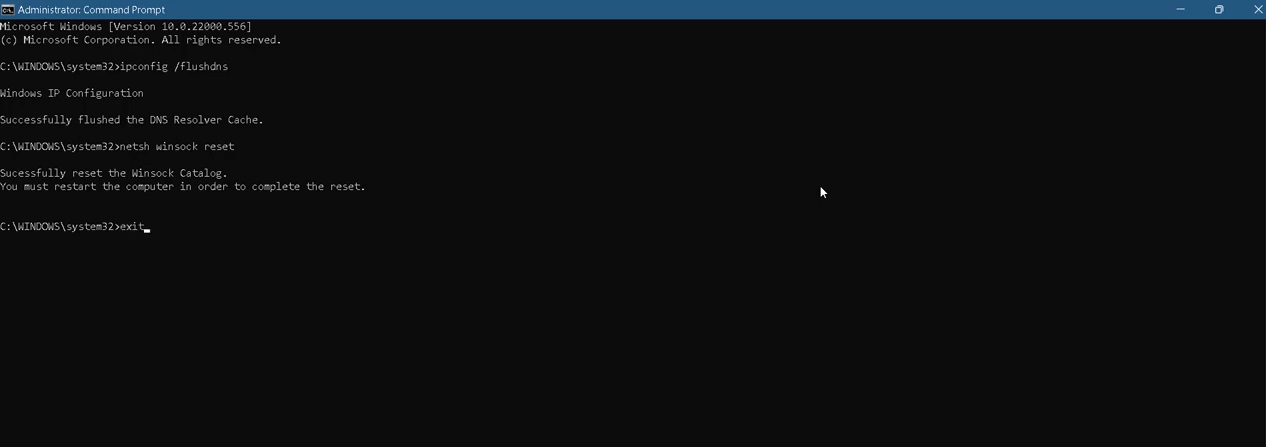
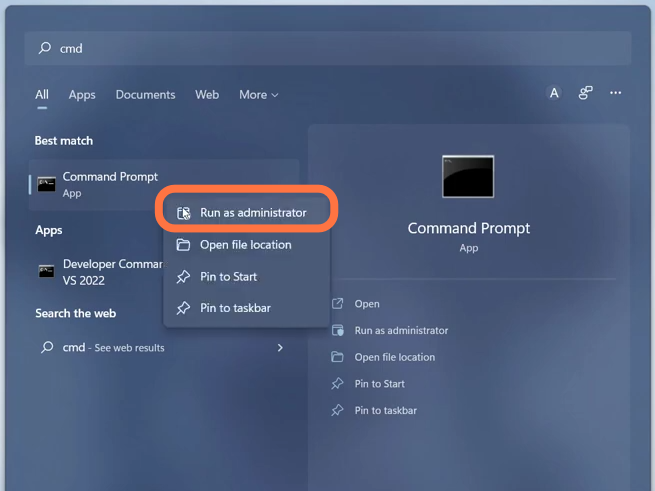
- Click on the Start button, search Command Prompt and select Run as administrator.
- Now you need to run some commands in an order. First command to run is "ipconfig/flushdns". Then Type in "netsh winsock reset" and hit enter to execute it.
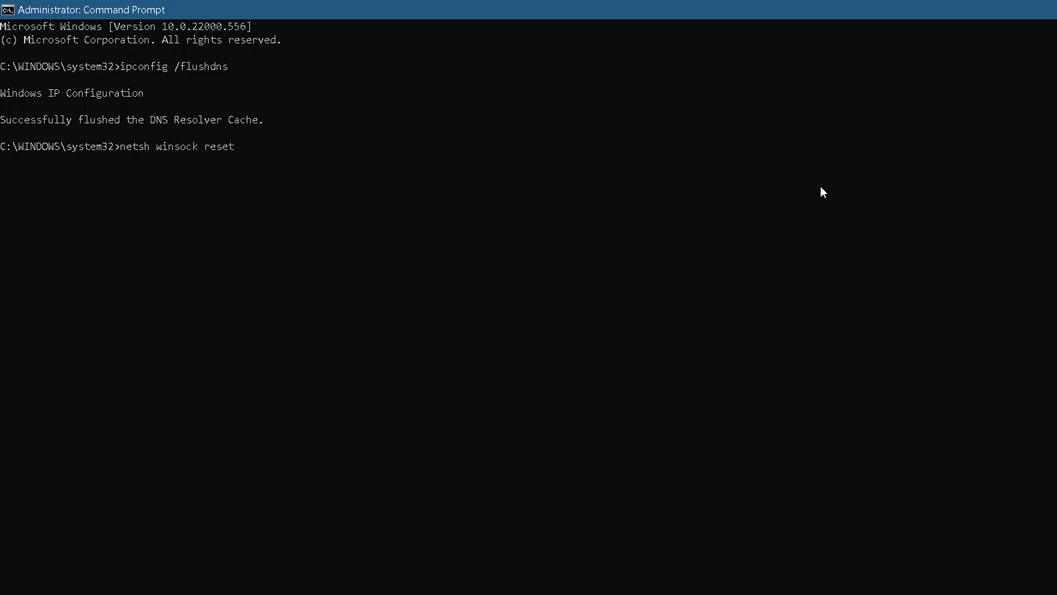
- And finally exit the interface by using 'Exit' command and then restart your PC.