How to Fix Roblox Error Code 282
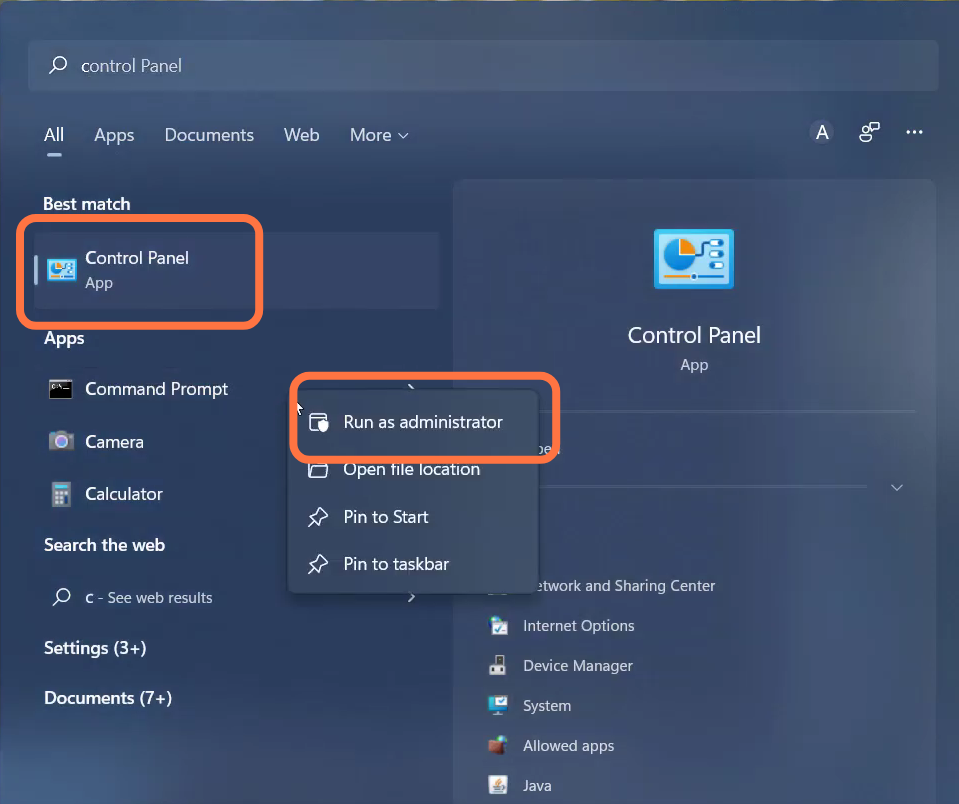
- Input the "ipconfig /flushdns" and hit enter to execute it.
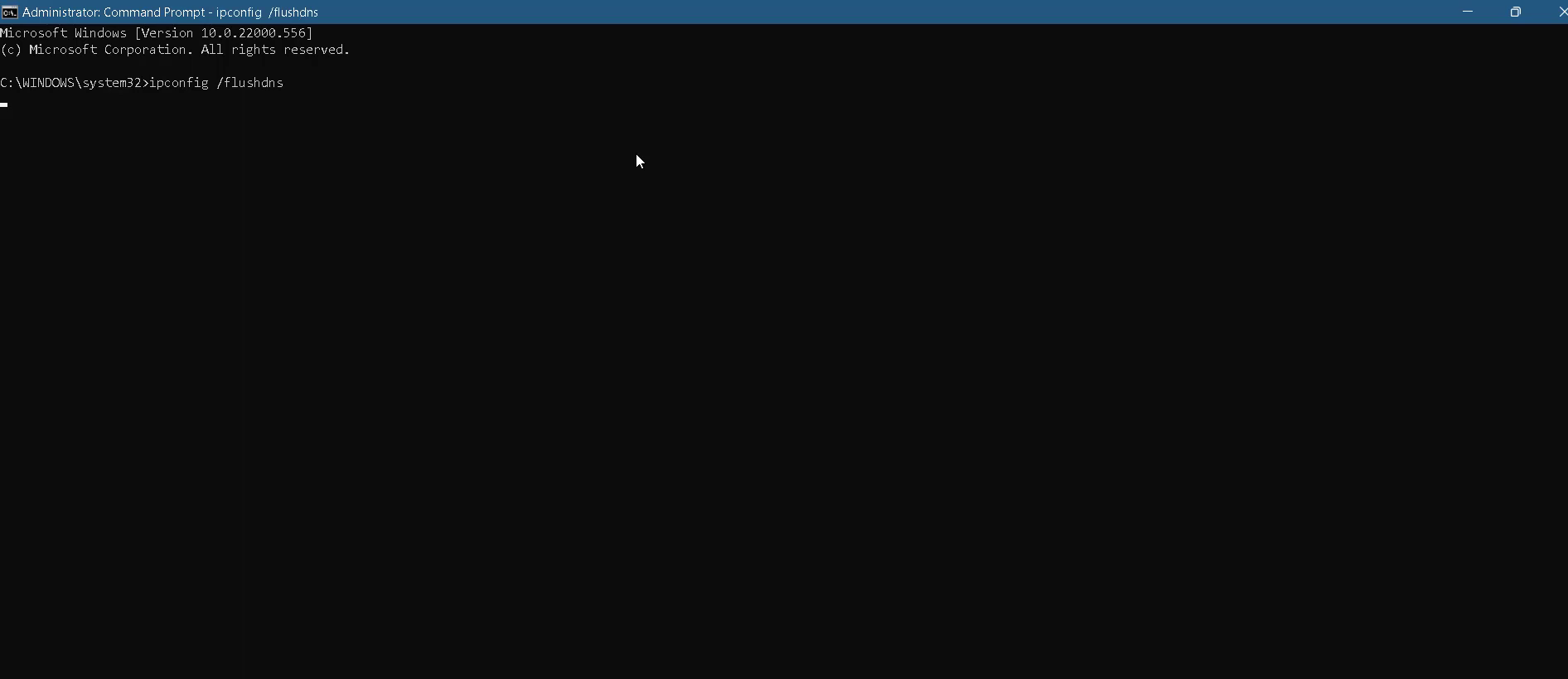
- And then input the "netsh winsock reset" command.
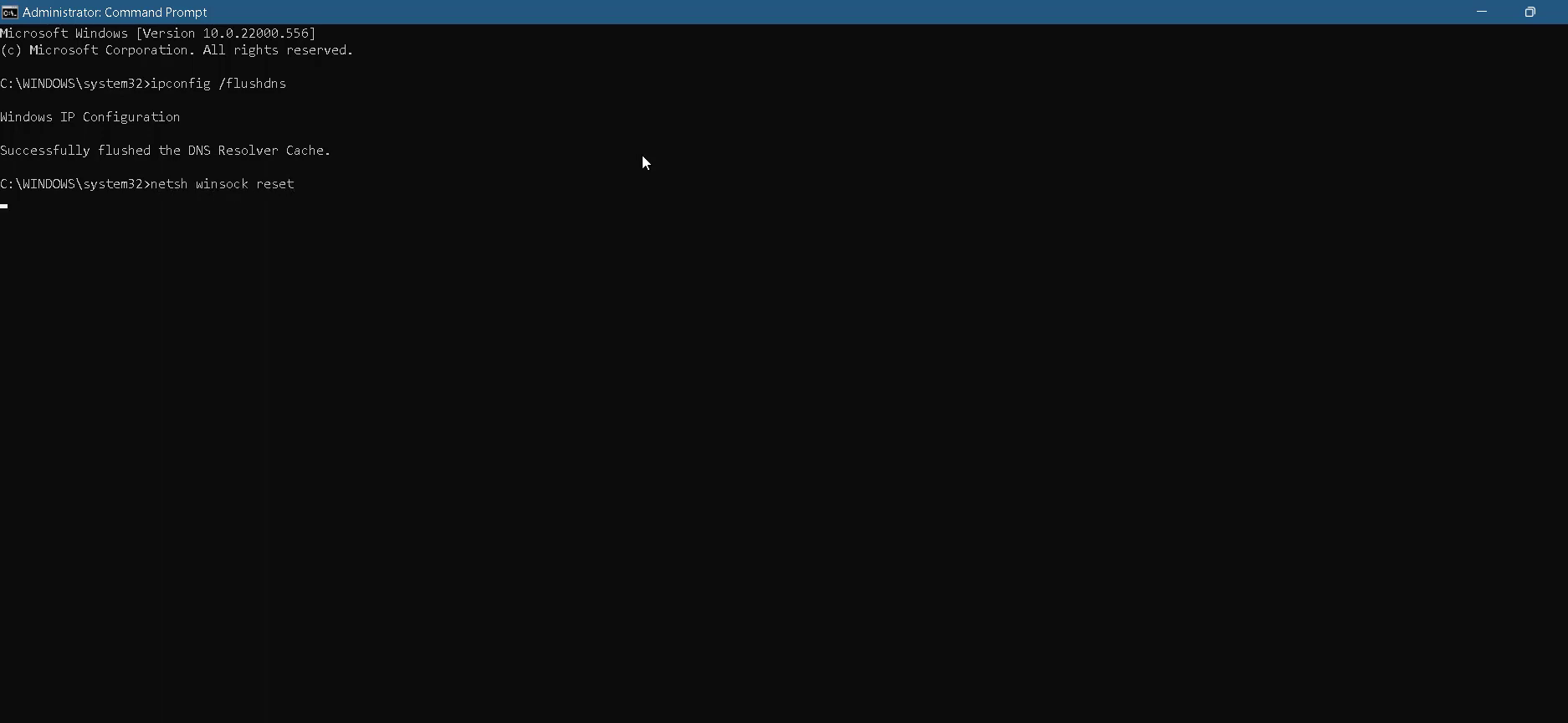
- After that, use the "exit" command to close the cmd interface.
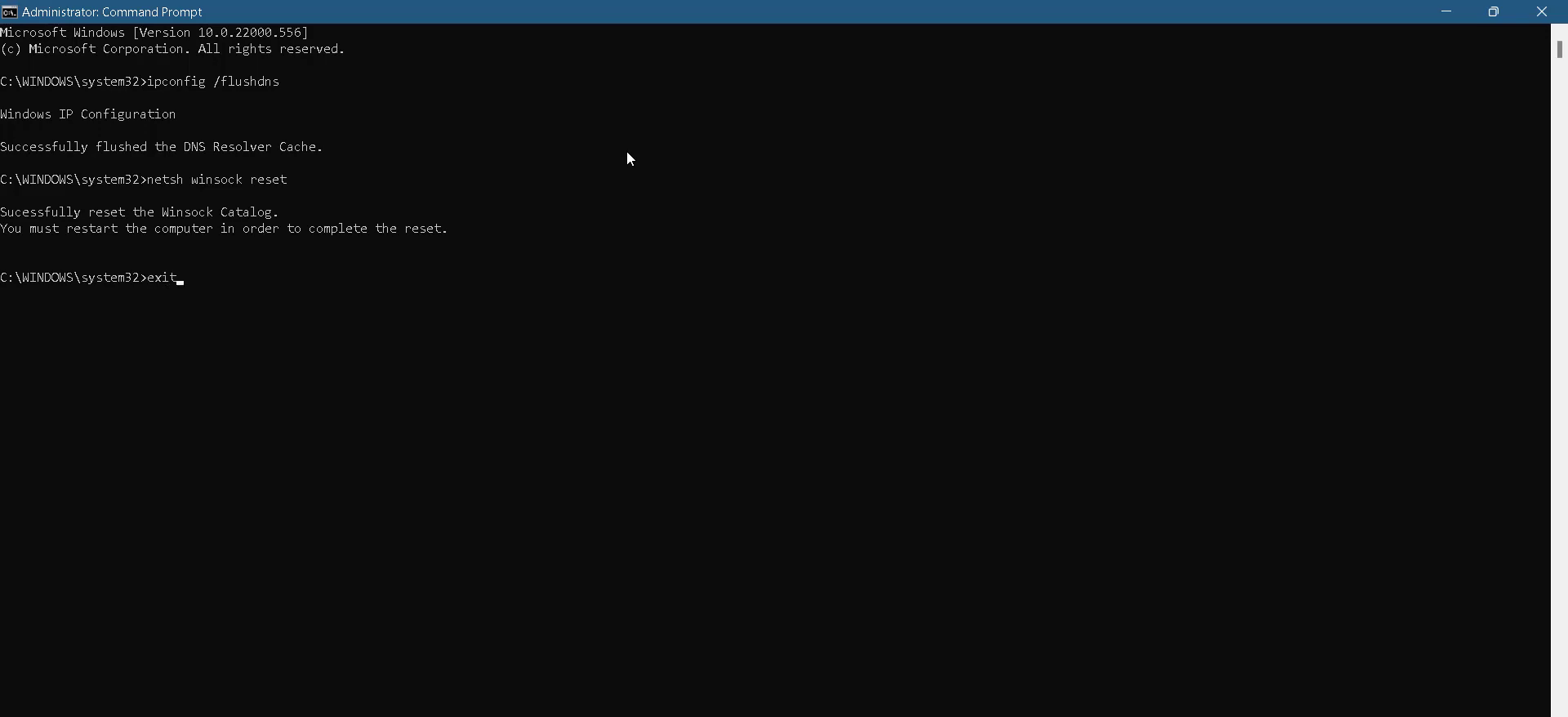
- Now you will need to open the Control panel.
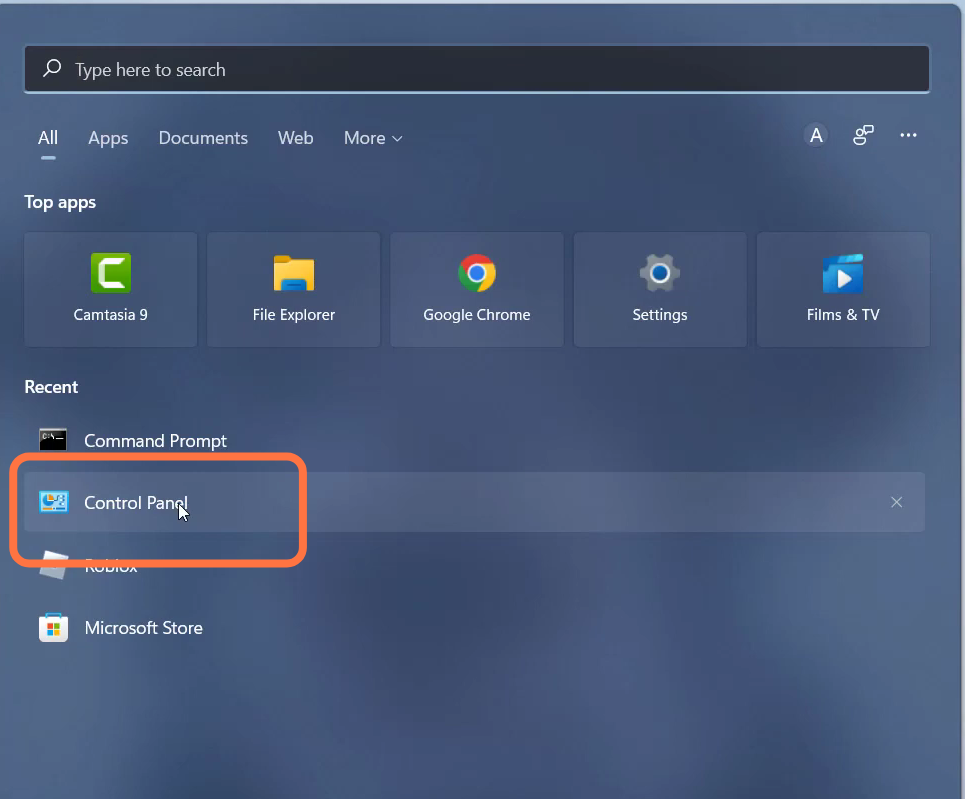
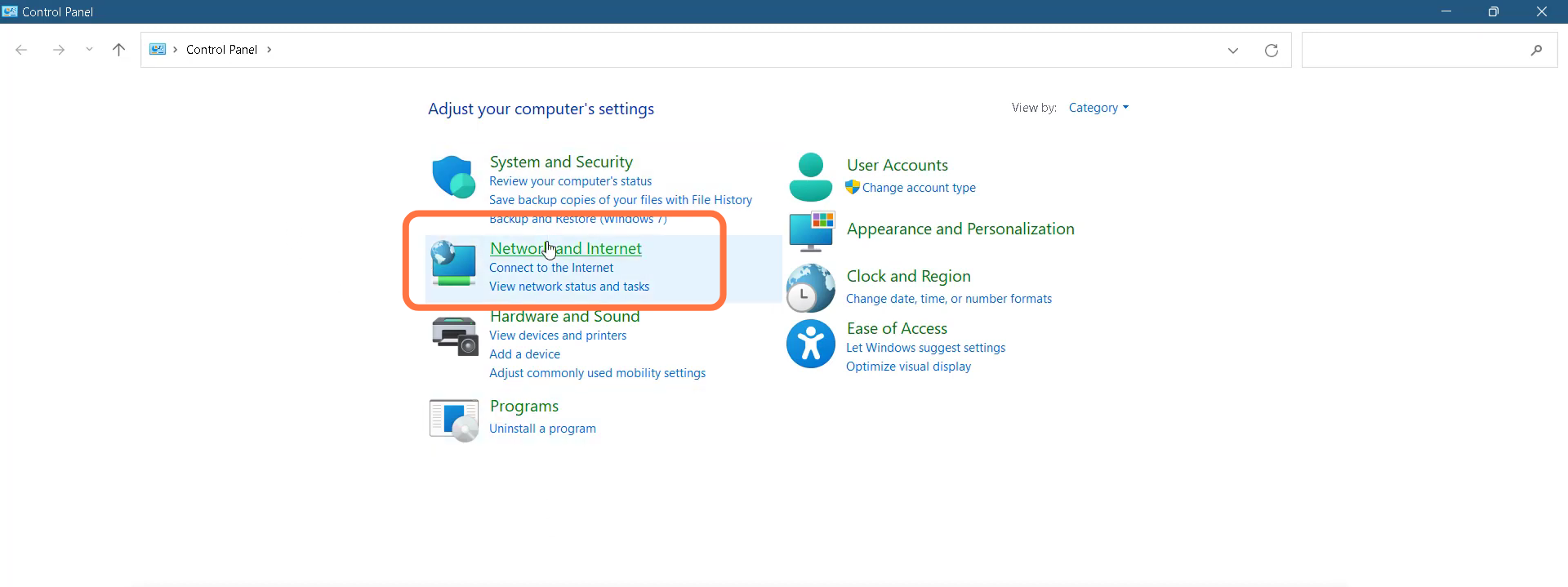
- Navigate to Network and Internet.
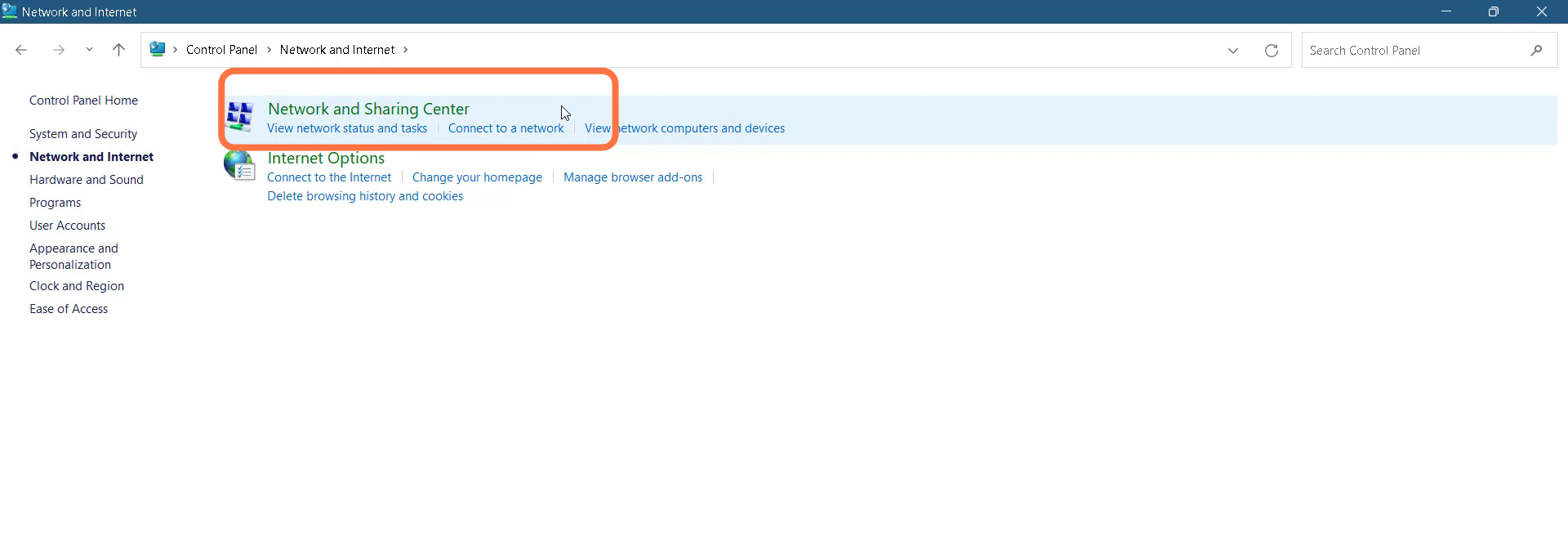
- Double-click on "Network and Sharing Center".
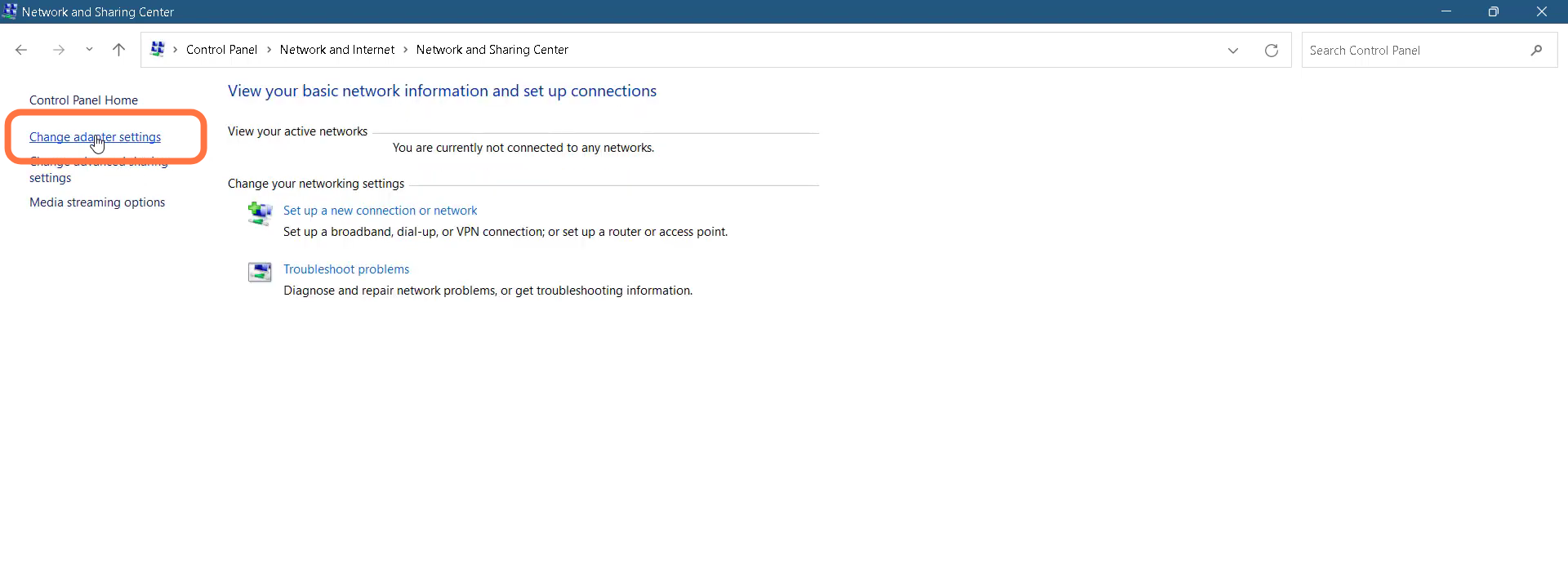
- And then tap on "Change adapter settings".
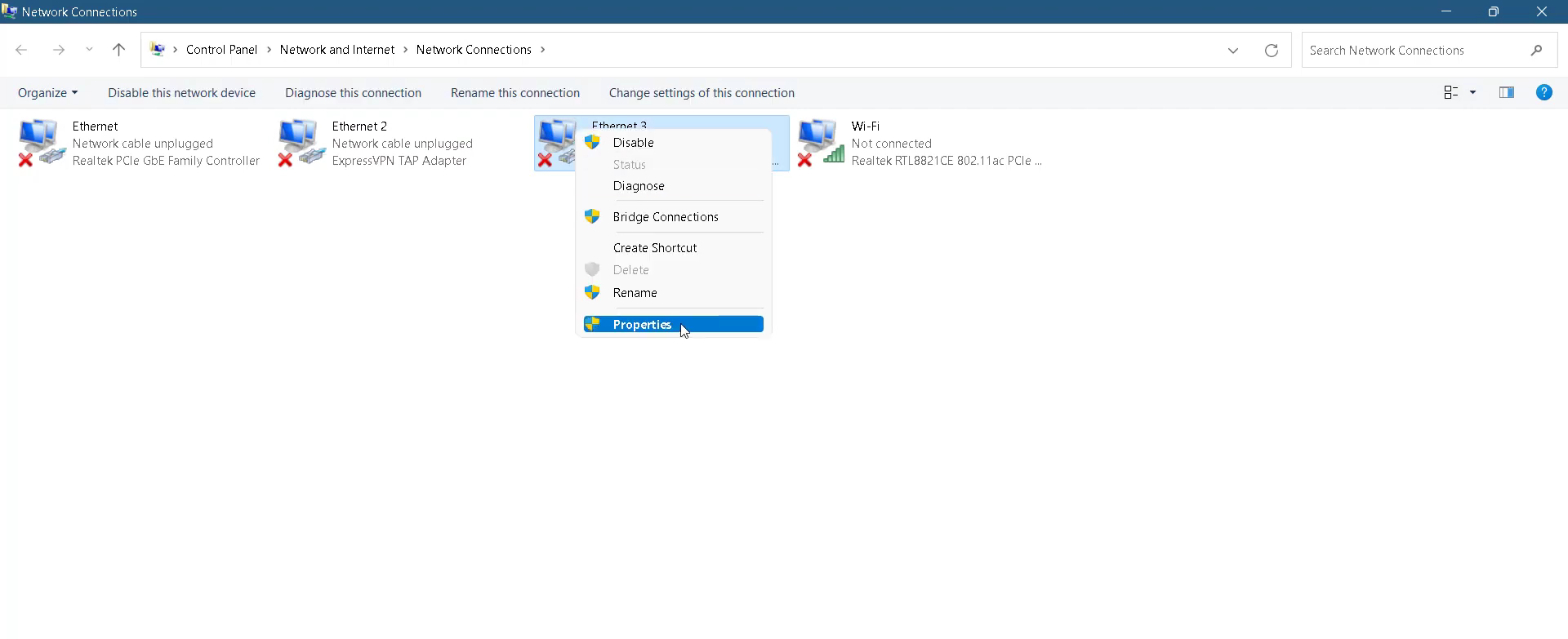
- You need to right-click on Ethernet and go to its Properties.
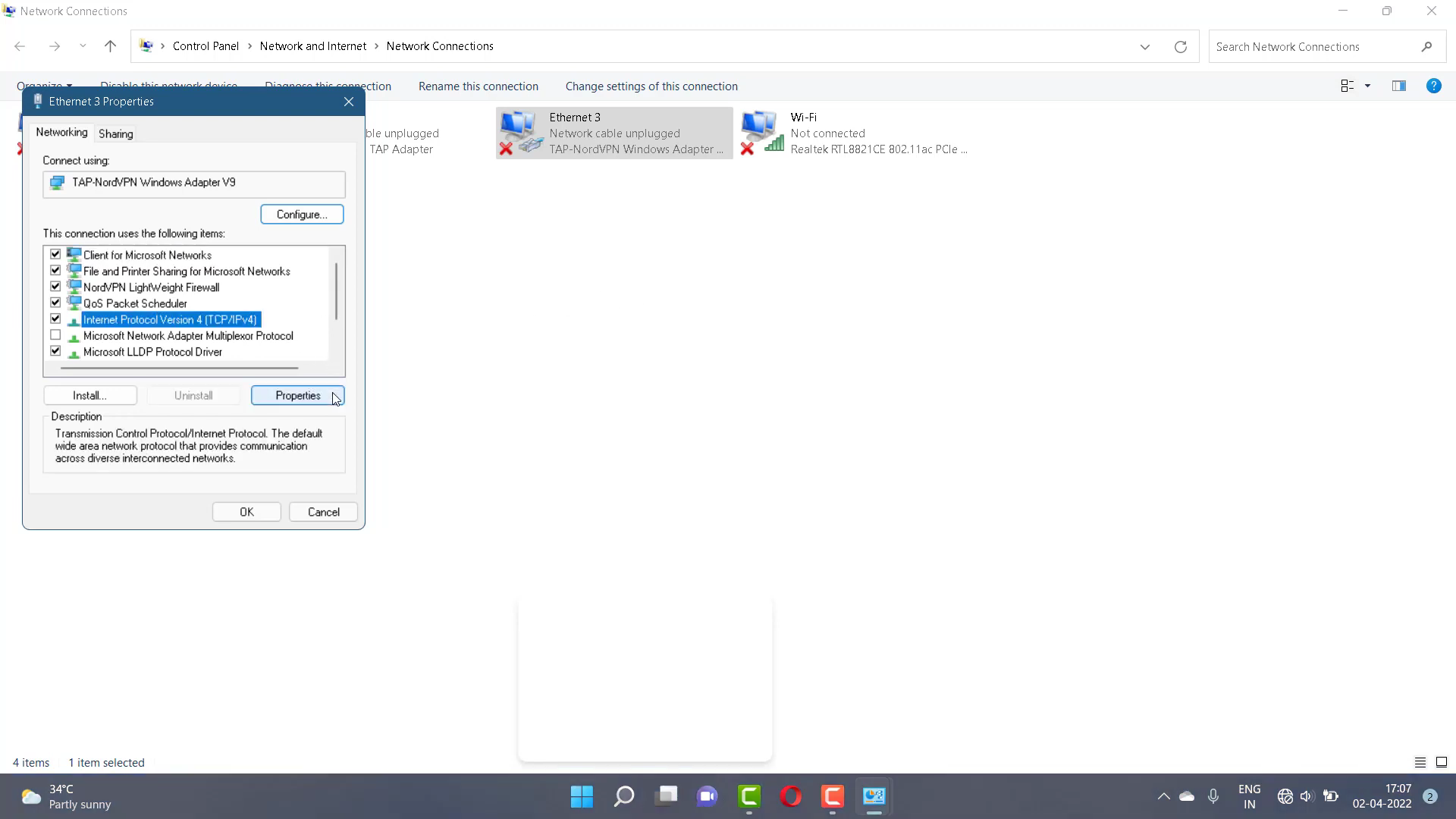
- Tap on "Internet Protocol Version 4 (TCP/1Pv4)" and go to properties.
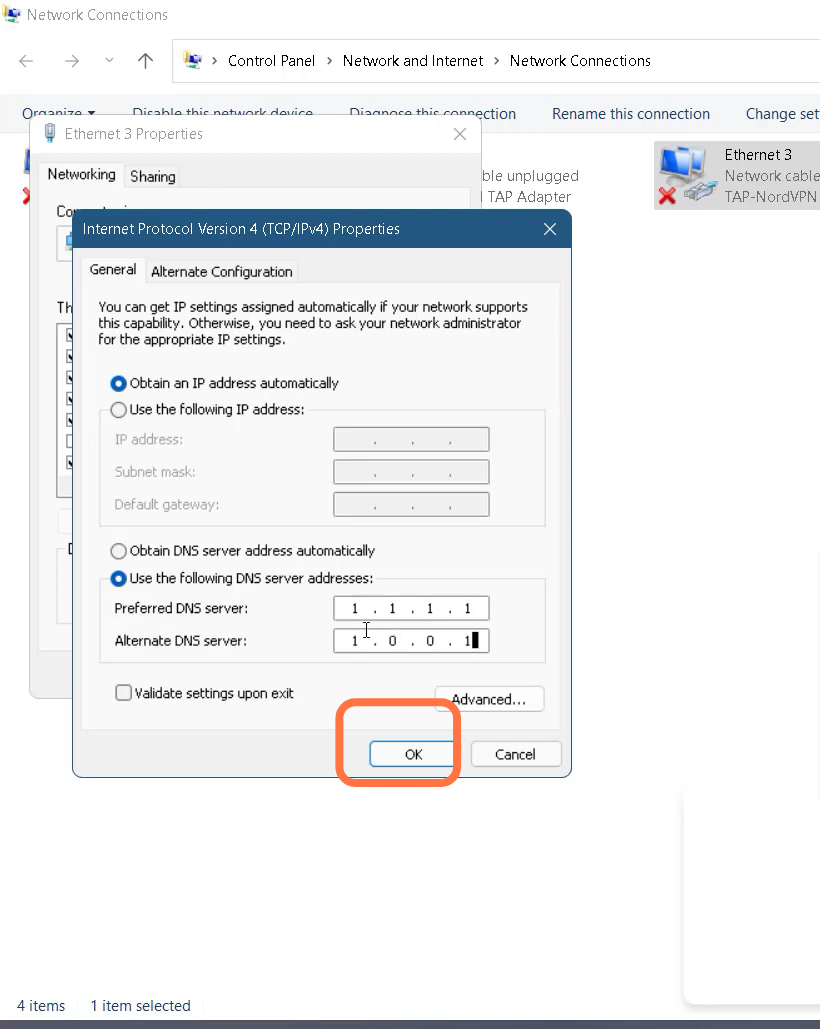
- Enable DNS server, input 1.1.1.1 in a Preferred DNS server and 1.0.0.1 in Alternate DNS server, and hit the OK button.
- Finally restart your PC to resolve the issue.