How to Fix Fortnite DX11 Feature Level 10.0
Follow all the instructions carefully to get rid of this problem.
1. You will need to type "Download DirectX" on Google Chrome and click on the first link.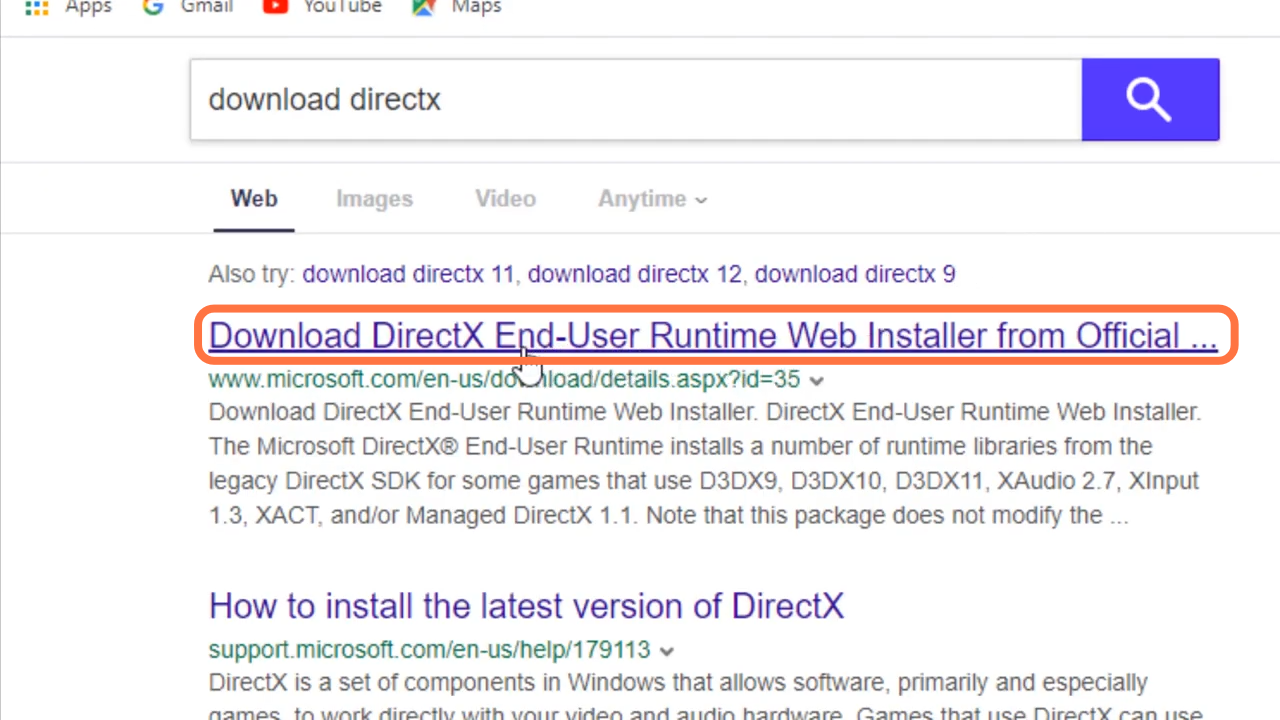
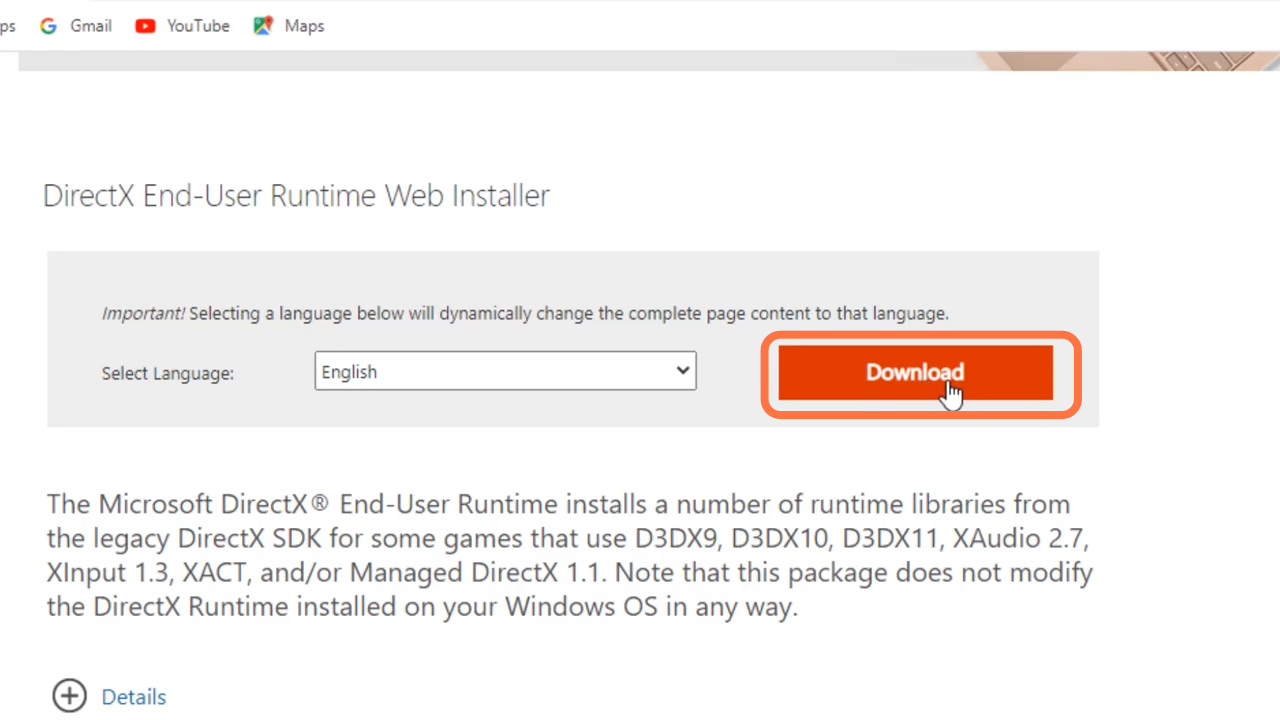
- And then click on the Download button.
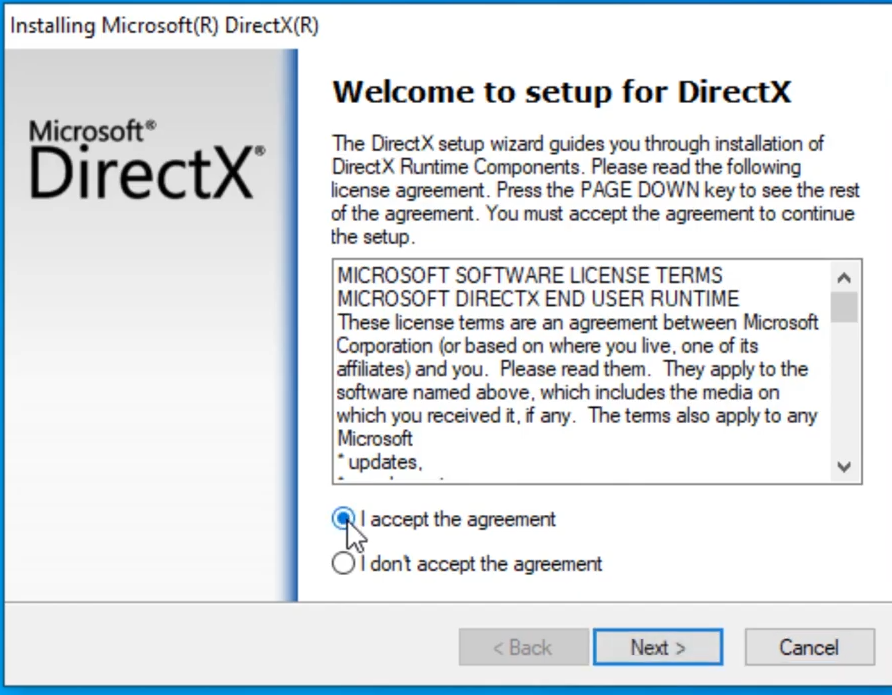
- After that, open the downloaded file, mark "I accept the agreement" and click on the Next button
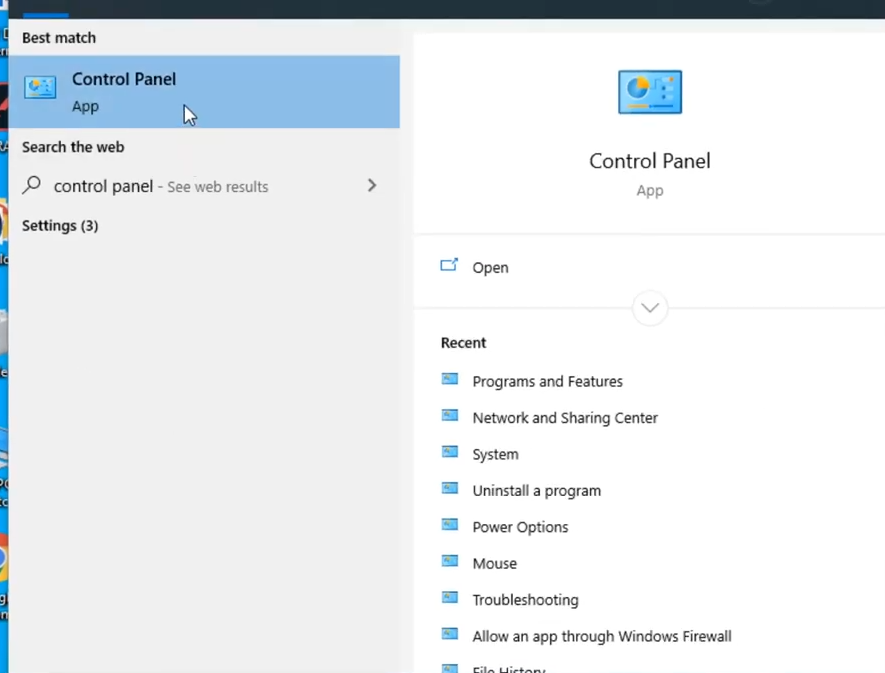
- Then you have to search for the control panel and open it up.
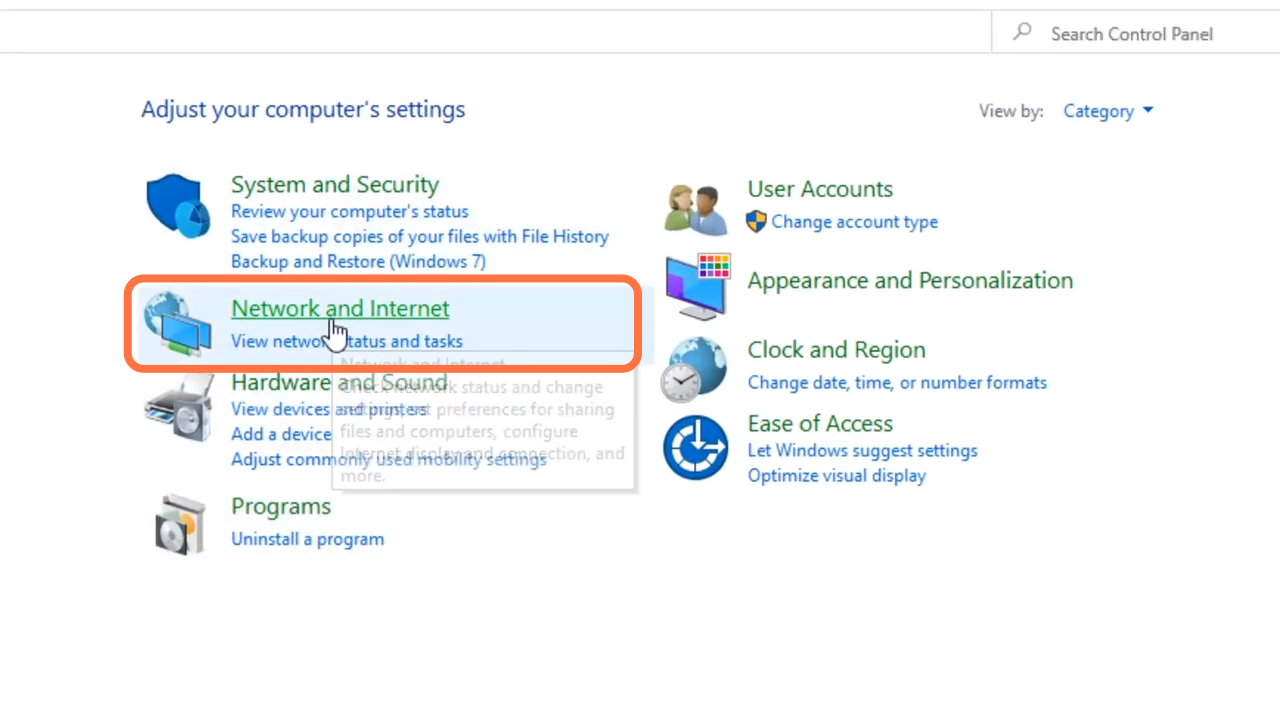
- Enter into "network and internet".
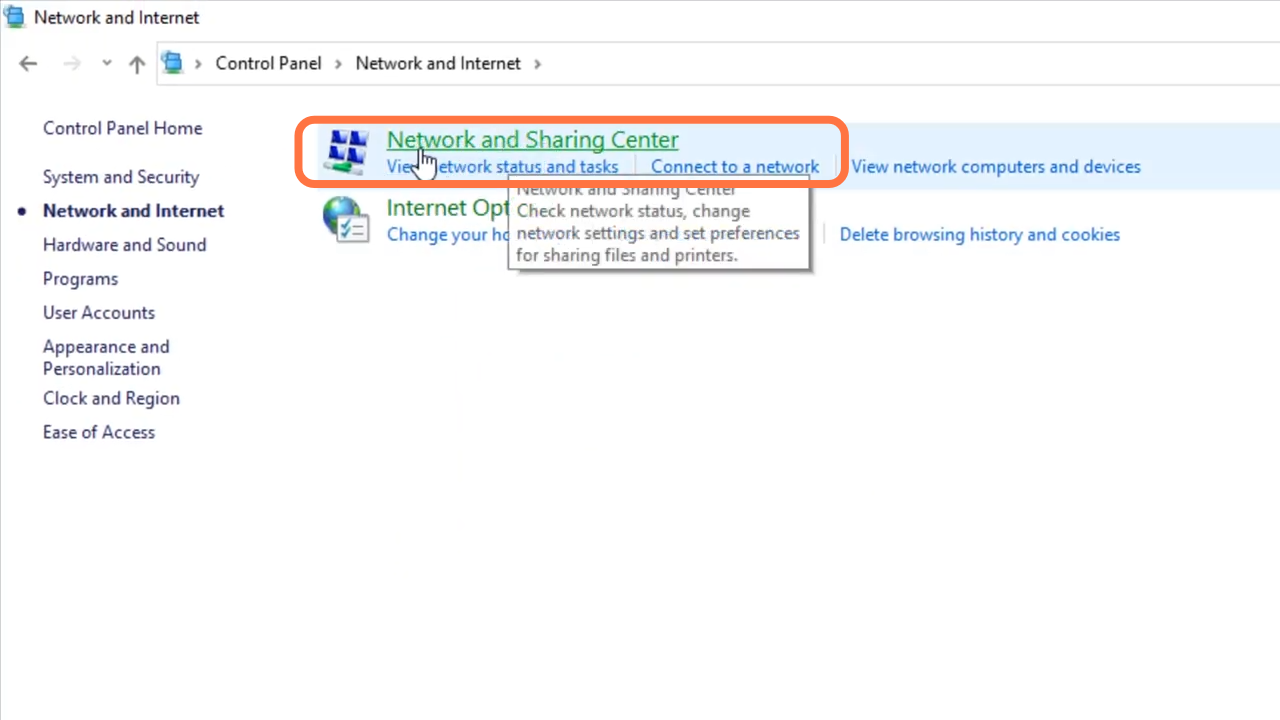
- And navigate to "Network sharing center".
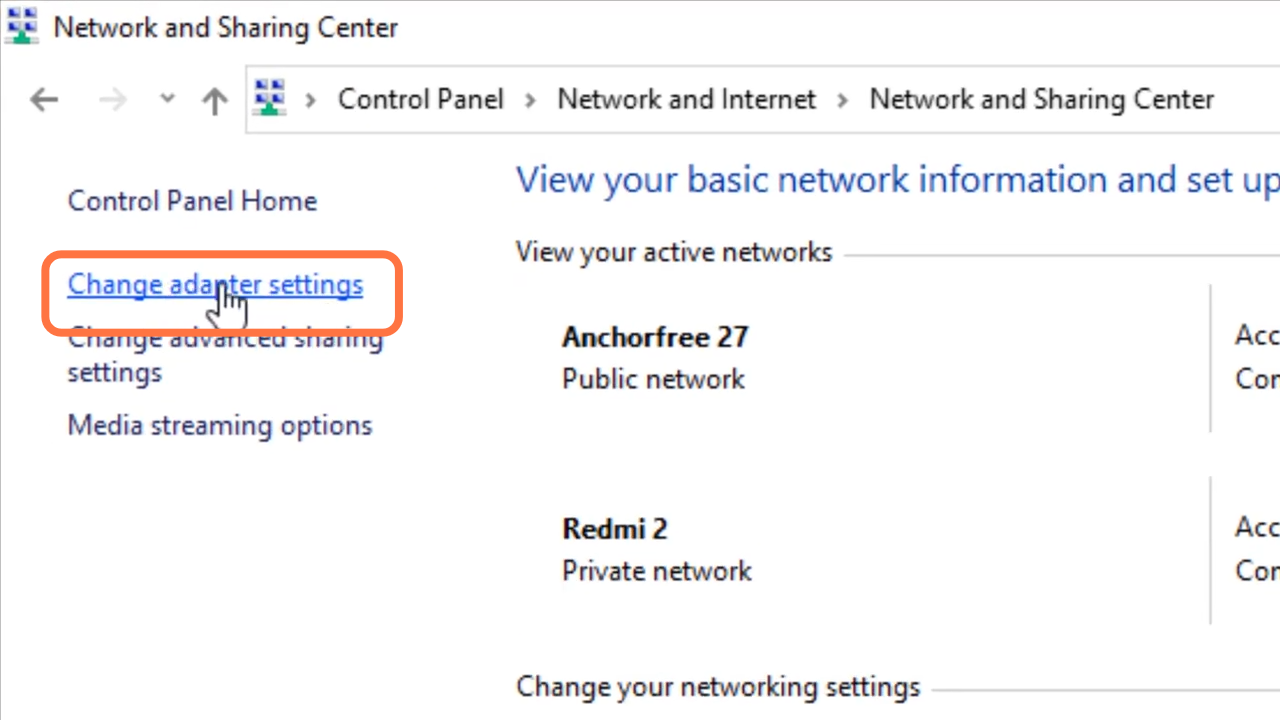
- Tap on Change adapter settings.
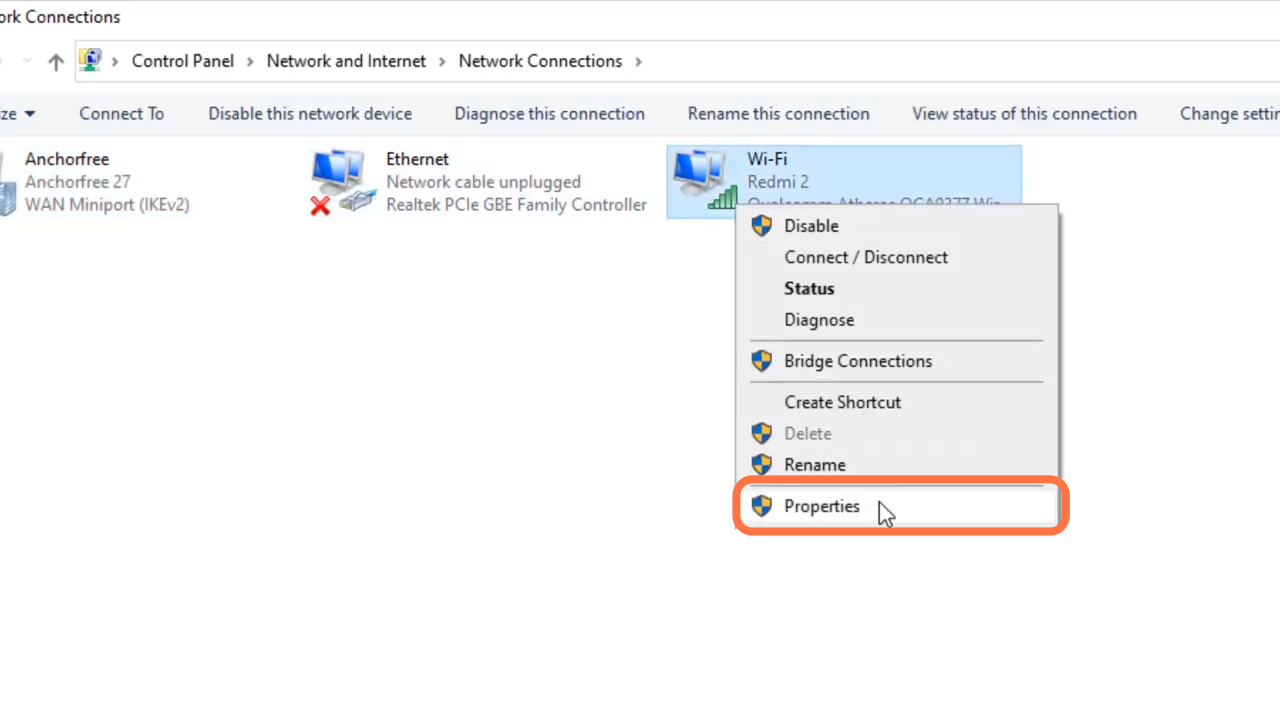
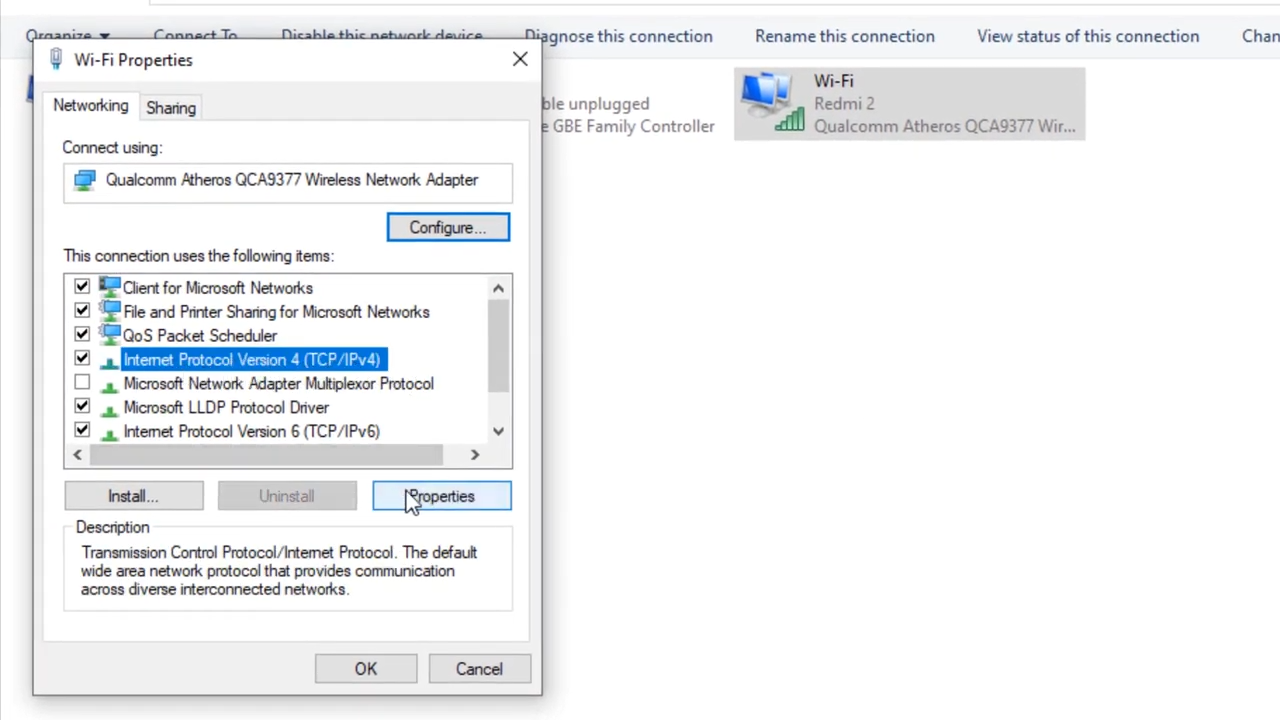
- After that, left click on Wifi and enter into properties.
- Tap on "internet protocol version 4 (TCP/IPv4)" and enter into properties.
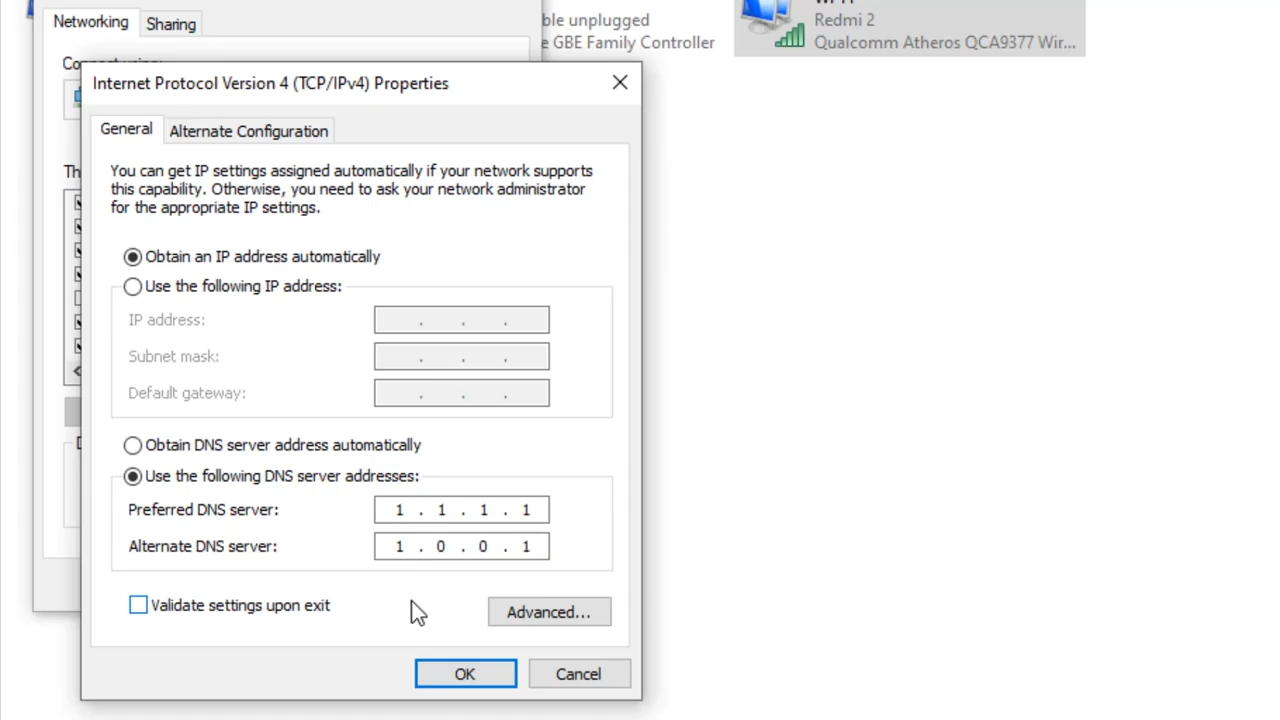
- You will need to enable DNS server, input 1.1.1.1 in "Referred DNS server" and 1.0.0.1 in "Alternate DNS server", and press ok.
- Finally, you need to restart your device.