How to Do Tattoo (Existing Sim) - The Sims 4
In this brief guide, you will get to know how your sim can have a tattoo in Sims 4.
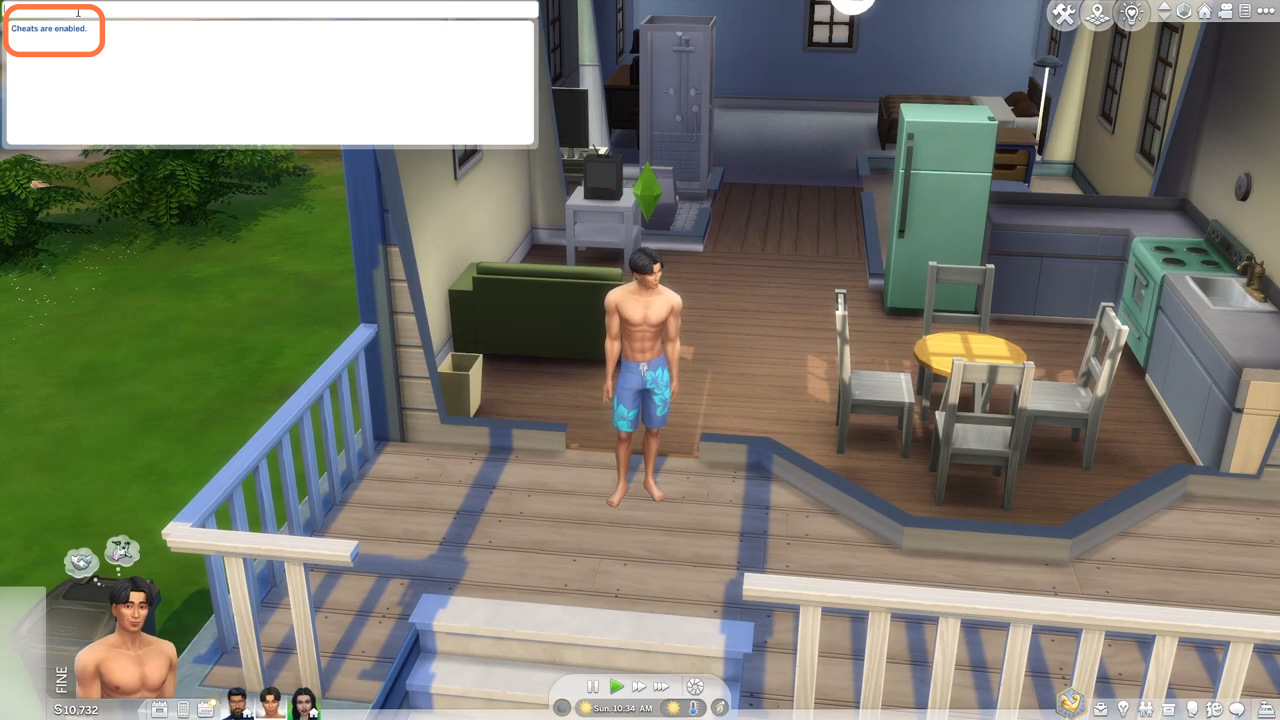
1. The first thing you will need to do is press the 'CTRL+Shift+C' simultaneously on your keyboard to open the cheat box. A white box will appear at the top left corner of your screen.

- Now type in "testingcheats true" and hit enter on your keyboard to enable cheats.
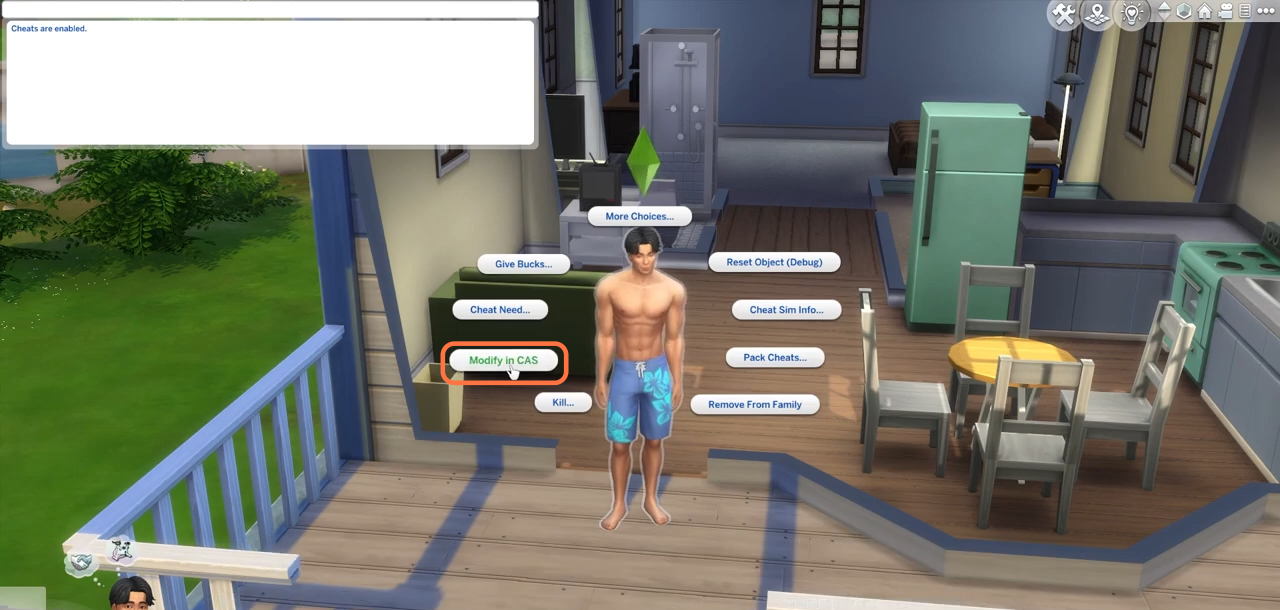
- After that, go to your sim and press & hold the shift button on your keyboard and click on him simultaneously. Choose the Modify in CAS option after that.
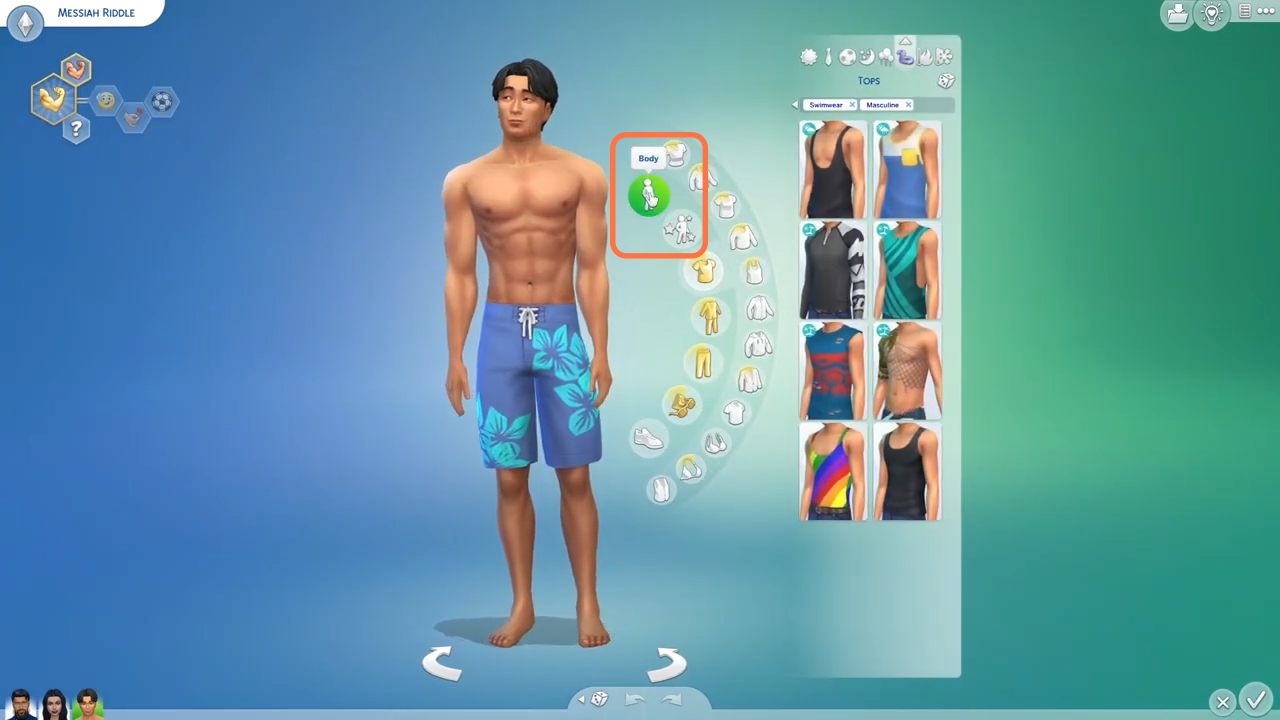
- When you are in the edit mode, you need to click on the sim and choose Body.
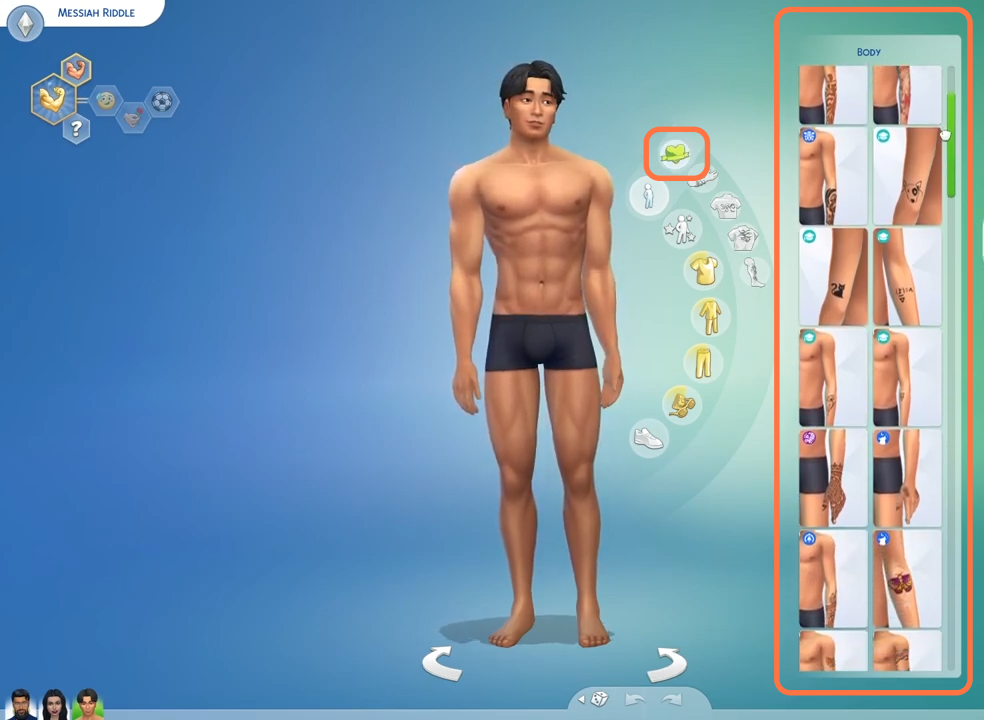
- Then select the tattoos option and choose the tattoo of your choice. Click on the tick mark at the bottom right corner to save the settings.