How to Change Tyre Allocation - F1 2018
This guide will let you know how to change your Tyre Allocation and other tyre settings in F1 2018. Go through the guide and follow the step-by-step instructions to do so.
Table of Contents
You have the option to Change Tyre Allocation Before Starting a Career Mode.
Step 1
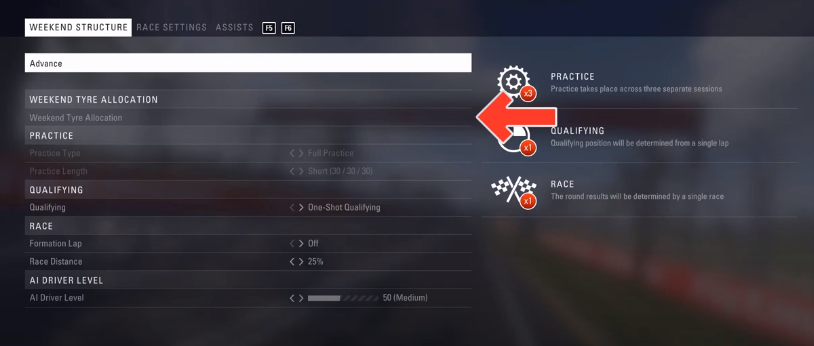
First, you have to select “weekend tyre allocation”.
Step 2
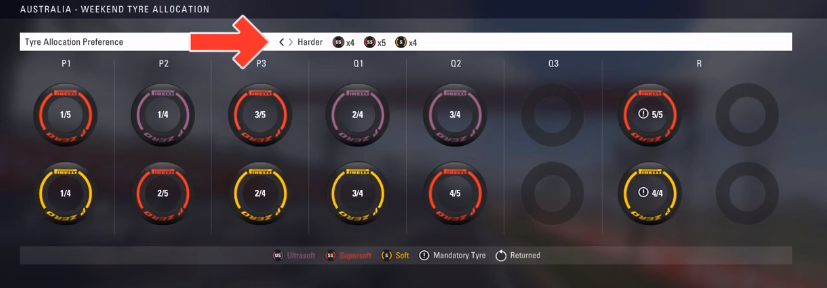
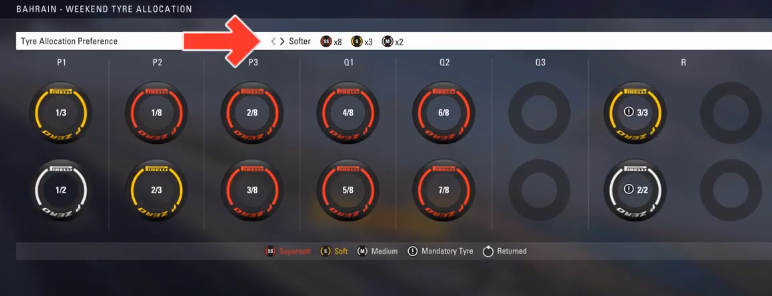
And choose your preferred tyre allocation by using the arrows.
Step 3
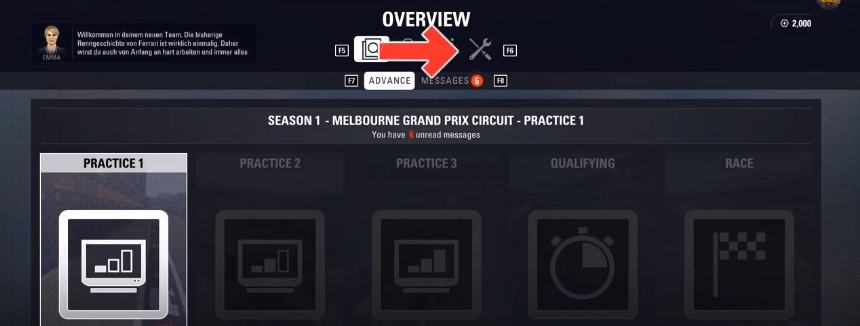
On your screen, you have to go to the “Vehicle Management” section.
Step 4
Under the third subsection, you will see “weekend tyre allocation” settings.

Tyre Options on Practices
Step 1
You will need to press the “session info” button (PC: F1/ PS4: Square / XBOX: X).

Step 2
Select tyre management, and then press the select button.
(PC: Enter/ PS4: X/ Xbox: A)

Step 3
Here you can change tyre sets and compounds.

Step 4
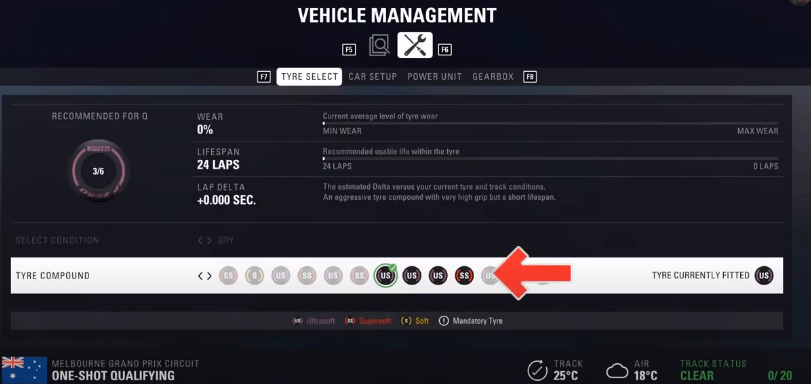
You can also select your tyre compound in the qualifying session.
Step 5
Before the race starts, you will need to open the “race strategy”.
PC: F1/ PS4: Square / Xbox: X

Step 6
Go to “car setup”, and press the ‘Enter’ button on PC, ‘X’ on PS4, or ‘A’ on Xbox.

Step 7
Switch to “tyres”, and here the tyre pressure is written.

Finish the Race
Step 1
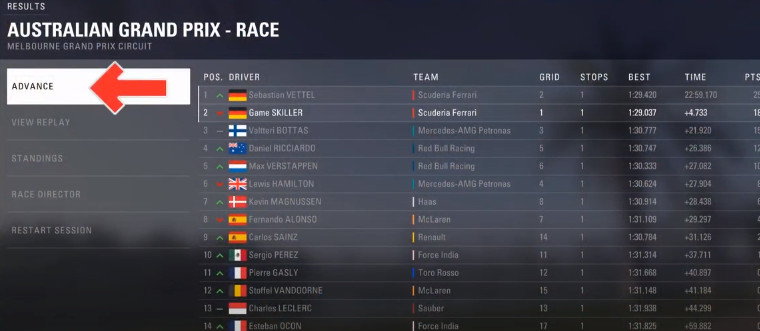
You have to click on Advance.
Step 2
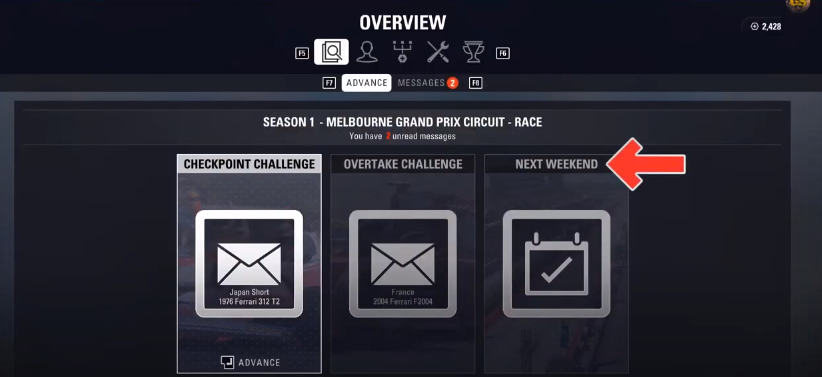
Now advance to “ next weekend”, and press:
PC: tab / ps4: triangle / Xbox: Y.
Step 3
After that, you will need to select “weekend tyre allocation”.
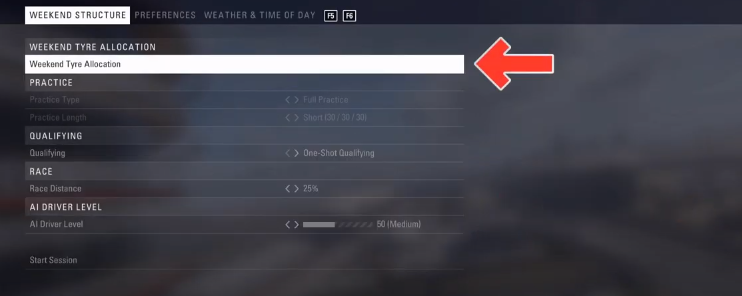
And change the tyre allocation.
In grand Prix mode, you have to do the same before or after a race (in loading screens). Beginning of GP Mode.
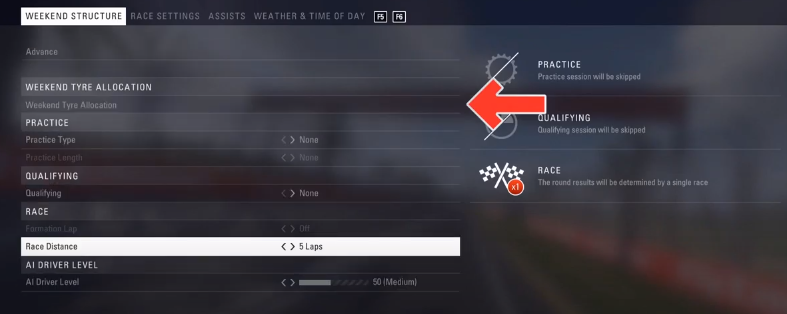
(After the grand Prix session)
Press:
PC: tab / PS4: Triangle / Xbox: Y
And as always, open “weekend tyre allocation”.
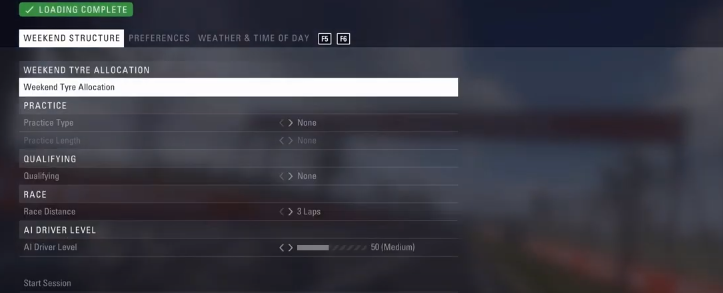
Before a grand Prix, you can change the tyre pressure under the “Race settings” section. Go to tyres and modify the preset.