How to Add Fortnite to Steam
In this guide, you will find how to add Fortnite to Steam. By following the steps below, you will be able to add it in no time.
- First, you have to open up the Steam application and click on Add a Game at the bottom left corner of the screen.
- After that, click on Add a non-Steam Game and press the Browse button.
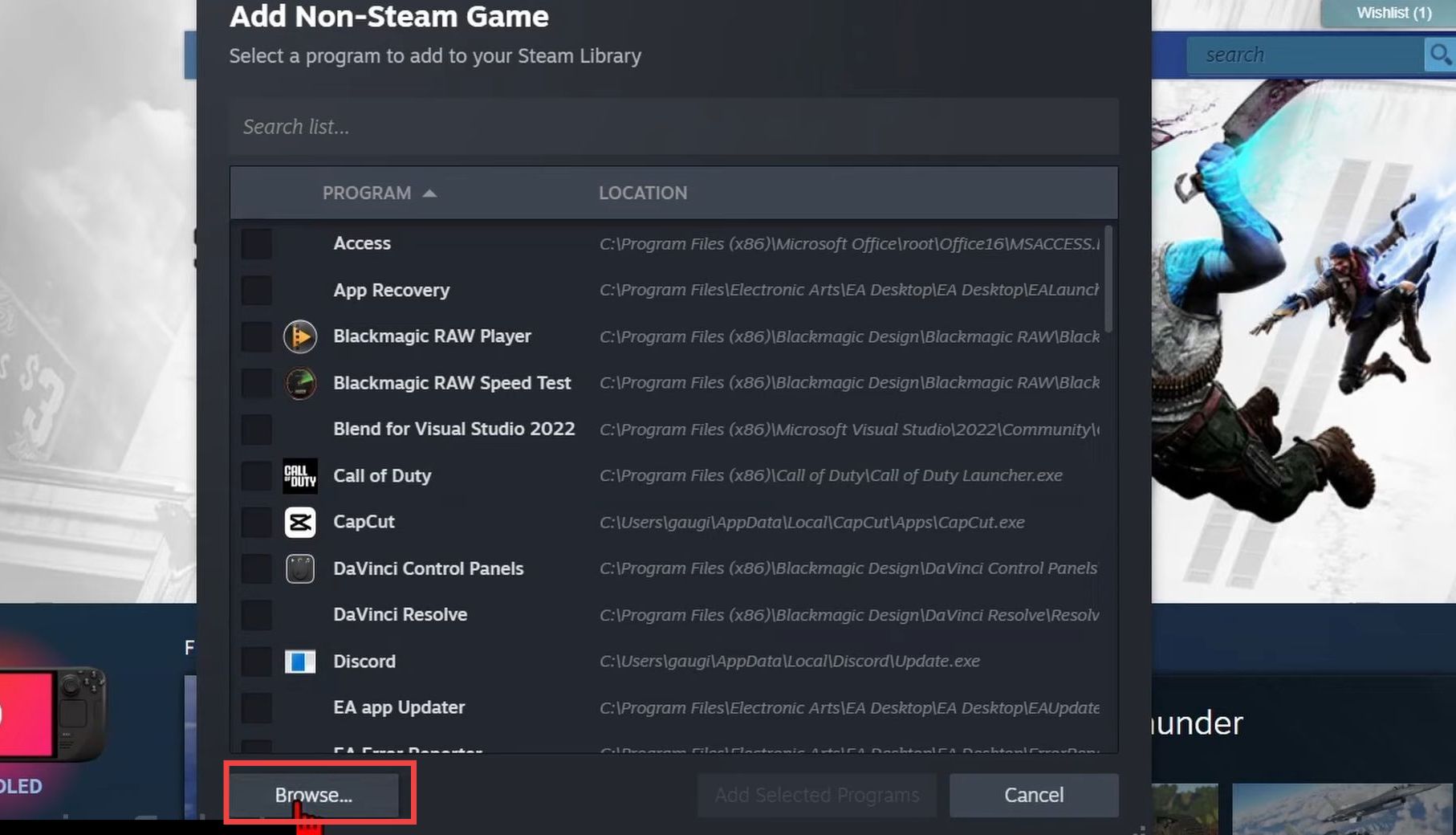
- in the file explorer window, navigate to the Fortnite installation directory, and open the ForntniteGame folder. Go to Binaries, open Win64, select the ForniteClient-Win64-Shipping file, and then press the Open button.
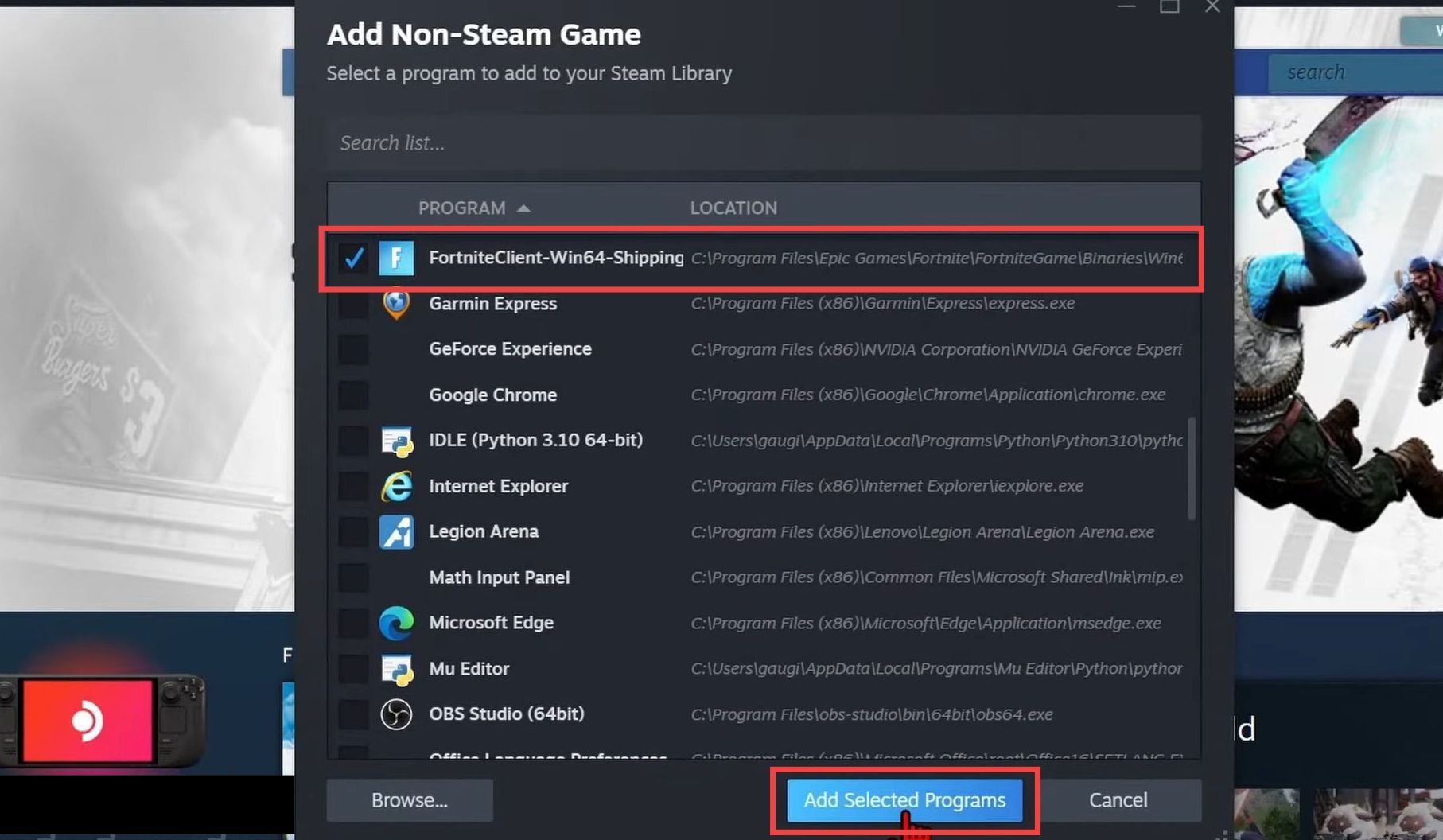
- Now select Fortnite from the list and press Add Selected Program.
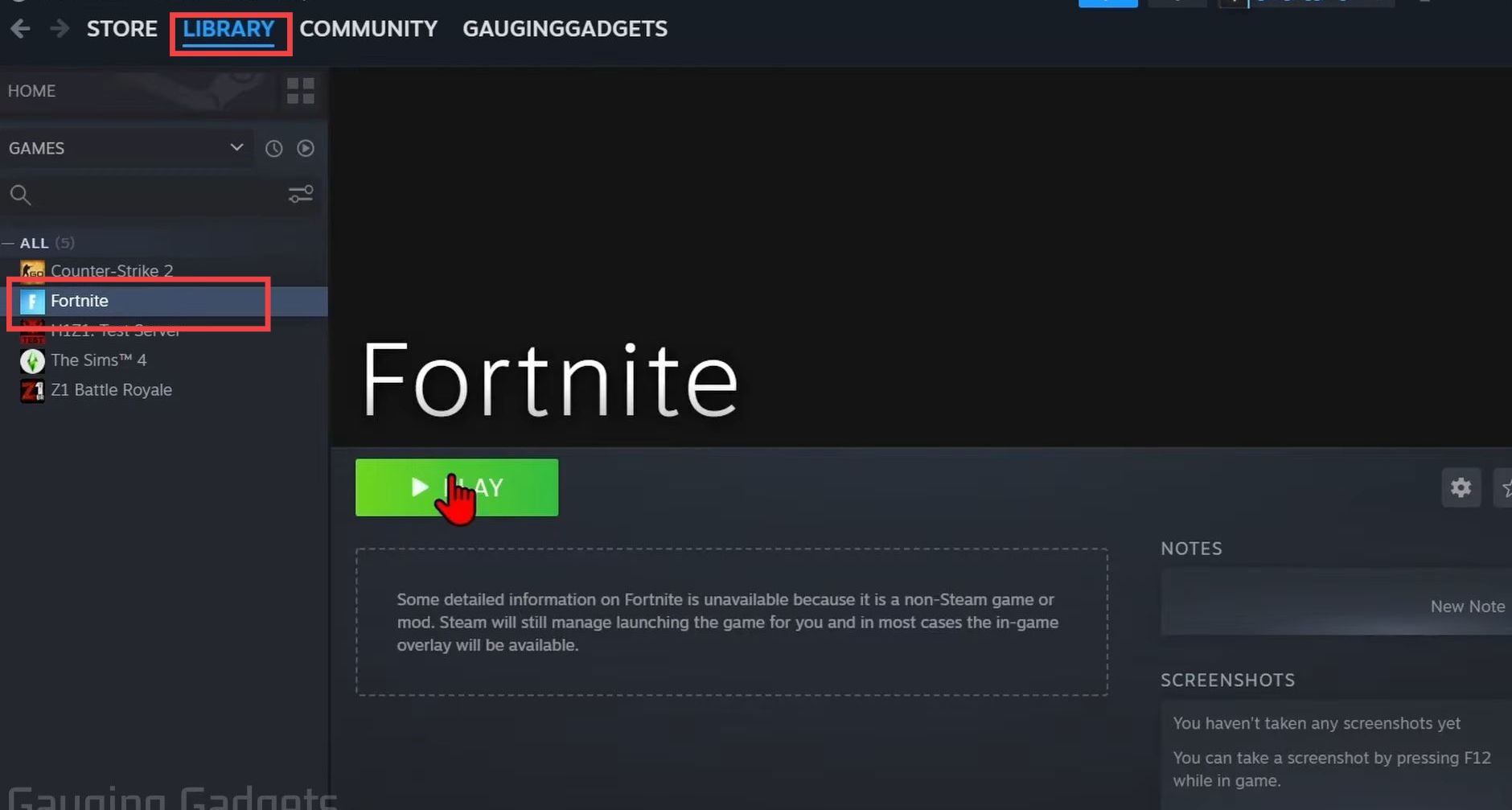
- Go to the Steam Library, and you will find ForniteClient-Win64-Shipping there.
You can change its name and configure the controller by going to the properties. - After that, tap on Fortnite and hit the Play button to start enjoying the game on Steam.