How to Add Email in Rec Room
If you want to add an email to your Rec Room account, then you have come to the right place. This guide will show you how to do it.
- The first thing you will need to do is open up the watch menu in Rec Room.
- After that, click on your profile icon at the bottom left corner of your screen and then click on Edit.
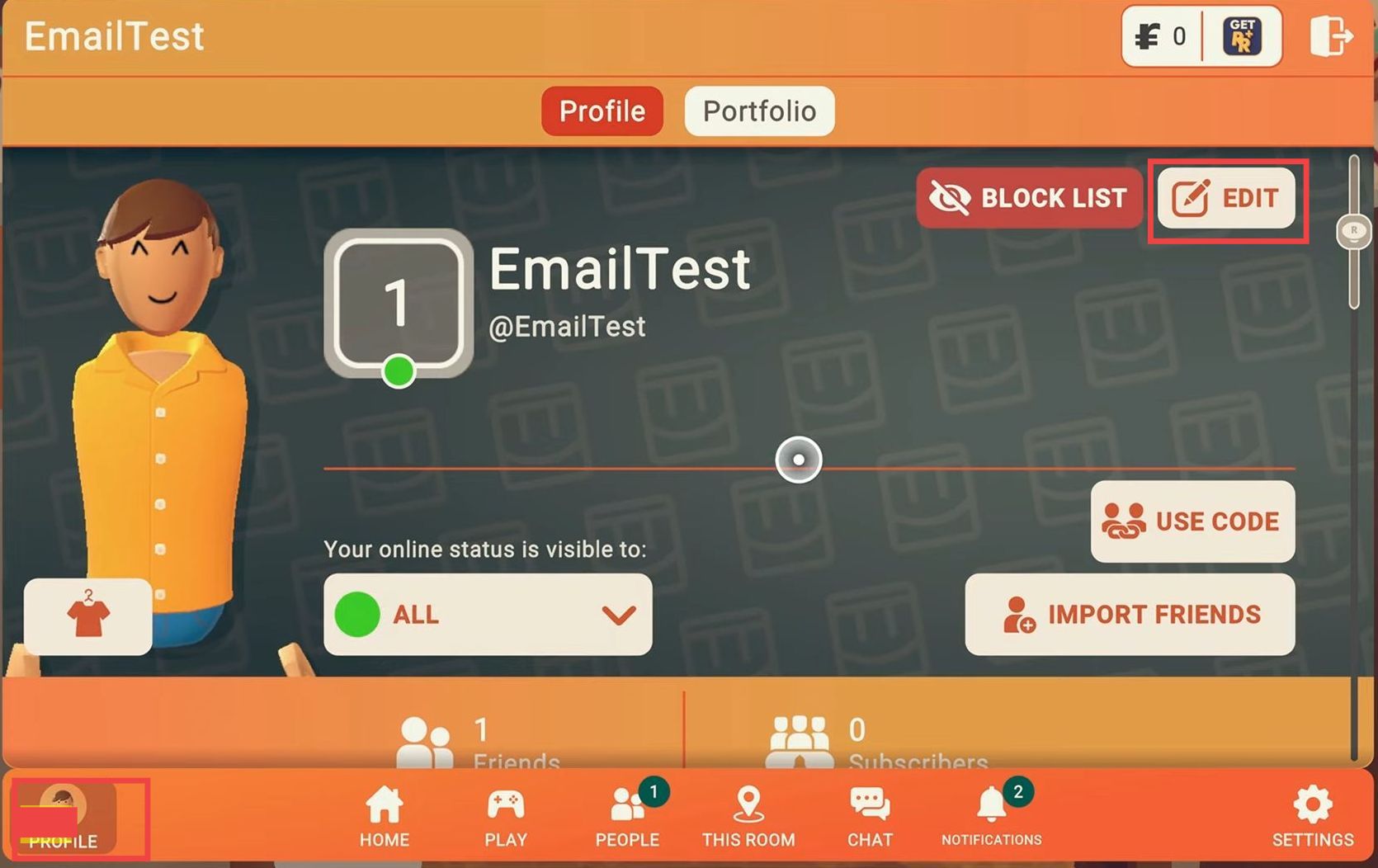
- Navigate to Account Settings and look for the section where you can register your email address.
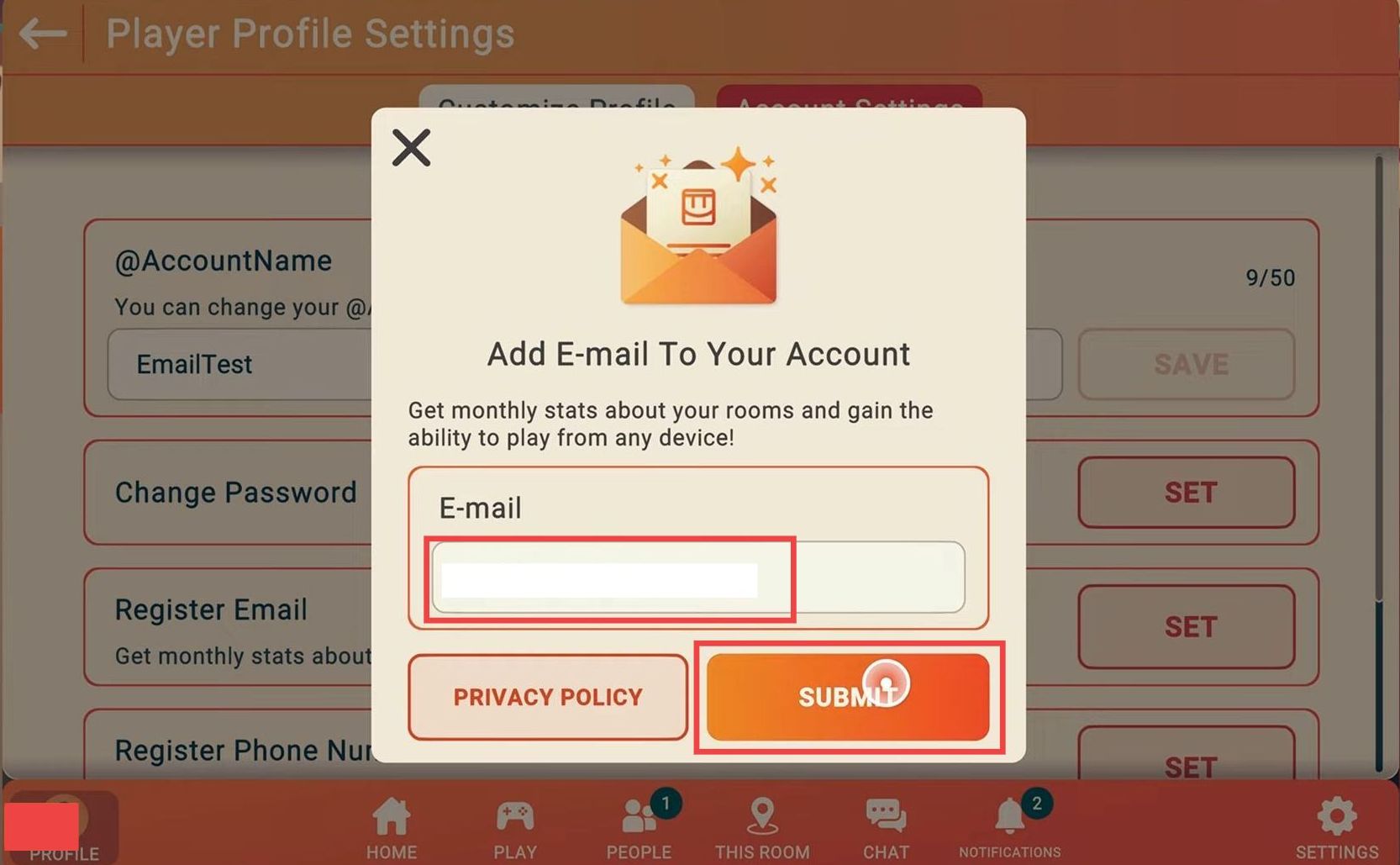
- Once you locate the Register Email section, click on the "Set" associated with it. After that, click on the Submit button.
- If you are a junior account, then you have to input your parent/guardian email.
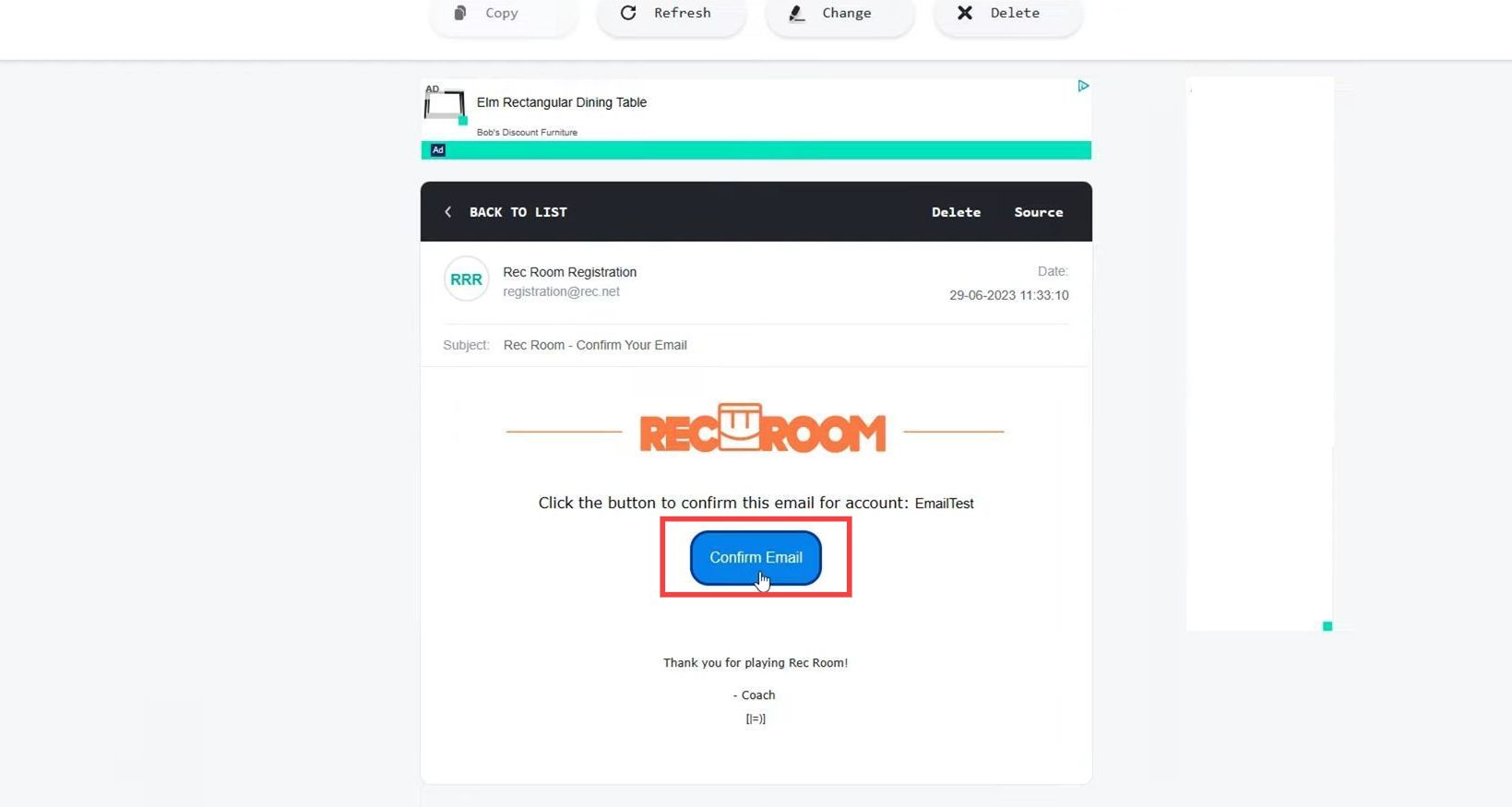
Now you will receive an email on your email address.
- Open up that email and tap on the Confirm Email button.
It will complete the process and link your email to that account.