FiveM Network Connection Error - Fixed
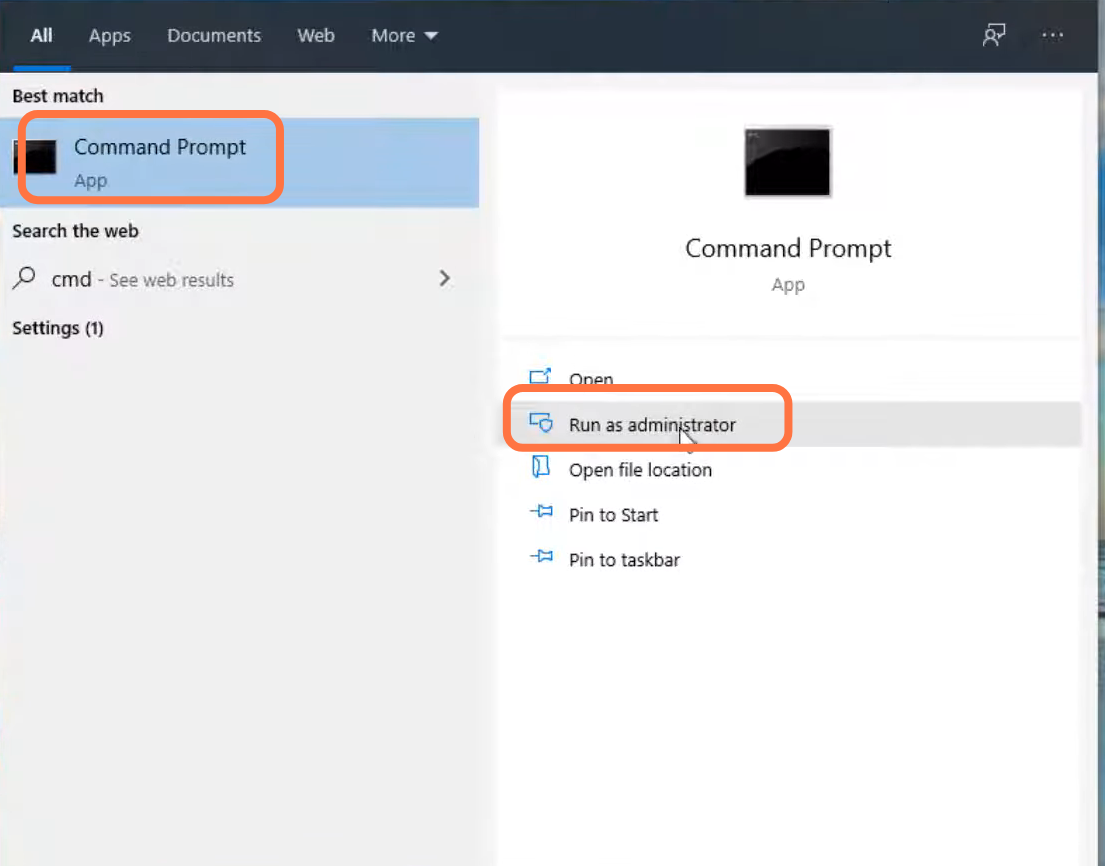
- You will need to search the command prompt and run it as administrator.
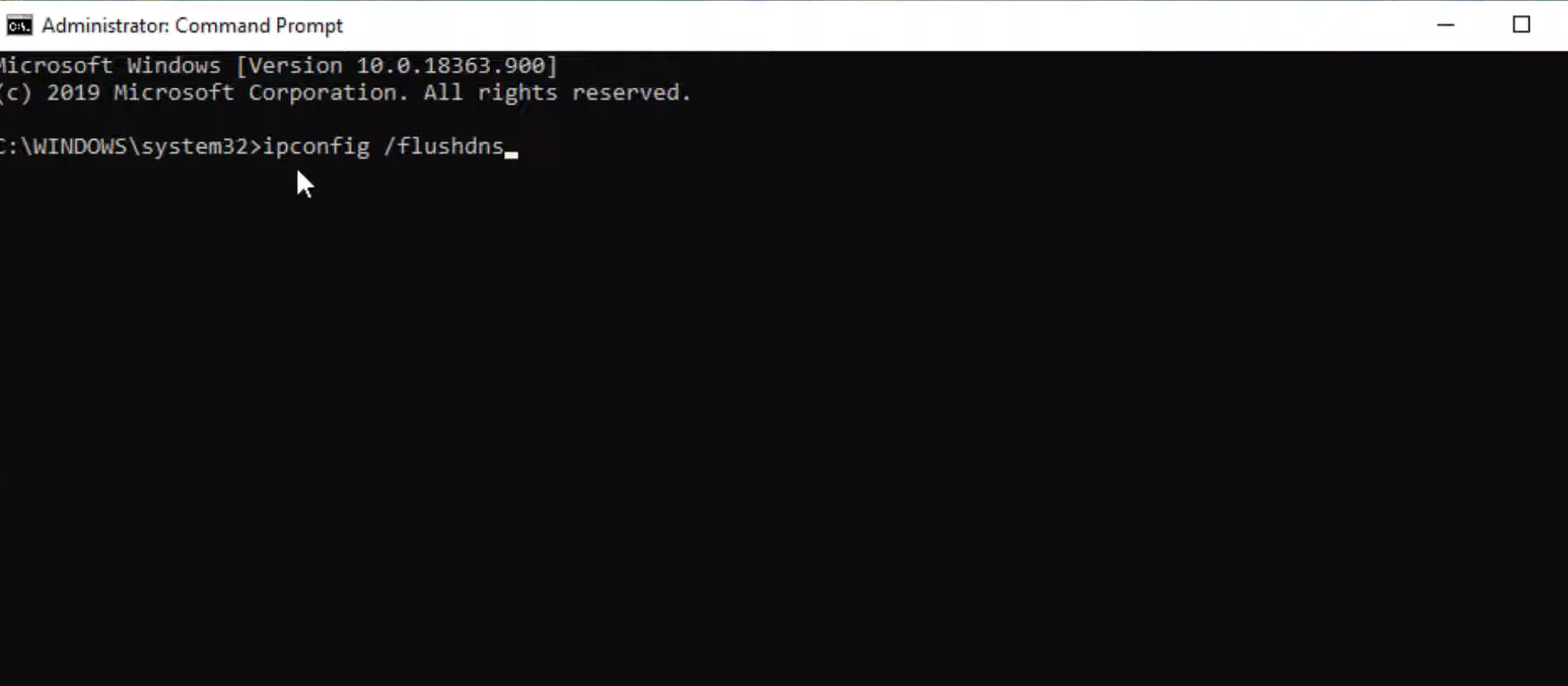
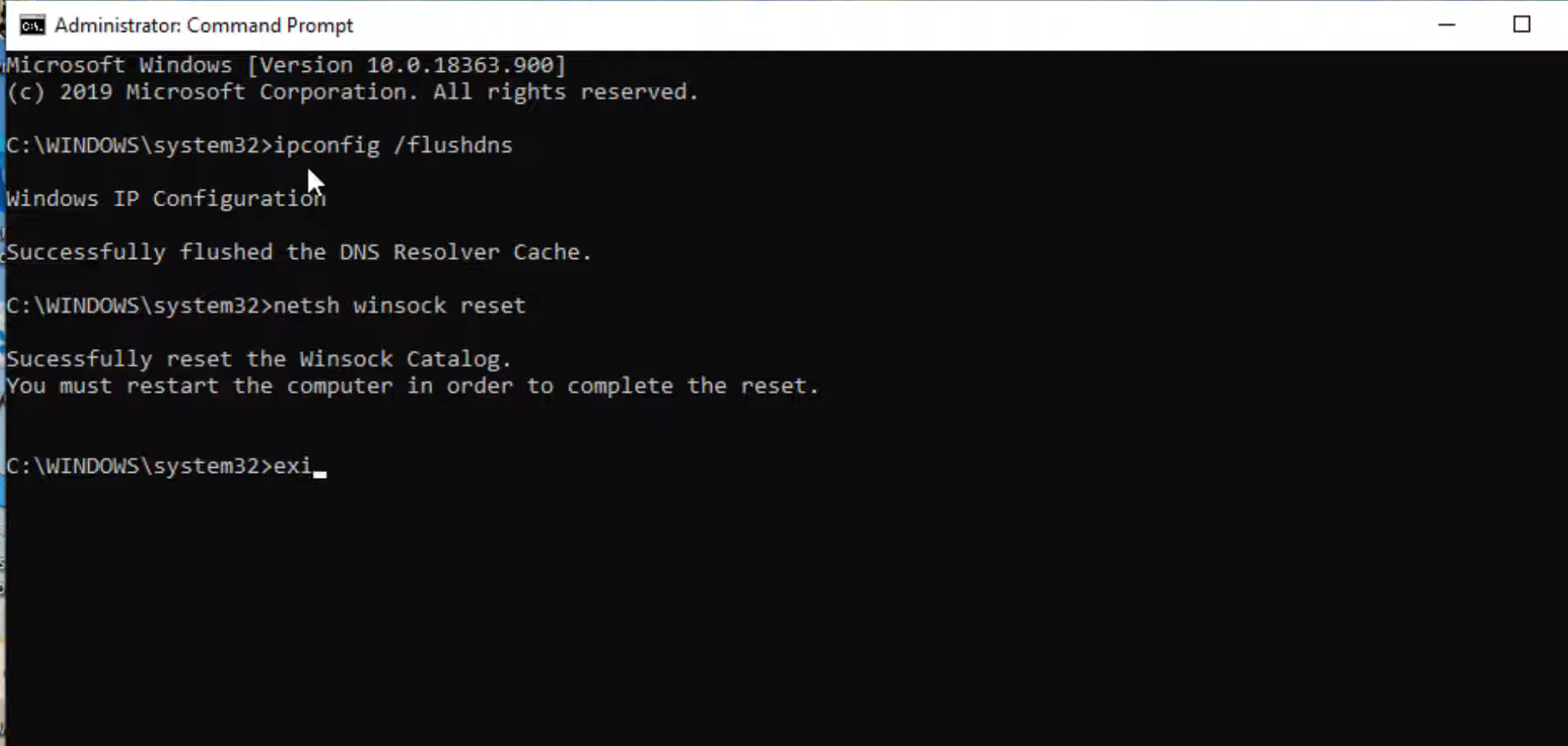
- Type "ipconfig /flushdns" and press the enter button.
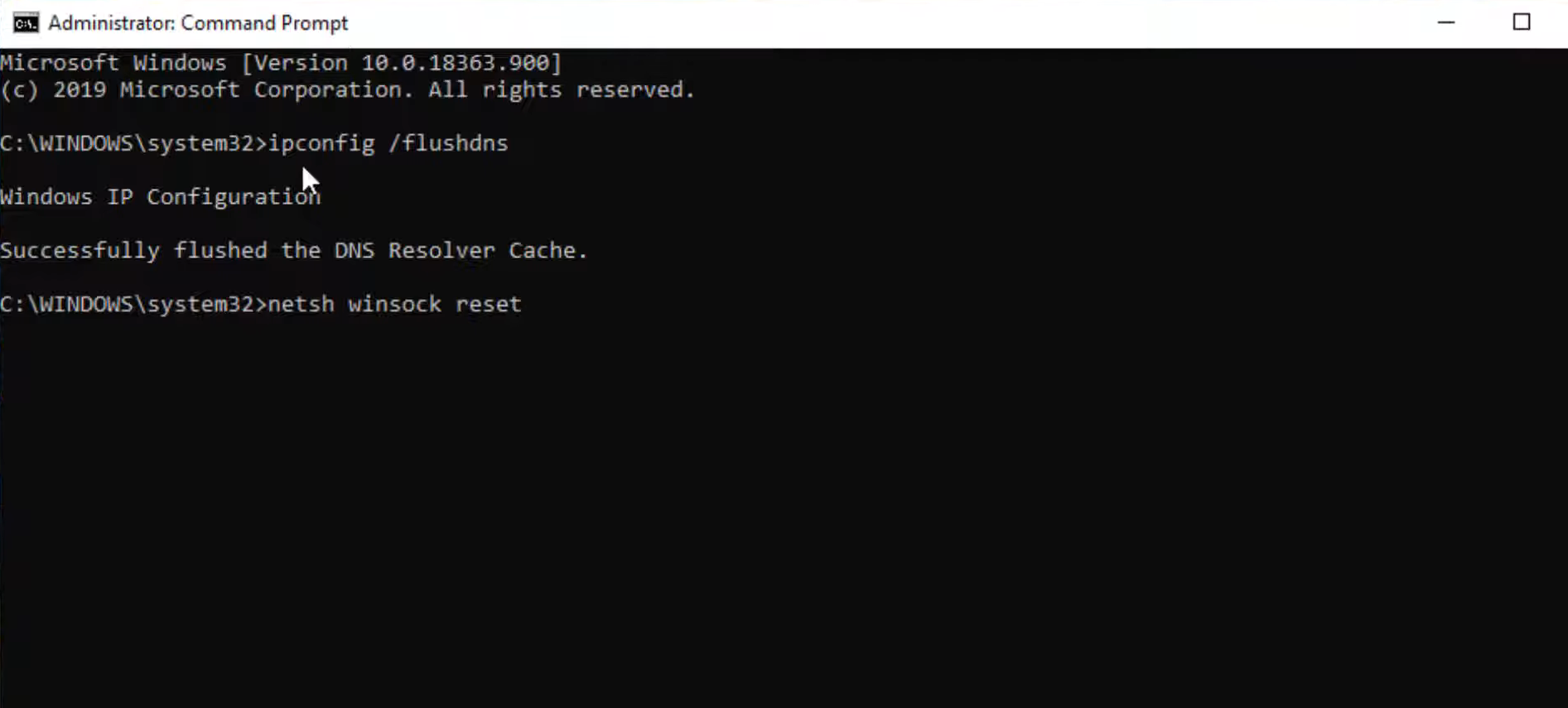
- After that, input the "netsh winsock reset" command and press the enter button to execute it.
- Then use the "exit" command to close the cmd interface.
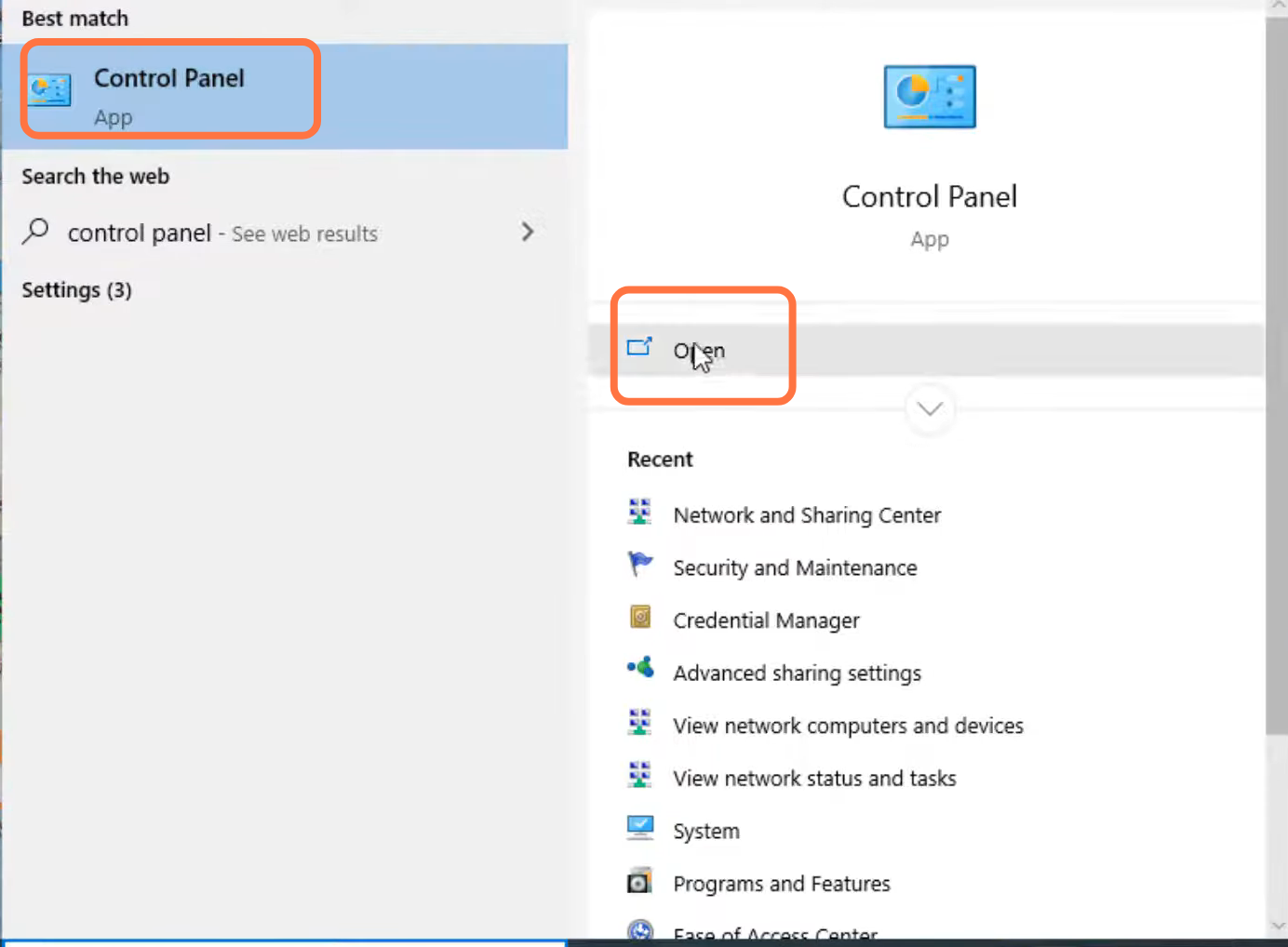
- Next, you will need to open the Control panel.
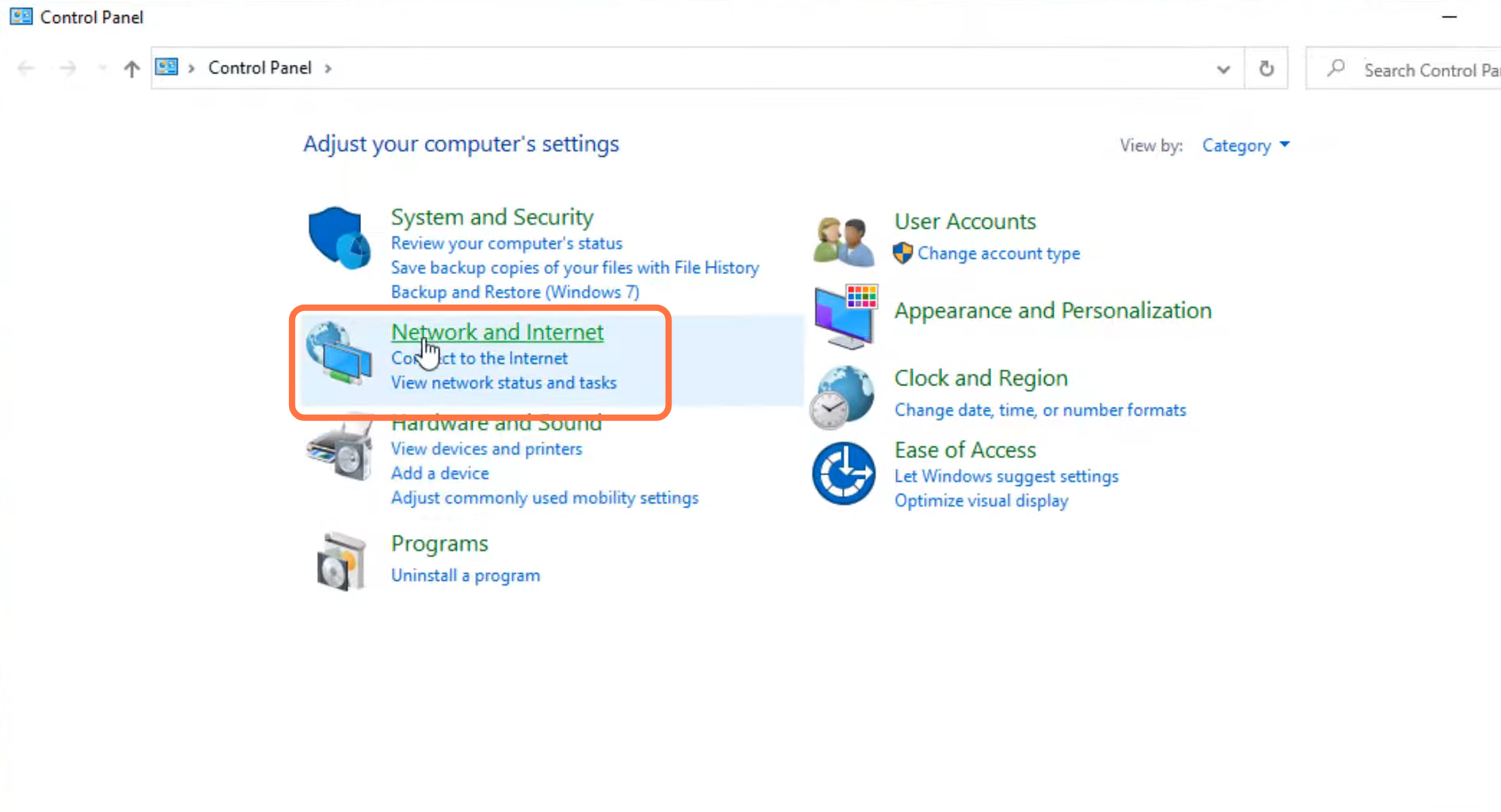
- And double click on "Network and internet".
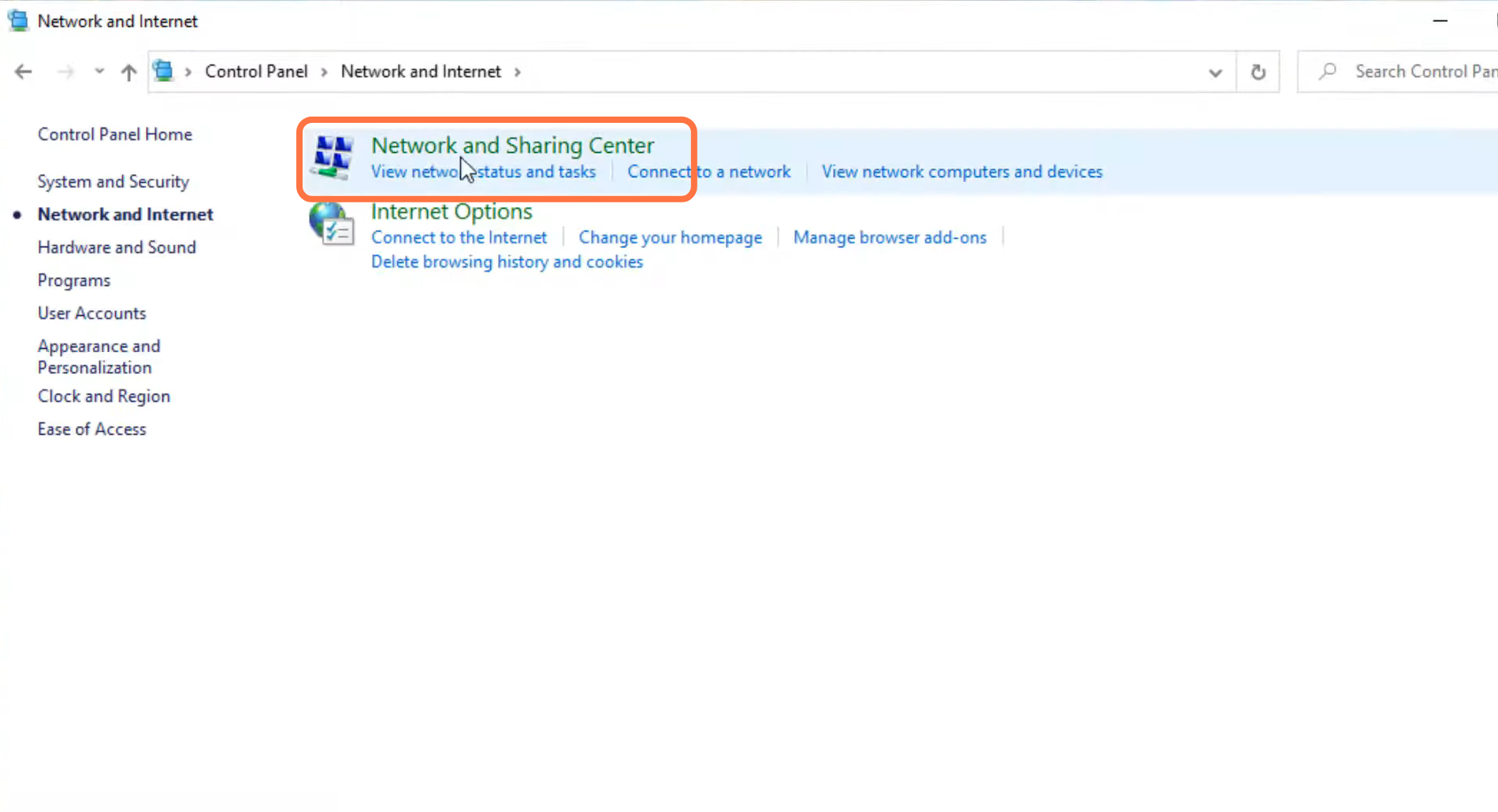
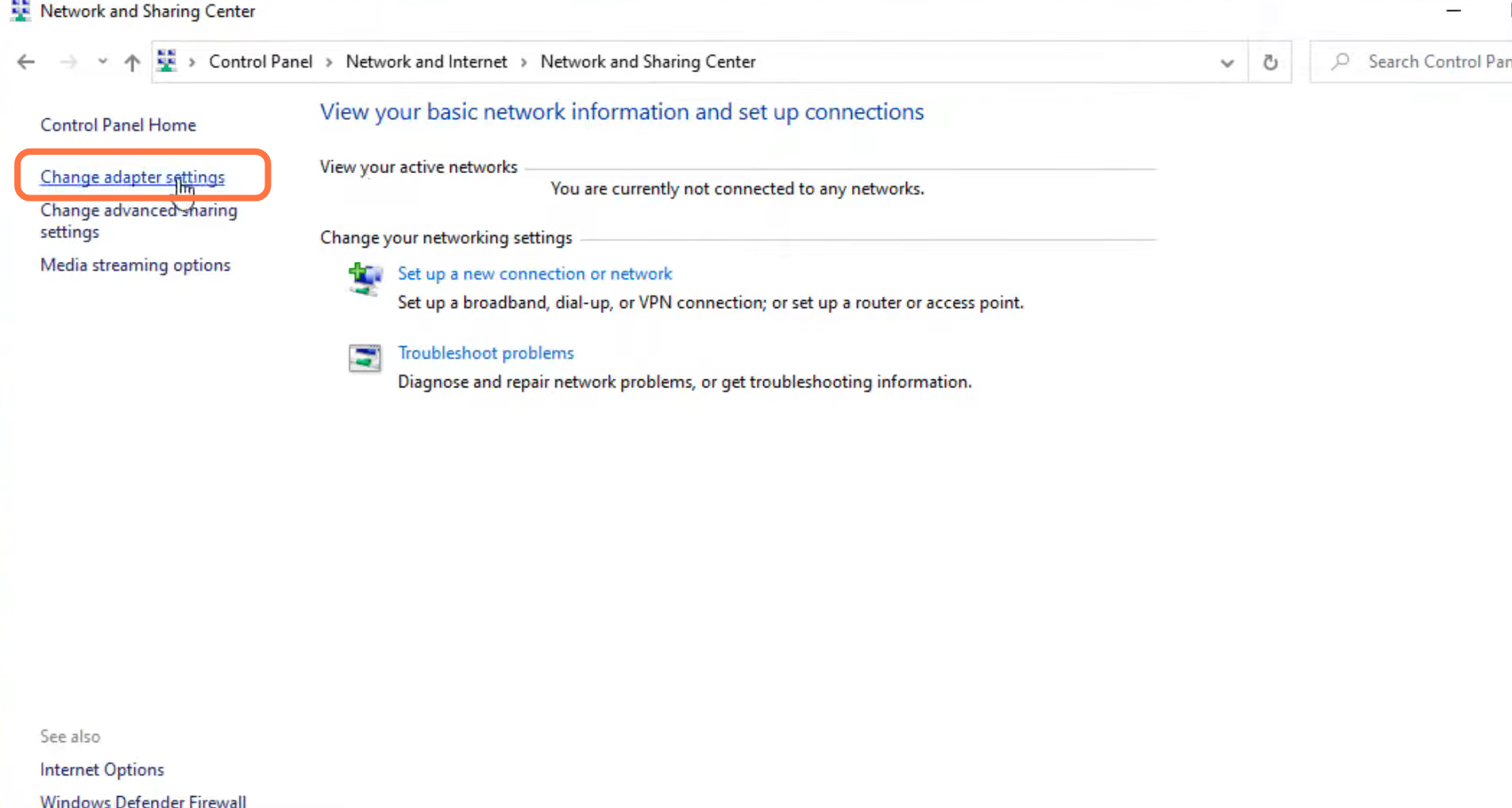
- Enter into Network and sharing center.
- And tap on "Change into adaptor settings."
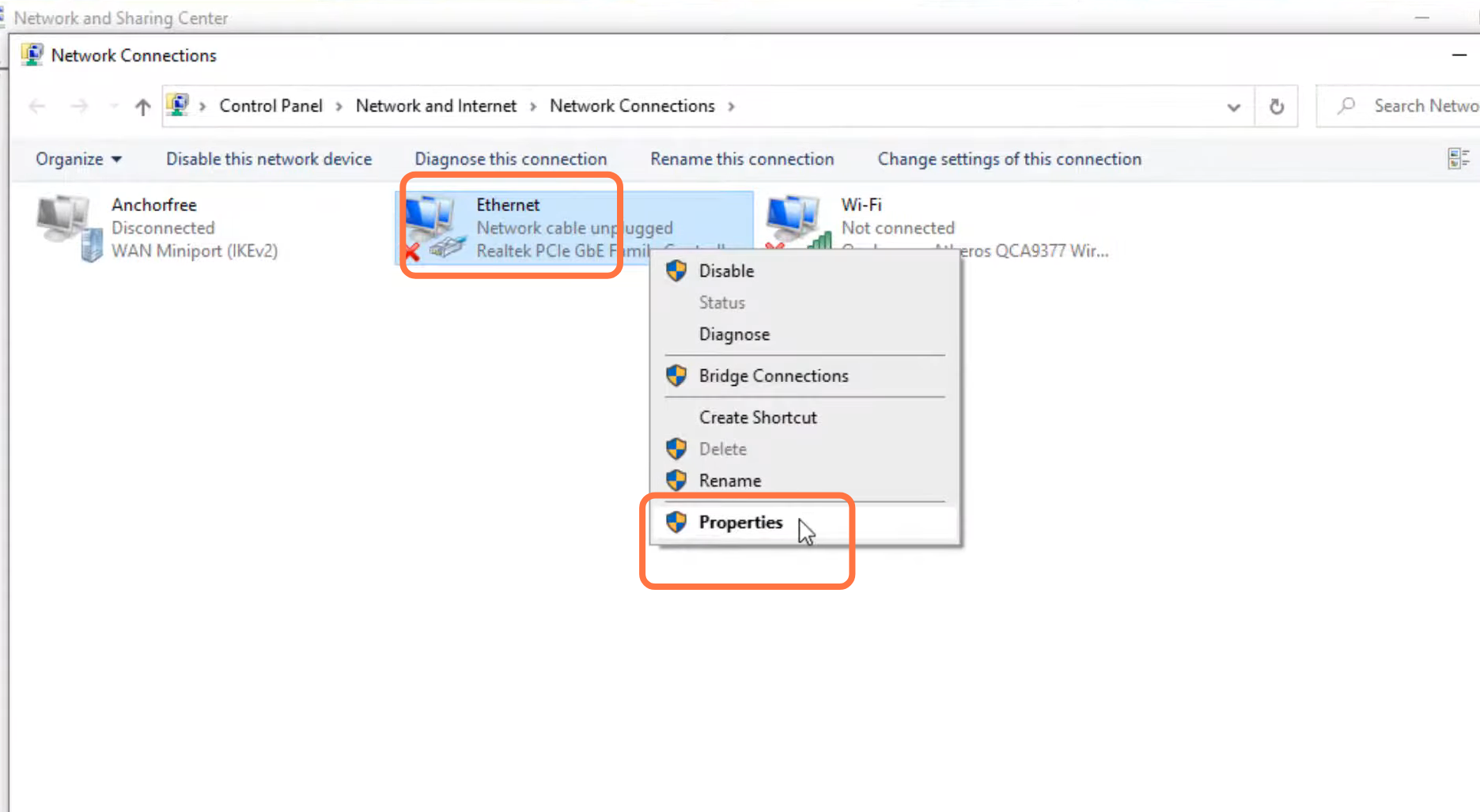
- Left click on Ethernet and go to its properties.
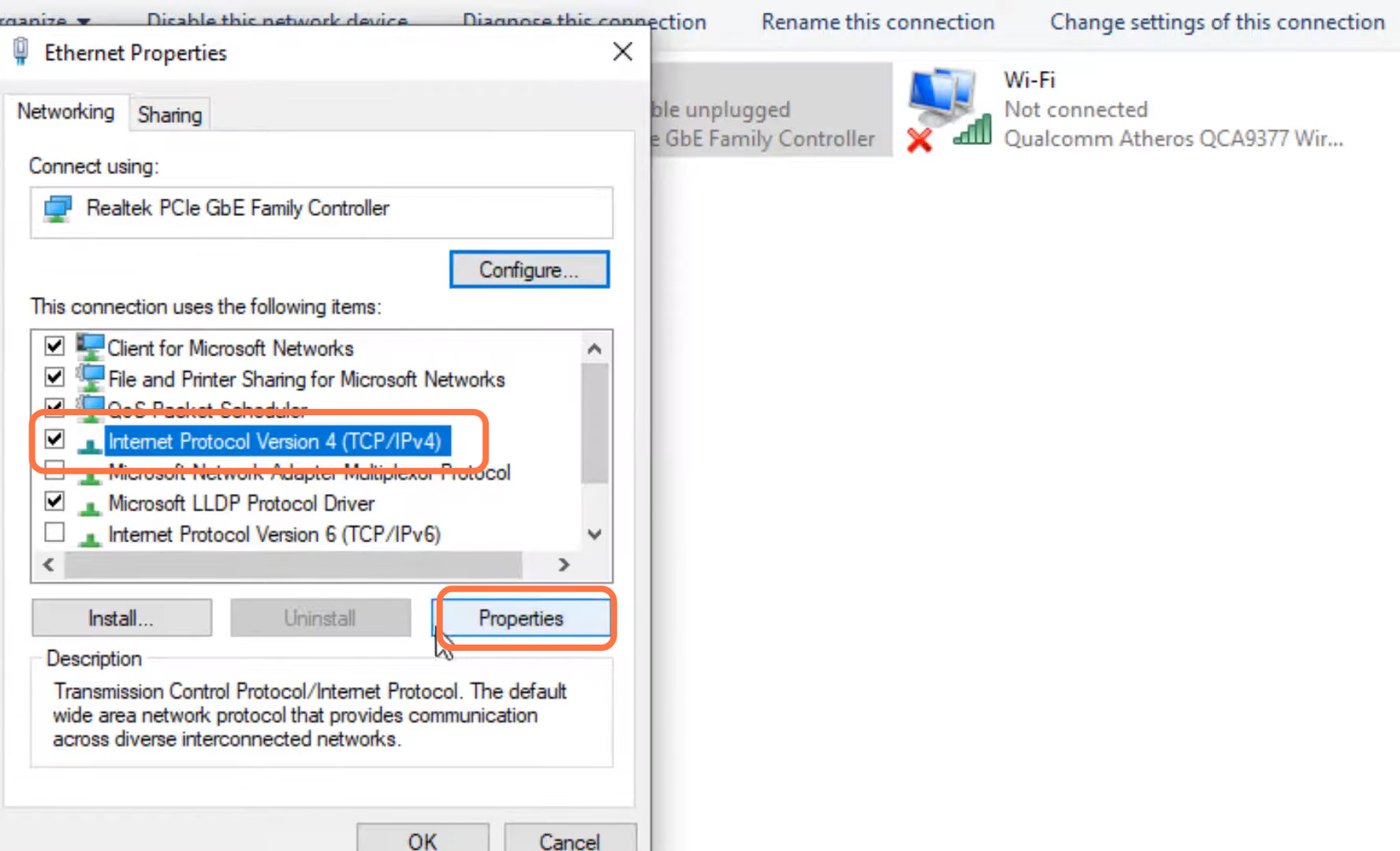
- Enter Internet protocol version 4 (TCP/IPv4) and go to its properties.
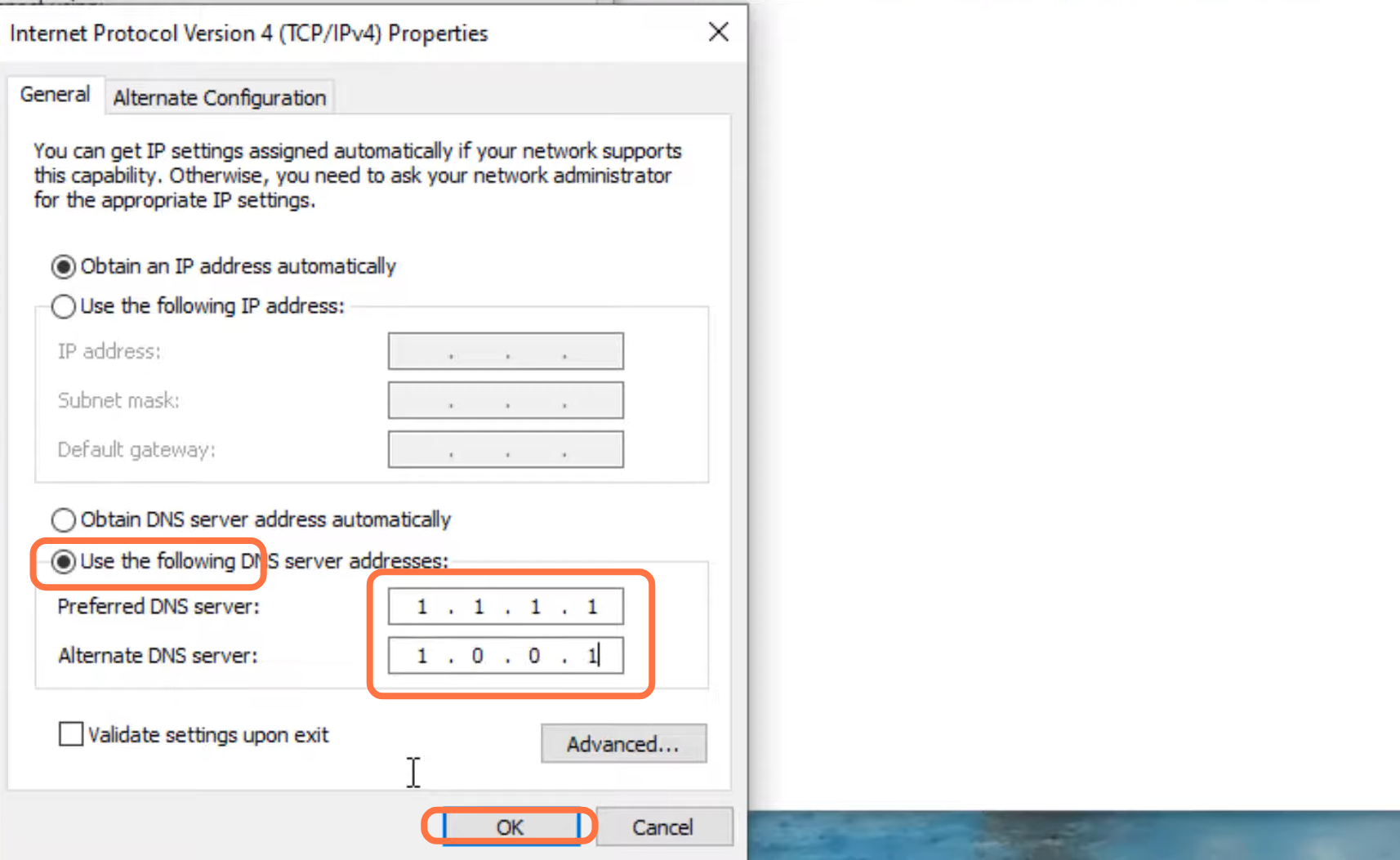
- After that, enable DNS, input 1.1.1.1 in the Preferred DNS server and 1.0.0.1 in the Alternate DNS server, and press OK.
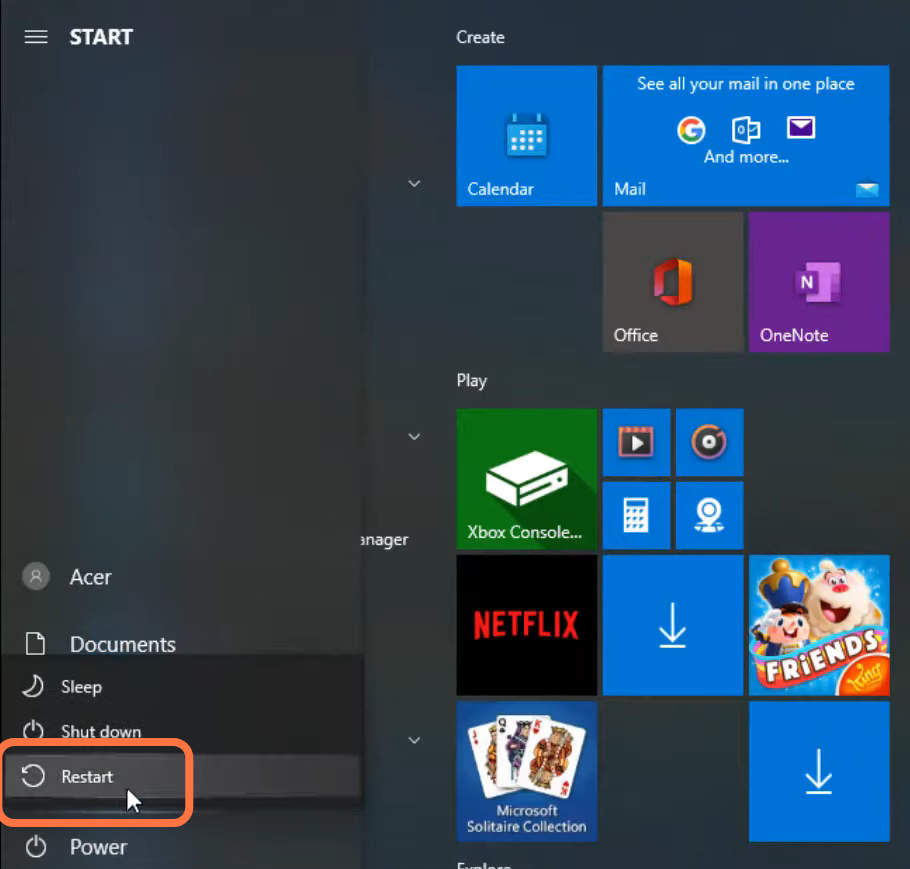
- Now you need to restart your PC to check if the error is resolved.