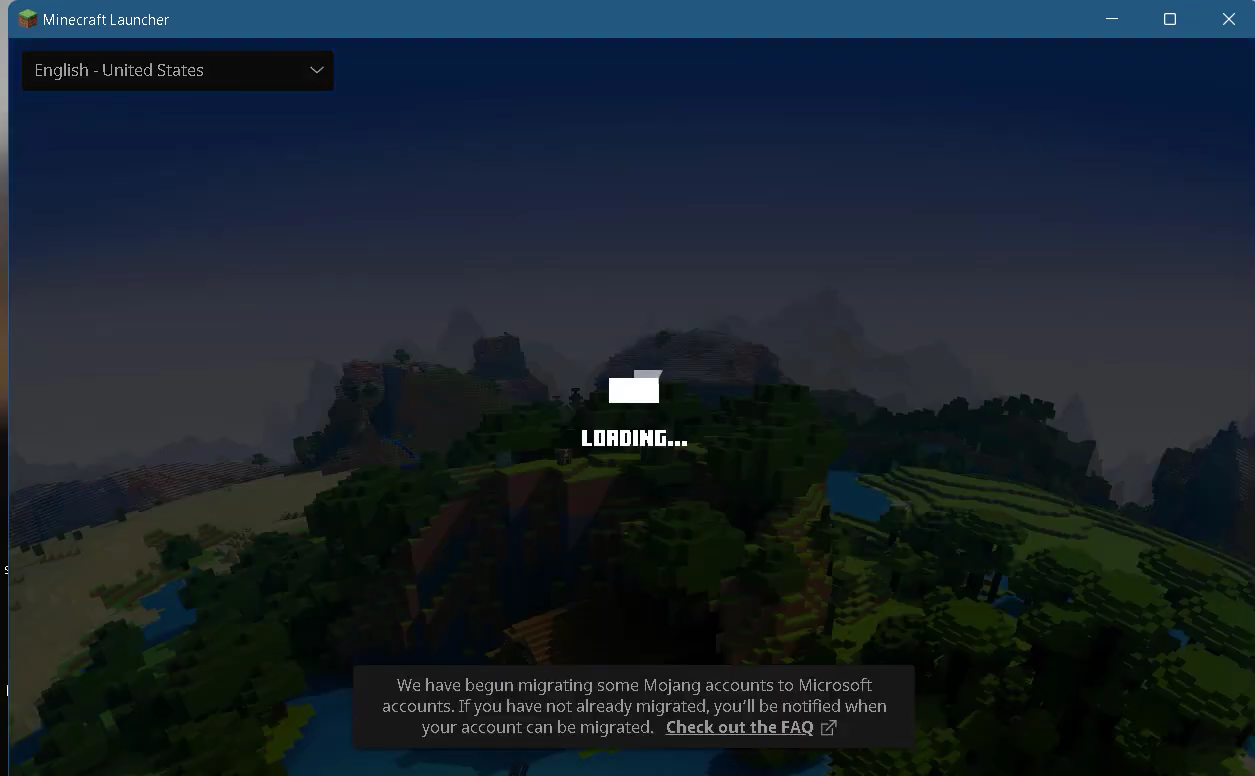
An Error Occurred While Uploading File - TLauncher Minecraft
This guide will provide you with the best method to get rid of this error.
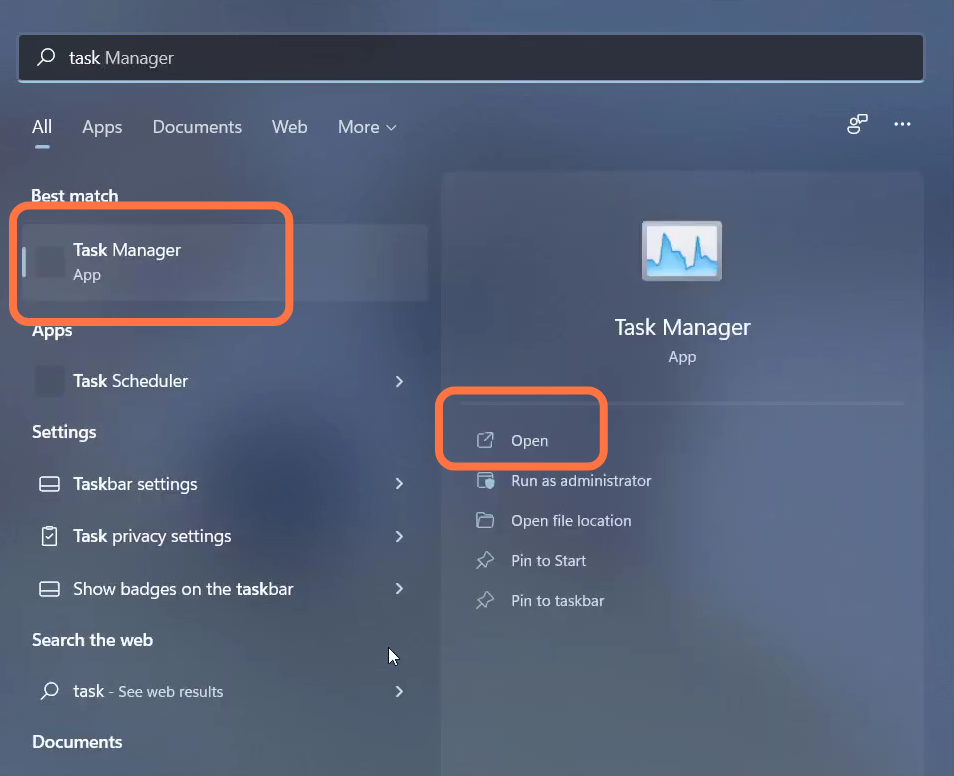
- First, you have to open up the task manager.
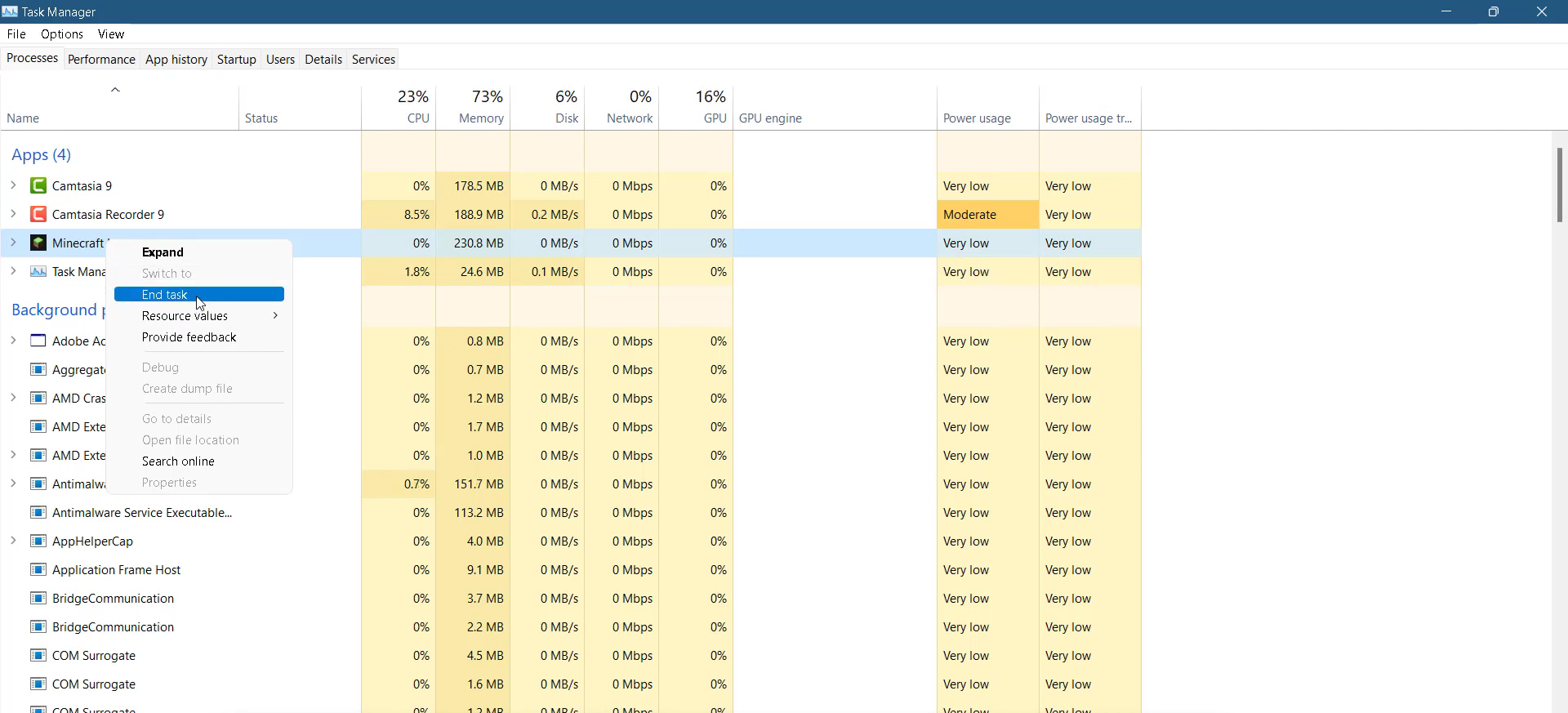
- Left click on the Minecraft launcher and tap on End task.
- After that, press the Window Key + R and type %Appdata%.

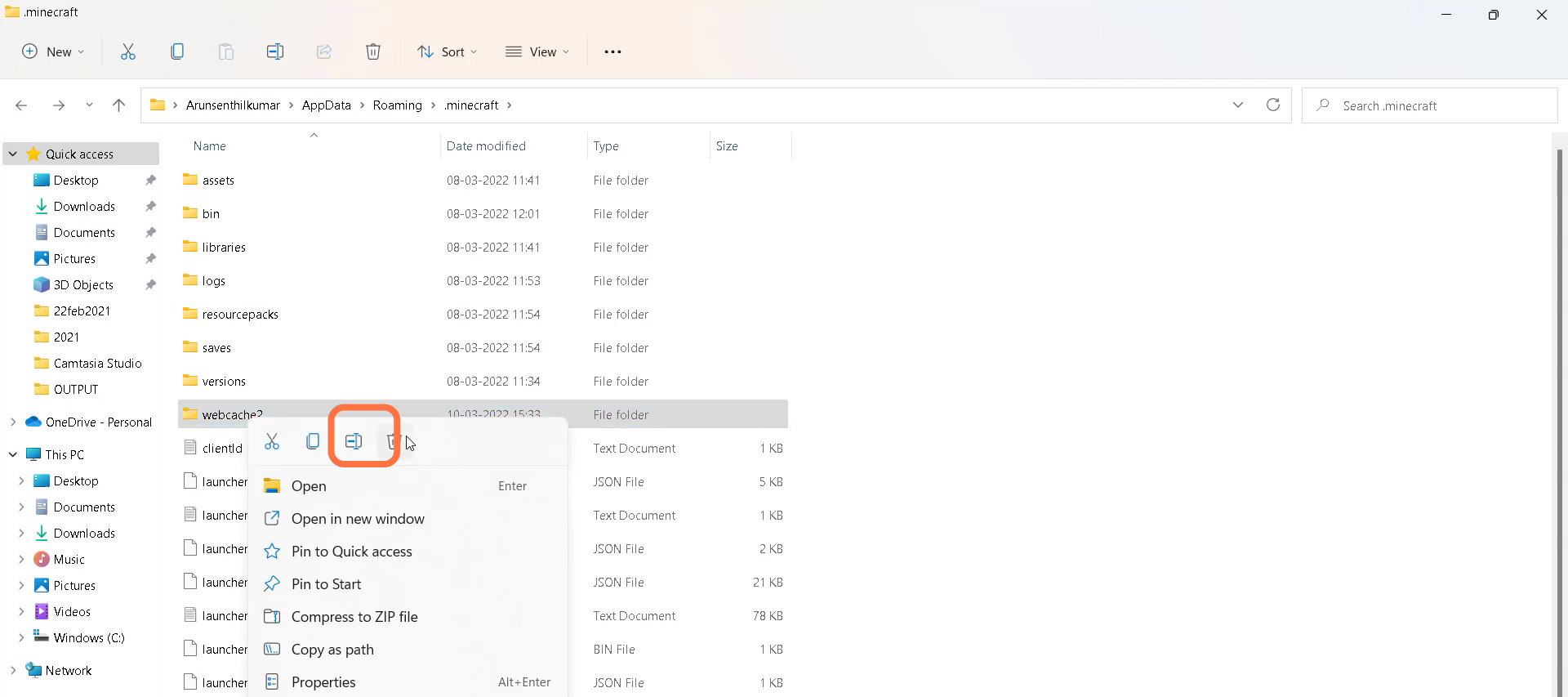
- You need to open the Minecraft folder, and navigate to webcache > Cache.
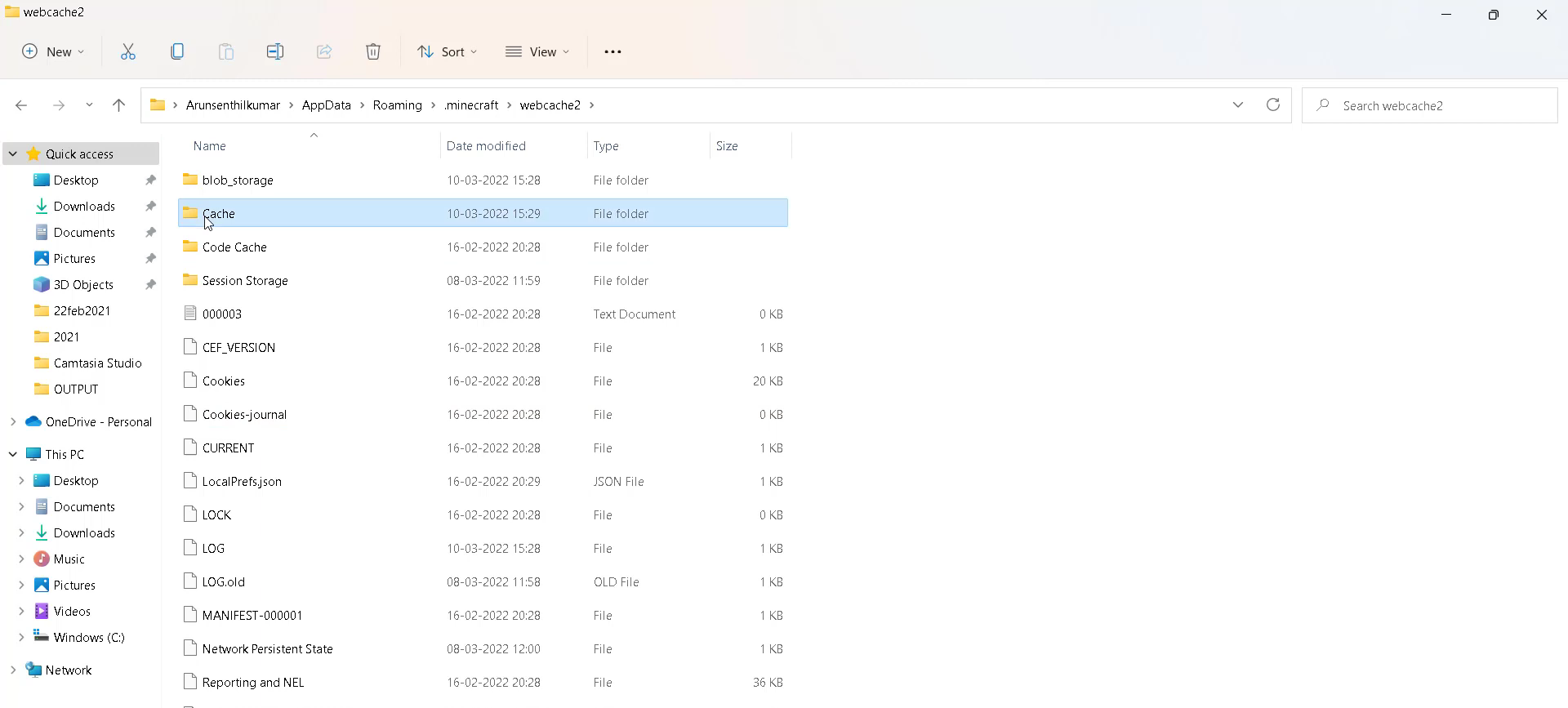
- Select all the files in this folder and delete them.
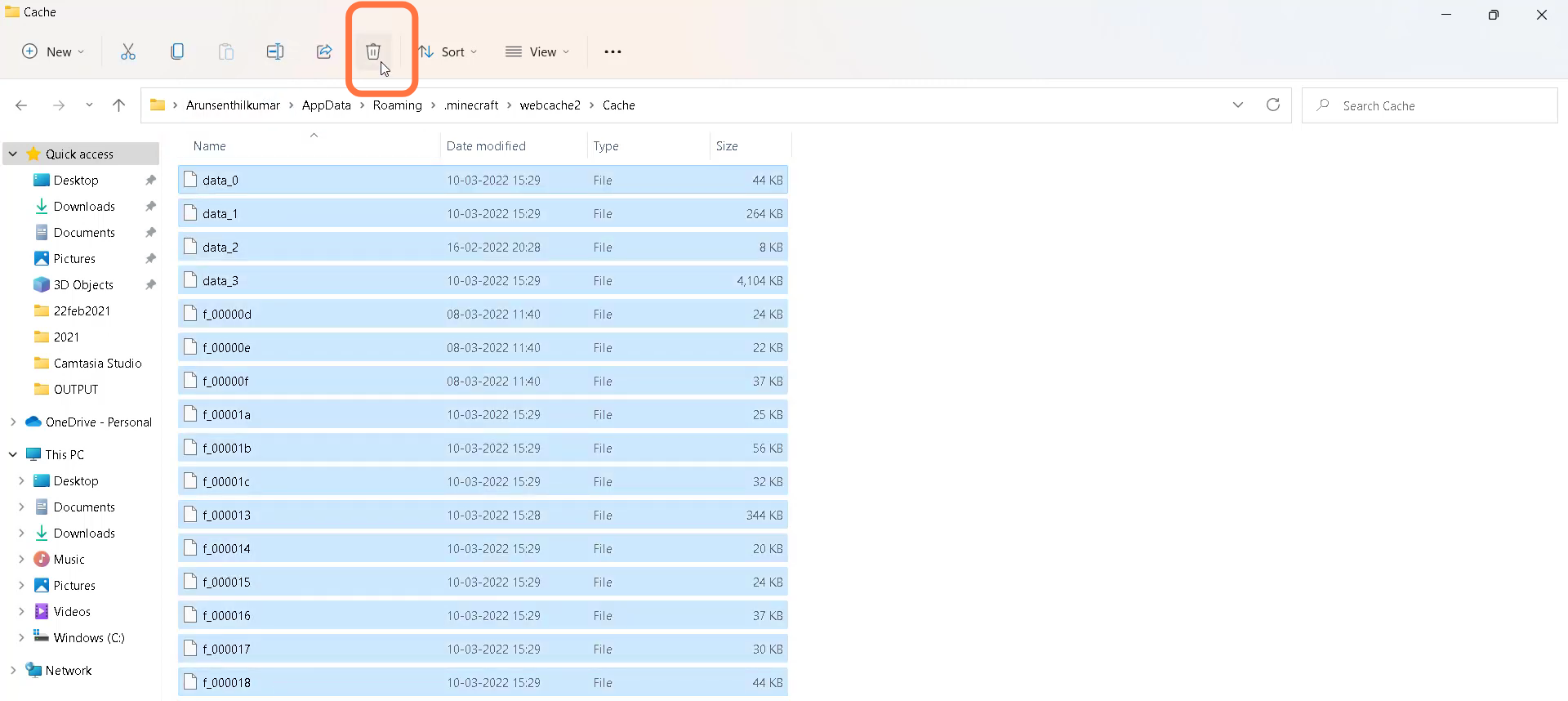
- Then you have to left click on the "webcache2" and delete it.
- After that, restart your PC.

- Open Minecraft and the problem will be solved.