Advanced Skin Customization Mod: How To Download And Install In Minecraft
The ADVANCED SKIN CUSTOMIZATION MOD lets you fully customize your Minecraft character, including appearance, clothing, and first-person view animations.
Steps to Install Advanced Skin Customization Mod 1.15.2
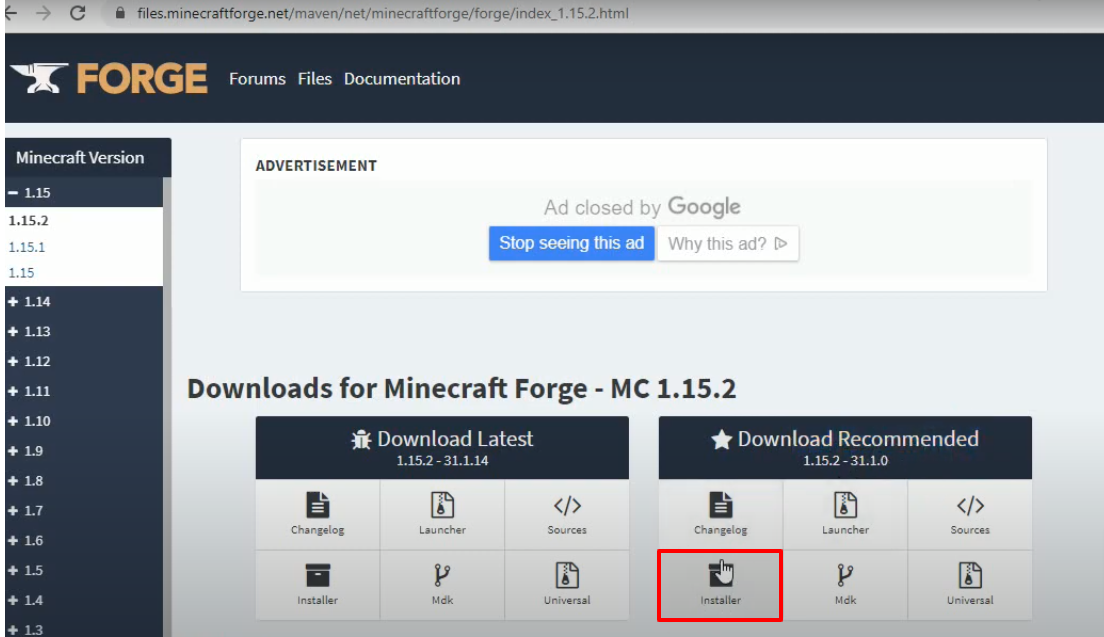
- Download Minecraft Forge 1.15.2.
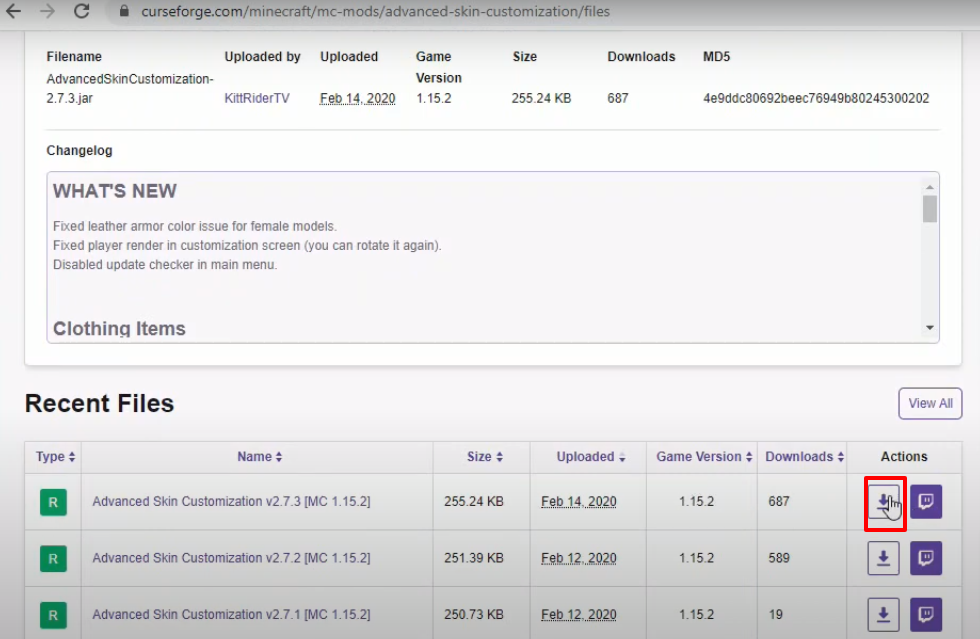
- Download the Advanced Skin Customization Mod.
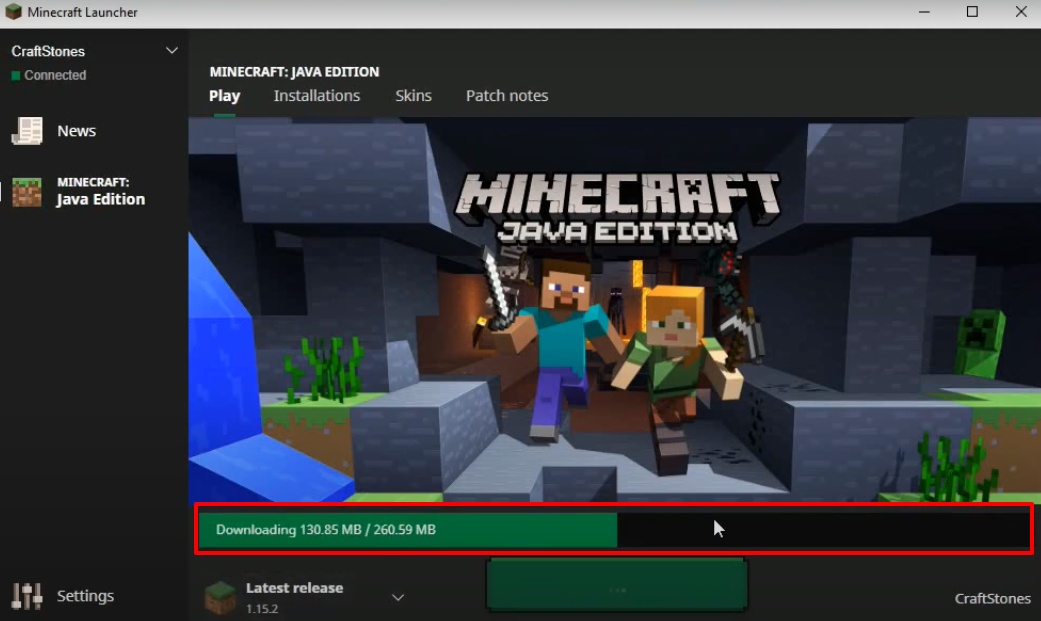
- Launch Minecraft Launcher → Select Minecraft Java Edition → Latest Release → Click PLAY.

- Once Minecraft loads, click Quit Game.
- Press Windows + R, type
%appdata%, and click OK.
- Navigate to
appdata\roaming\.minecraft\versions.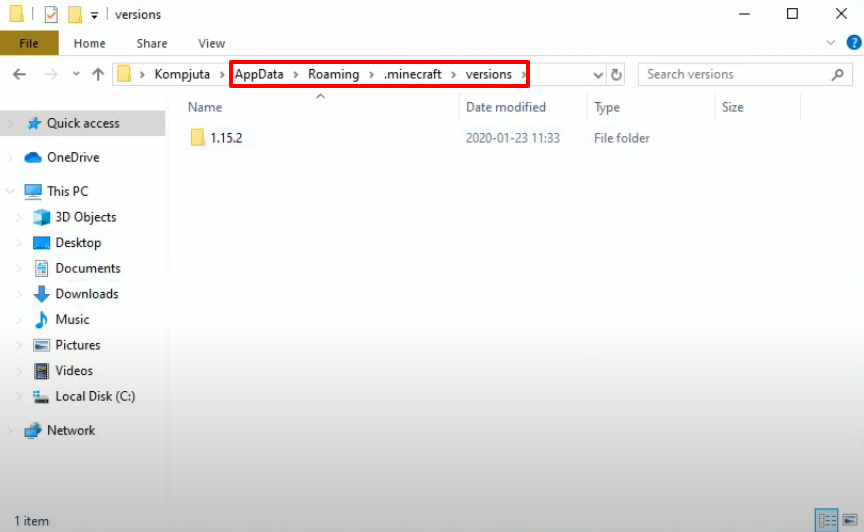
- Double-click the Forge installer → Select Install Client.
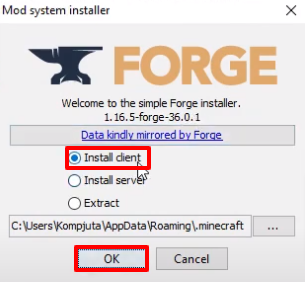
- Click OK. A new folder with the Forge version will appear.
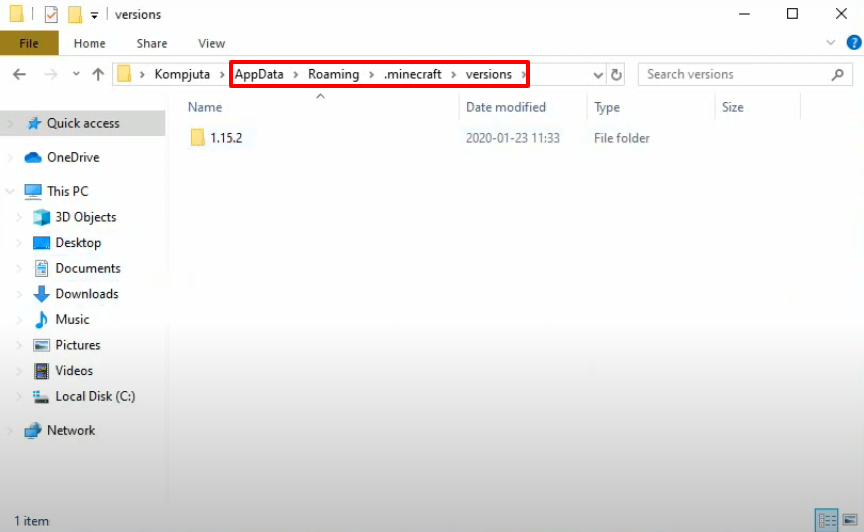
- Run Minecraft Launcher → Select Forge → Click PLAY.

- Click Mods → Verify that Advanced Skin Customization Mod is installed → Click Done.
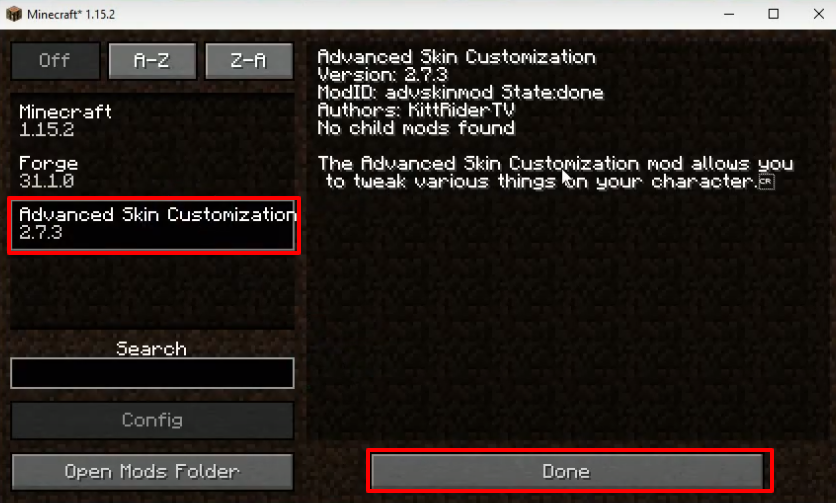
- Click Singleplayer → Click Create New World.

- Click More World Options… → Turn on Allow Cheats and Bonus Chest → Click Done.

- Click Create New World.

- Go to Options → Controls → Scroll to find Advanced Skin Customization keys.
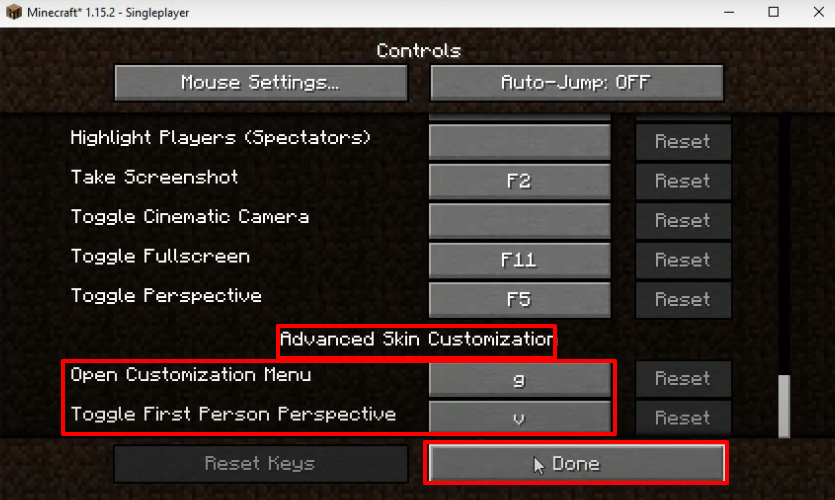
- Go to Advanced Skin Customization → GUI Settings → Toggle options as desired → Click Done.
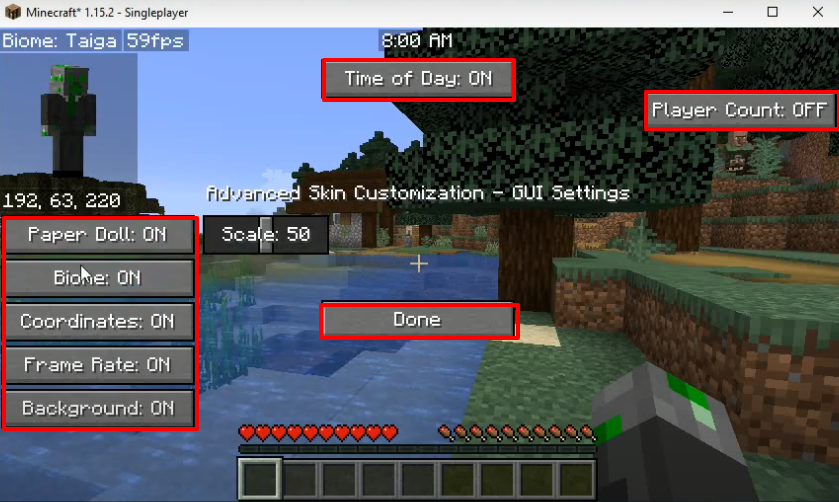
- Explore further settings → Change appearance and dressing → Click Done → Start enjoying the mod!
